
Industries
AI Chatbot for Accountants and Bookkeepers: A Practical Guide for Australian Firms
By ZoeyAI · · 8 min read
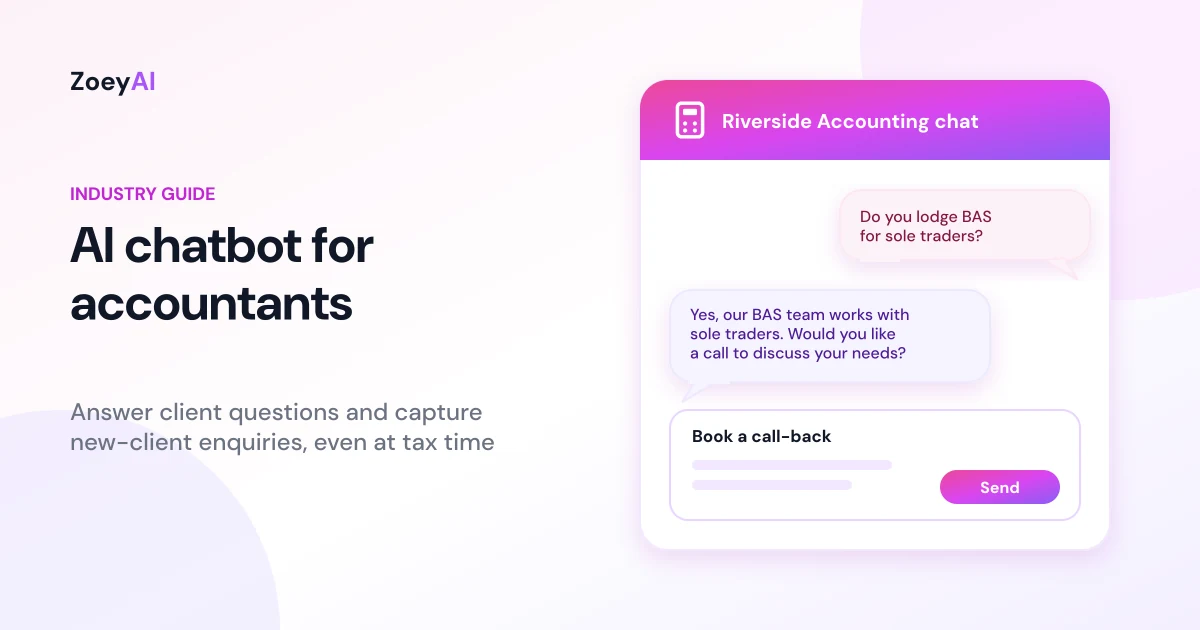
An AI chatbot for accountants sits on your firm's website and answers the routine questions that land in your inbox every day: what services you offer, what you charge for a tax return, which documents to bring, and how to become a client. It captures new-client enquiries with the details you need to follow up, and it passes anything that needs professional judgement to a person. Accounting practices, bookkeepers, BAS agents and tax agents all face the same squeeze, especially around tax time, when the phones ring hardest and the team has the least spare time.
This guide covers what a chatbot for an accounting or bookkeeping firm should and should not do, the enquiries it handles best, what to train it on, the Australian professional and privacy rules to keep in mind, and how to tell whether it is helping.
What does an AI chatbot for accountants actually do?
Most first contact with an accounting firm is administrative rather than technical. People want to know whether you work with businesses like theirs, whether you take new clients, what an engagement looks like and how to get started. A chatbot trained on your own website and notes can answer those questions straight away, at any hour.
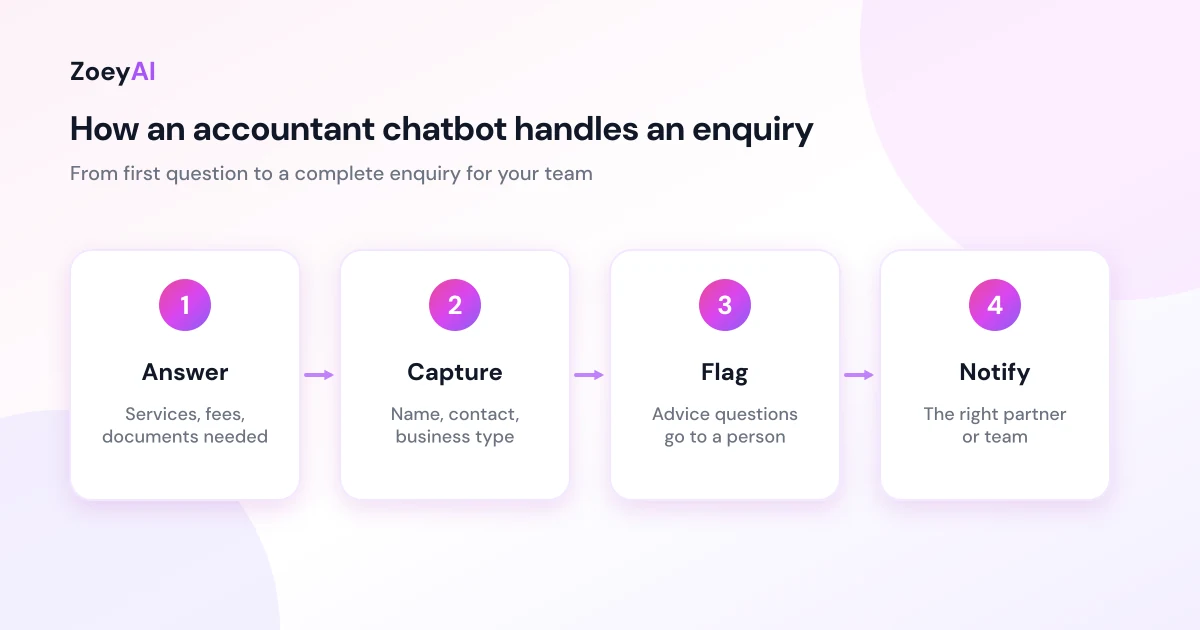
A well-set-up chatbot for an accounting or bookkeeping practice does four things:
- Answers practice questions. Services, industries you work with, office hours and locations, how fees are set, which software you support, and what documents clients need to bring.
- Captures new-client enquiries. It asks for name, phone number, email, business type and the kind of help they need, so your team can call back with context.
- Handles existing-client admin. It can explain how to upload documents, where to find your engagement letter or portal, and who to contact about an existing job.
- Hands over to a person. When someone needs advice, a staff member can take over the live conversation from the dashboard, or the chatbot collects details for a call-back.
What it should not do is give tax, financial or accounting advice about a person's own situation. It shouldn't tell someone what they can claim, how to structure their business, or what their tax position is. Those questions belong with a qualified person in your firm, and the chatbot should say so plainly.
Why accounting and bookkeeping firms suit a website chatbot
A few features of accounting work make a chatbot worth considering:
- Demand is seasonal. Enquiries cluster around tax time, BAS due dates and the end of the financial year, exactly when your team is busiest with existing work.
- Many questions repeat. Fees, document checklists, deadlines you publish, and "do you do SMSFs?" come up again and again.
- Prospective clients research after hours. Small business owners often look for an accountant in the evening, once their own work is done.
- Clear first-contact information builds trust. Someone choosing an accountant wants to see that you understand their situation before they book a meeting.
A chatbot doesn't replace your accountants or your reception team. It gives website visitors a useful answer while your staff focus on client work.
The enquiries a chatbot handles best
New-client enquiries
This is where most firms see value. The chatbot can explain your services, the types of clients you work with and how onboarding works, then collect contact details and a short description of what the person needs. Your team gets a tidy enquiry instead of a vague "please call me" message.
Tax return and BAS questions
General process questions are a good fit: what documents to bring for an individual tax return, how long things usually take at your firm, whether you lodge BAS for sole traders, and how your fees are set. The chatbot should stick to how your firm works, not what the client should do with their own tax.
Bookkeeping and software questions
Bookkeepers get asked which accounting software they support, whether they can take over from a previous bookkeeper, and whether they handle payroll. These are factual answers your chatbot can give from your training content.
Existing-client admin
Clients often contact the office to ask where to send documents, how to sign something or who is looking after their file. A chatbot can point them to the right place and, if needed, take a message for the right person.
What to train your chatbot on
The chatbot is only as good as the information you give it. Start with:
- Your services and who you work with, such as individuals, sole traders, companies, trusts or SMSFs, and any industries you specialise in.
- Your fee approach. If you publish fixed fees, include them. If you quote per engagement, say that clearly and explain what affects the price.
- Onboarding steps, including any engagement letter, identity checks and the documents a new client needs.
- Document checklists for common jobs such as individual tax returns.
- Software you support, and whether you offer training or setup.
- Office hours, locations and contact options, including whether you meet clients in person or online.
- Clear limits. Tell the chatbot that it must not give tax, financial or accounting advice about a person's own circumstances, and that those questions go to a staff member.
ZoeyAI can scan your existing website to build its knowledge base, and you can add notes and FAQs in the dashboard. Our guide on how to add an AI chatbot to your website walks through installing the widget and training it step by step.
Professional rules to keep in mind
Tax agents and BAS agents in Australia are registered with the Tax Practitioners Board, and registered practitioners must follow the TPB's Code of Professional Conduct. A chatbot on your website is part of how you present your firm, so treat its answers with the same care as anything else you publish:
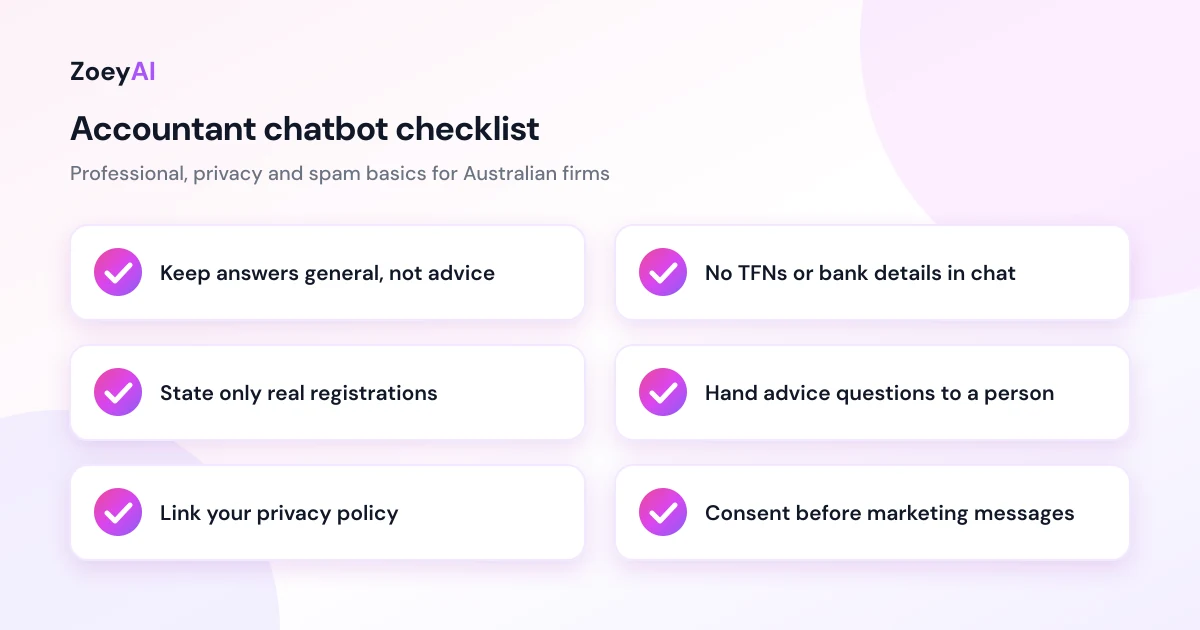
- Keep it general. The chatbot should describe your services and process, not apply tax law to an individual's circumstances.
- Be accurate about registration. Only state registrations and qualifications your firm and staff actually hold. Clients can check registered agents on the TPB public register.
- Don't overpromise. Avoid wording that suggests guaranteed refunds or outcomes.
- Make handover easy. A visitor should always be able to reach a person when the question needs professional judgement.
If you're unsure how a particular answer fits your obligations, check with your professional body or the TPB before adding it to the chatbot's training.
Privacy and security
Accounting firms handle some of the most sensitive information there is, including tax file numbers, income details and bank information. A chatbot shouldn't collect any of that. Ask only for what you need to follow up: name, contact details, business type and a short description of the enquiry.
The Privacy Act and the Australian Privacy Principles set out how organisations covered by the Act must collect, use and protect personal information. Some small businesses with an annual turnover of $3 million or less are exempt, but there are exceptions, so check the OAIC guidance or get advice on whether your firm is covered. Following the principles is good practice either way.
Some practical steps:
- Tell the chatbot not to ask for TFNs, bank details or identity documents, and to direct clients to your secure portal or upload process instead.
- Link your privacy policy from the chat window.
- Limit who can see chat transcripts in your team, and remove access when staff leave.
- Ask before adding people to marketing lists. Someone who asked about a tax return hasn't agreed to your newsletter. The ACMA's guidance on avoiding spam explains the consent rules for commercial emails and texts.
Getting enquiries to the right person
In a firm with several partners or teams, the enquiry should land with the person who can help. Set up the chatbot to ask a simple routing question, such as whether the person needs individual tax, business accounting, bookkeeping or SMSF help, and include that in the captured enquiry.
During business hours, staff can watch the dashboard and take over a conversation when a prospective client is ready to talk. Outside hours, the chatbot collects details and explains when the firm will be in touch. If you're weighing up a chatbot against a fully staffed chat, our comparison of AI chatbot vs live chat explains where each fits.
How to measure whether it is working
Run the chatbot for four to eight weeks, ideally including a busy period, and track:
- Conversations started and how many became a captured enquiry.
- New-client enquiries by service, so you can see where demand is coming from.
- Enquiries outside business hours, which shows what you would otherwise have answered late.
- Questions it couldn't answer. Add these to your training content.
- Enquiries that became clients, which matters more than raw chat numbers.
Your own results will tell you more than any industry average. Our guide to using an AI chatbot for lead generation goes deeper on qualifying questions and follow-up.
What does it cost?
ZoeyAI has a free Starter plan for live chat without AI. AI plans start at $29 a month incl. GST on Basic (100 conversations a month) and $79 a month incl. GST on Pro (250 conversations a month, up to 5 team seats). Annual billing on Basic and Pro works out cheaper per month, and Enterprise pricing is available on request. Basic and Pro both start with a 7-day free trial. See the full comparison on our pricing section.
Frequently asked questions
Can an AI chatbot give tax advice?
It shouldn't. A chatbot can explain your services, fees and processes, but questions about a person's own tax position need a qualified person in your firm. Train it to say that clearly and offer a call-back or a live handover.
Is it safe to use a chatbot when clients share sensitive information?
Set the chatbot up so it doesn't ask for sensitive details such as tax file numbers, bank details or identity documents, and point clients to your secure portal or upload process for those. Collect only what you need to follow up, link your privacy policy and limit who can see transcripts.
Will a chatbot work for a small bookkeeping practice?
Yes. Sole bookkeepers often benefit most, because they can't answer the phone while they're working on client files. The chatbot answers common questions and collects enquiry details so you can reply when you have time.
Do I need to monitor every chat?
No. The chatbot answers on its own and captures enquiries for follow-up. You can take over a live conversation from the dashboard when it helps, such as when a prospective client is ready to book a meeting.
How long does it take to set up?
If your website already lists your services, fees and FAQs, you can scan it, review what the chatbot learned, add notes about your limits and install the widget in an afternoon. Then test it with the questions your clients actually ask.
Keep reading
"AI Chatbot Privacy Australia: What the Privacy Act and APPs Mean for Your Business"
AI chatbot privacy Australia guide covering the Privacy Act, the Australian Privacy Principles, commercially available AI products, data security, spam consent and practical steps for website chatbots.
"Intercom Alternative for Small Business: How to Choose Without Overpaying"
Looking for an Intercom alternative for small business? Compare what Intercom is built for with what SMBs usually need from an AI chatbot, lead capture and human handover — with Australian pricing and privacy notes.