
Guides
AI Chatbot for After-Hours Enquiries: How to Capture Leads While You're Closed
By ZoeyAI · · 8 min read
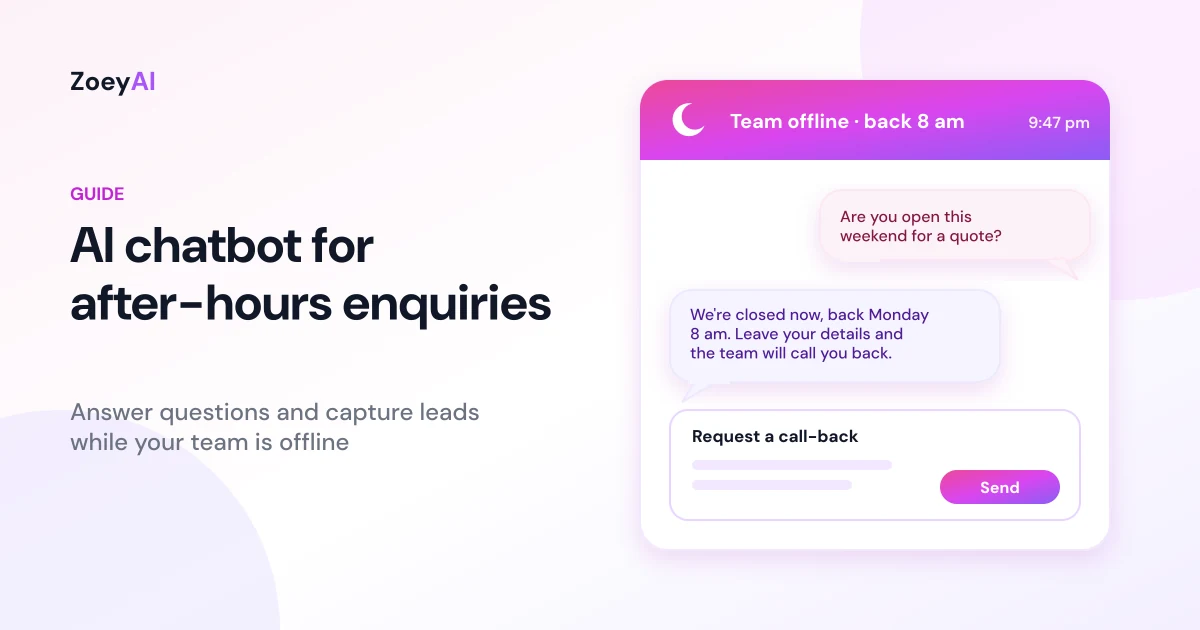
An AI chatbot for after-hours enquiries answers questions on your website when your team has gone home, then captures the visitor's details so someone can follow up when you open. For most small businesses, the office closes but the website doesn't. People browse in the evening, on weekends and on public holidays, and many of them leave if they can't get an answer or a clear next step.
This guide explains what an after-hours chatbot should do, how to set it up so it's honest about when your team is available, what to train it on, how to handle urgent requests, the privacy and spam rules to keep in mind in Australia, and how to measure whether it's worth it. It applies to any industry, from clinics and trades to professional services, retail and hospitality.
Why after-hours enquiries matter
Your opening hours suit your team, but your customers set their own schedule. Someone comparing providers at 9 pm on a Tuesday is often ready to act. If your website only offers a contact form and a phone number that goes to voicemail, that visitor has to wait and wonder whether you'll reply, and the next business on their list might answer first.
Covering those hours with people is expensive and hard to sustain. Under many awards, employees are entitled to higher pay for evenings, weekends and public holidays. The Fair Work Ombudsman explains how penalty rates work and how to check the rates in your award. For a small business, paying someone to watch a chat window overnight rarely makes sense.
An AI chatbot sits in between. It gives visitors an immediate, accurate answer from your own content and a clear promise of follow-up, without anyone working late.
What an AI chatbot for after-hours enquiries actually does
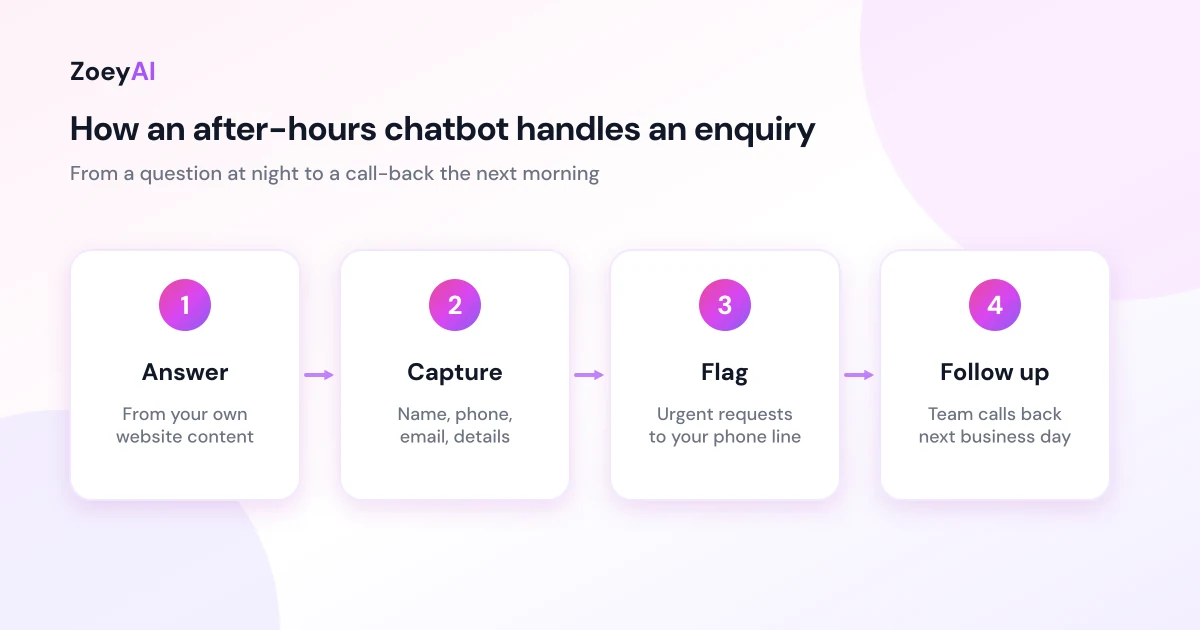
A well-set-up after-hours chatbot does five things:
- Answers common questions straight away. Services, prices you publish, service areas, opening hours, how bookings or quotes work, parking, returns and policies.
- Tells the truth about availability. It knows your business hours, so it can say the team is closed and when they'll be back, instead of implying someone is about to reply.
- Captures a complete enquiry. It asks for name, phone number, email and the details your team needs, such as the service, location or preferred time.
- Points urgent requests to the right channel. If you have an emergency line or an after-hours number, it tells people to use it rather than wait for a chat reply.
- Hands over cleanly in the morning. Captured leads and full transcripts are waiting in your dashboard, so your team can call back with context instead of starting from scratch.
What it should not do is make commitments your team hasn't agreed to, such as confirming a booking slot, quoting a firm price for unseen work, or promising a call-back time you can't meet.
Set expectations honestly
The biggest risk with an after-hours chatbot isn't a wrong answer about parking. It's a visitor who thinks a person is about to reply, waits, and feels misled. Build honesty into the setup:
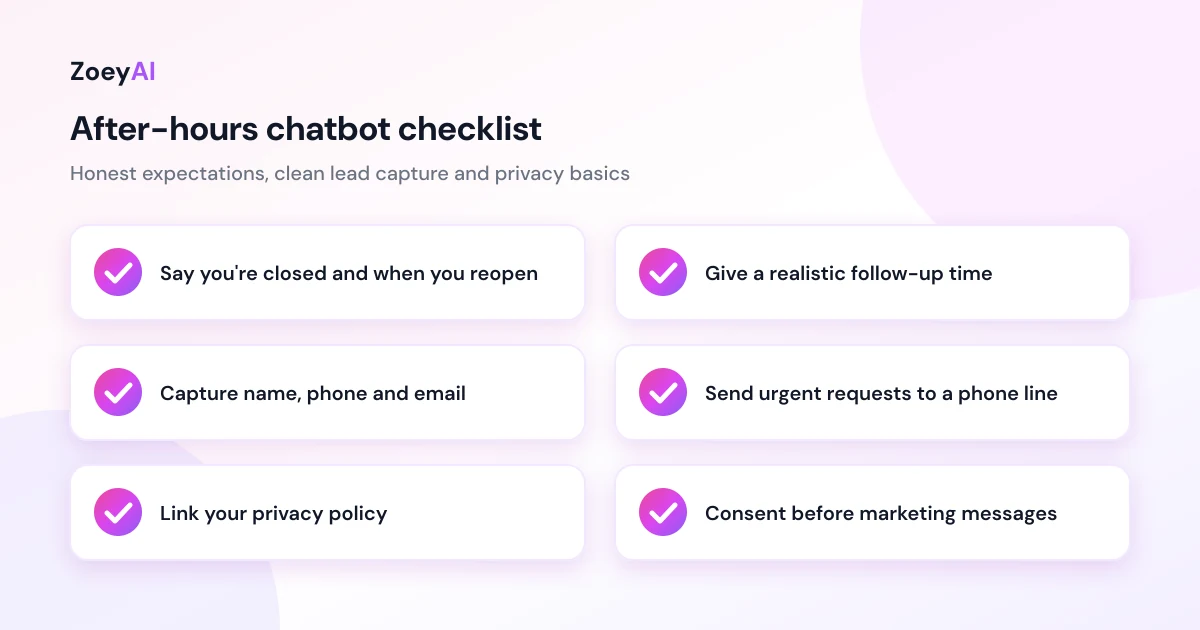
- Say you're closed. A short line such as "Our team is offline right now and back at 8 am Monday" sets the right expectation.
- Give a realistic follow-up time. If you call back within one business day, say so. Don't promise "within the hour" overnight.
- Make it clear it's an AI assistant. Name it if you like, but don't present it as a staff member.
- Offer alternatives. A phone number for business hours, an emergency line if you have one, or a link to book online if your booking system allows it.
The Australian Government's business.gov.au guide to communicating with customers suggests publishing your expected response time so customers know what to expect, and notes that live chat can be switched on and off for set hours. An after-hours chatbot follows the same principle: be clear about when a person will be in touch.
In ZoeyAI, the Basic plan and above let you set business hours in the dashboard. The assistant then knows whether your team is available right now, tells visitors when you're closed and when you next open, and keeps collecting their details so the team can follow up.
What to train your chatbot on
An after-hours chatbot has no colleague to ask, so its training content needs to cover the questions people actually send at night. Start with:
- Your services and what's not included, in plain language.
- Prices you already publish, with any conditions. If you quote case by case, explain how quoting works instead of giving a number.
- Service areas, locations and opening hours, including public holiday hours.
- How booking, quoting or ordering works, step by step.
- Policies: cancellations, returns, deposits and payment options, as you actually apply them.
- Who to contact for urgent issues outside business hours, if anyone.
- Clear limits: what it must not answer, and what it should do instead.
Look at your inbox and voicemail from the past few months. The questions that arrive after hours are usually a short list, and they make the best starting point for your FAQ entries. ZoeyAI can also scan your website to build its knowledge base. Our guide on how to add an AI chatbot to your website walks through training and installing the widget.
Handling urgent requests after hours
Some businesses get after-hours requests that can't wait until morning: a burst pipe, a patient in pain, a locked-out tenant, a failed delivery. A chatbot shouldn't try to resolve these on its own.
- Decide what counts as urgent for your business and write it into the training content.
- Give the chatbot one clear instruction: if the request is urgent, tell the visitor to call your emergency or after-hours number, or the relevant emergency service.
- Still capture the details, so your team sees the request first thing even if the visitor also called.
- If you have no after-hours service, say so. It's better to be upfront than to leave someone waiting for help that isn't coming.
Privacy and spam rules
An after-hours chatbot collects personal information while nobody is watching, so set the rules before you switch it on. The Office of the Australian Information Commissioner (OAIC) explains the Australian Privacy Principles, which apply to organisations covered by the Privacy Act. Some small businesses with an annual turnover of $3 million or less are exempt, but there are exceptions, so check the OAIC guidance or get advice. Following the principles is good practice either way.
The OAIC has also published guidance on privacy and the use of commercially available AI products, which is worth reading before you put any AI tool in front of customers.
Practical steps:
- Collect only what you need to follow up. Name, phone, email and a short description is usually enough.
- Tell the chatbot not to ask for sensitive details such as health information, payment card numbers or identity documents.
- Link your privacy policy from the chat window.
- Limit who can see transcripts and remove access when staff leave.
- Ask before marketing. Someone who sent an enquiry at 10 pm hasn't agreed to your newsletter or SMS offers. The ACMA's guidance on avoiding spam explains the consent rules for commercial emails and texts.
Following up the next business day
A captured lead is only worth something if someone calls it back. Build a simple morning routine:
- Review overnight conversations first thing, before new calls start.
- Call back the most complete and time-sensitive enquiries first.
- Read the transcript before you call, so you don't ask the customer to repeat themselves.
- Fix gaps in the training. If the chatbot couldn't answer something, add an FAQ entry that day.
During business hours, your team can also step into live conversations from the dashboard. Our comparison of AI chatbot vs live chat explains how the two work together, and our guide to AI chatbots for lead generation goes deeper on qualifying questions and follow-up.
How to measure whether it's working
Give it four to eight weeks, then look at:
- Conversations outside business hours, and what share became a captured enquiry.
- Questions it couldn't answer, which show where the training needs work.
- Time from capture to first call-back, which shows whether your morning routine is keeping up.
- After-hours enquiries that became customers, which matters more than chat volume.
Your own numbers will tell you more than any industry average. If very few conversations happen after hours, the chatbot may still earn its place during the day. If many do, you've found demand you were previously missing.
What does it cost?
ZoeyAI has a free Starter plan for live chat without AI, which doesn't cover after-hours replies on its own. AI plans start at $29 a month incl. GST on Basic (100 conversations a month, including business hours settings and human takeover) and $79 a month incl. GST on Pro (250 conversations a month, up to 5 team seats, webhooks and CSV export). Annual billing on Basic and Pro works out cheaper per month, and Enterprise pricing is available on request. Every new account starts with a 7-day free trial. See the full comparison in our pricing section.
Frequently asked questions
Will visitors know they're talking to an AI after hours?
They should. Name the assistant if you like, but make it clear it's an AI and that your team is offline. Visitors are generally fine with a chatbot as long as it's upfront and gives them a clear next step.
Can an after-hours chatbot book appointments?
That depends on your setup. ZoeyAI captures enquiries and hands them to your team; it doesn't replace your booking software. You can train it to explain how booking works and link to your online booking page if you have one.
What happens to leads captured overnight?
They're saved in your ZoeyAI dashboard with the full conversation, so your team can review them and call back the next business day. On Pro and above, webhooks can also send leads to tools such as Zapier, Make or your CRM.
What if someone has an urgent problem at night?
Train the chatbot to recognise urgent requests and tell the visitor to call your after-hours or emergency number, or the relevant emergency service. It should still capture their details so your team sees the request in the morning.
Does an after-hours chatbot replace my team?
No. It answers routine questions and captures details while you're closed. Your team still handles follow-up, quotes, bookings and anything that needs judgement, and they can take over live conversations during business hours.
Keep reading
"AI Chatbot Privacy Australia: What the Privacy Act and APPs Mean for Your Business"
AI chatbot privacy Australia guide covering the Privacy Act, the Australian Privacy Principles, commercially available AI products, data security, spam consent and practical steps for website chatbots.
"Intercom Alternative for Small Business: How to Choose Without Overpaying"
Looking for an Intercom alternative for small business? Compare what Intercom is built for with what SMBs usually need from an AI chatbot, lead capture and human handover — with Australian pricing and privacy notes.