
Industries
AI Chatbot for Dental Clinics: A Practical Guide for Australian Practices
By ZoeyAI · · 9 min read
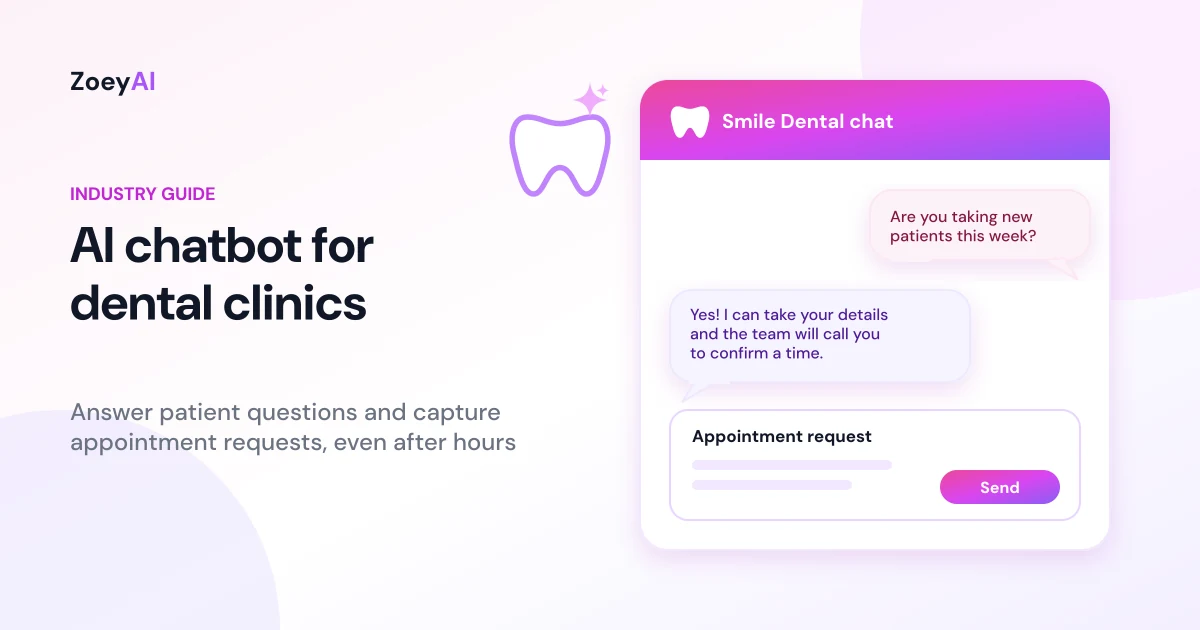
An AI chatbot for dental clinics sits on your practice website, answers the questions patients ask every day and collects appointment requests while your front desk is busy or closed. For a practice where the phone rings during treatment, after hours and on weekends, it gives patients a useful answer straight away and gives your team a tidy list of people to call back.
This guide covers what a dental chatbot should and should not do, how to set one up, the Australian advertising and privacy rules to keep in mind, and how to tell whether it is working for your practice.
What does an AI chatbot for dental clinics actually do?
Most questions that reach a dental front desk are predictable. Patients want to know whether you are taking new patients, what your hours are, whether you bulk bill children under a government scheme, whether you take their health fund, where to park, how much a check-up and clean costs and what to do about a toothache on a Saturday.
A well-trained chatbot handles that layer of questions using information you give it:
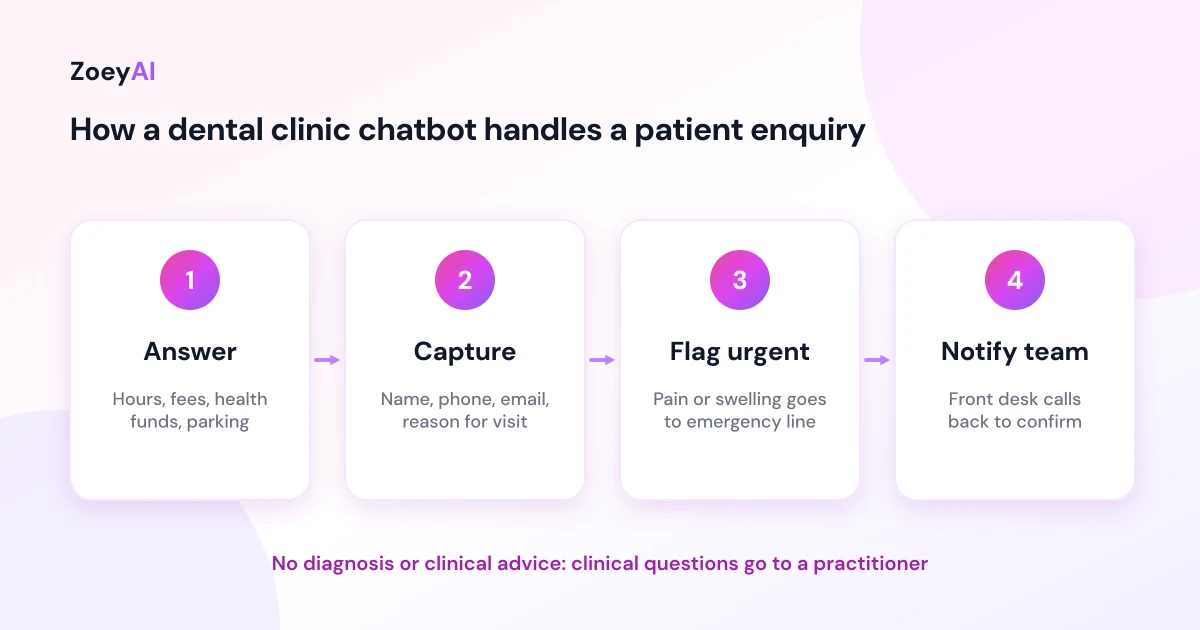
- Answers practice questions. Hours, location, parking, services offered, payment options, health fund arrangements and new patient information, all drawn from your own website and notes.
- Captures appointment requests. It asks for the patient's name, phone number, email and the reason for their visit, then sends the request to your team so they can confirm a time.
- Routes urgent enquiries. When someone describes pain, swelling or trauma, it points them to your emergency phone line or after-hours instructions instead of trying to help on its own.
- Hands over to a person. When a staff member is available, they can take over the conversation from the dashboard.
What it should not do is diagnose, recommend treatment or give clinical advice. That is a job for a registered practitioner, and a good setup makes that line clear to the patient.
Why dental practices are a good fit for a website chatbot
Dental practices have a few traits that make a chatbot worth considering:
- The front desk is stretched. Reception staff juggle phones, check-ins, payments and recalls at once. Routine website questions can wait in a queue or never get answered.
- Patients research after hours. People often look for a dentist in the evening, once work and family are done. If your site only offers a phone number, those visitors have to remember to call the next day.
- Questions repeat. The same dozen questions come up again and again, which is exactly the kind of work an AI assistant trained on your content does well.
- Each new patient matters. A family that books with you may stay for years, so an unanswered enquiry costs more than one appointment.
We are not going to put a number on how many extra bookings a chatbot will bring you. That depends on your traffic, your location, your fees and how quickly you follow up. The honest way to find out is to measure it, which we cover below.
AI chatbot vs online booking system: do you need both?
Many practices already use an online booking tool connected to their practice management software. A chatbot does not replace it. The two do different jobs:
- Online booking suits patients who already know what they want and when. They pick a slot and they are done.
- A chatbot suits patients who have a question first. "Do you see kids?" "Can I use my health fund on the day?" "Is a clean included with a check-up?" Once that question is answered, the chatbot can link to your booking page or take their details for a call back.
Used together, the chatbot answers the question that would otherwise stop someone from booking, and the booking tool handles the scheduling. If you are weighing up chatbots against staffed chat, our comparison of AI chatbot vs live chat explains where each one fits.
What to train a dental chatbot on
A chatbot is only as good as the information behind it. Before you switch one on, gather:
- Practice basics. Address, parking, public transport, accessibility, opening hours and public holiday hours.
- Services. General check-ups, cleans, fillings, children's dentistry, cosmetic work, orthodontics, implants or whatever you actually offer, described in plain language.
- Fees and payments. Only the prices you are happy to publish, with clear wording that final costs depend on an examination. Include health fund, payment plan and government scheme details only where they apply to your practice.
- New patient process. What to bring, forms to fill in and how long the first visit takes.
- Emergency instructions. Your emergency phone number and what patients should do out of hours, including when to go to a hospital emergency department.
- Boundaries. A clear instruction that the assistant does not give clinical advice and should direct clinical questions to a practitioner.
ZoeyAI can scan your existing website to build its knowledge base, and you can add extra notes and FAQs in the dashboard. Our guide on how to add an AI chatbot to your website walks through installing the widget and training it step by step.
Advertising rules: what your chatbot should never say
Dentists are registered health practitioners, so anything your practice publishes, including what a chatbot says, falls under the advertising rules in the Health Practitioner Regulation National Law. The Ahpra advertising hub explains these obligations, and the Dental Board of Australia publishes guidance for the profession.
In practice, that means your chatbot should not:
- Quote patient testimonials or reviews about clinical care.
- Promise outcomes, such as "pain-free" or "perfect results".
- Create a sense of urgency to buy a treatment, or offer gifts and discounts without the terms being clear.
- Compare your practice with other practitioners in a misleading way.
The simplest approach is to keep the chatbot's knowledge base factual: what you offer, when you are open and how to book. Review its answers before you go live and check the conversation history regularly. If you are unsure about specific wording, talk to your professional association, such as the Australian Dental Association, or get advice before publishing it.
Privacy and health information
When a patient types "I've chipped a tooth and it hurts when I drink something cold", they have shared health information. Under the Privacy Act, health information is a type of sensitive information that gets extra protection, and most private health service providers must follow the Australian Privacy Principles regardless of their turnover. The OAIC's guidance for health service providers is the place to start.
A few sensible habits for a dental chatbot:
- Collect only what you need. Name, contact details and a short reason for the visit are usually enough to book. The chatbot does not need a full medical history.
- Tell patients how their details are used. Link to your privacy policy from the chat widget and keep that policy current.
- Limit who can see conversations. Give dashboard access only to staff who need it, and remove access when someone leaves.
- Do not use chat details for marketing without consent. If you want to add someone to a newsletter or recall list, ask first. The ACMA's guidance on avoiding spam explains the consent rules for commercial messages.
This is general information, not legal advice. If your practice handles chat data in an unusual way, speak to a privacy adviser.
Handling after-hours and emergency enquiries
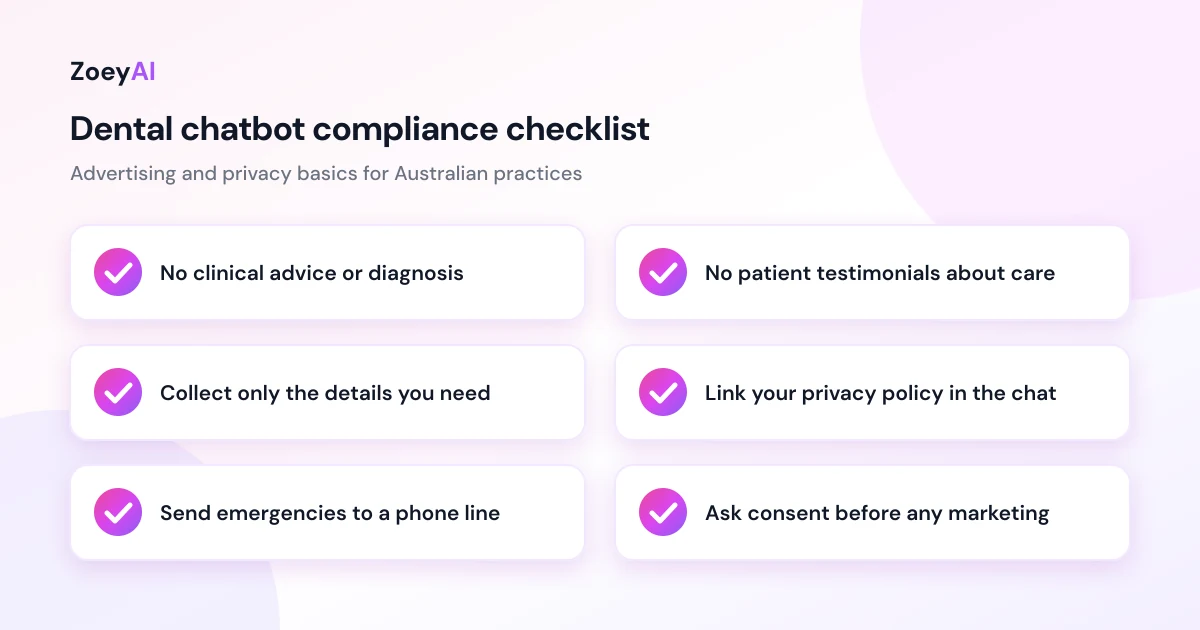
Out-of-hours messages are where a chatbot earns its keep, but they need care. Set up two paths:
- Routine requests, such as a check-up or a clean, are captured with the patient's details and land in your inbox or dashboard for the team to call back the next business day.
- Urgent concerns, such as severe pain, swelling, bleeding or a knocked-out tooth, get an immediate reply with your emergency number or after-hours instructions. If your practice does not offer after-hours care, the chatbot should say so clearly and point the patient to appropriate emergency services.
Business hours settings let the chatbot change its behaviour when the practice is closed, so it can say "We're closed now, but leave your details and we'll call you first thing tomorrow" instead of implying someone is about to reply.
How to measure whether it is working
Give a new chatbot four to eight weeks, then look at:
- Conversations started. Are visitors actually using it?
- Appointment requests captured. How many conversations ended with contact details?
- After-hours share. How many requests arrived when the practice was closed?
- Follow-up speed. How quickly did your team call those patients back? A captured lead that waits two days is a lead at risk.
- Unanswered questions. Which questions did the chatbot struggle with? Add those answers to its knowledge base.
Compare captured requests with the bookings your team actually made from them. That tells you more than any industry average could. Our guide to using an AI chatbot for lead generation goes deeper on qualifying questions and follow-up.
What does it cost?
ZoeyAI has a free Starter plan for live chat without AI. AI plans start at $29 a month incl. GST on Basic (100 conversations a month) and $79 a month incl. GST on Pro (250 conversations a month, up to 5 team seats). Annual billing on Basic and Pro works out cheaper per month, and Enterprise pricing is available on request. Basic and Pro both start with a 7-day free trial. See the full comparison on our pricing section.
For a single-chair practice, Basic is usually enough to start. A multi-dentist clinic with several reception staff will probably want Pro for the extra team seats and higher conversation limit.
Frequently asked questions
Can an AI chatbot book dental appointments?
It can capture an appointment request with the patient's name, contact details and reason for visiting, then notify your team to confirm a time. If you already use an online booking system, the chatbot can link patients to it once their questions are answered.
Will a chatbot give patients dental advice?
It should not. A dental chatbot should answer practice questions such as hours, services and fees, and direct anything clinical to a registered practitioner. Set this boundary clearly in its instructions and check its answers before going live.
Is an AI chatbot for dental clinics compliant with Australian privacy law?
A chatbot can be used in a privacy-compliant way, but compliance depends on how your practice collects, stores and uses the information. Collect only what you need, link your privacy policy in the chat and restrict dashboard access. Read the OAIC guidance for health service providers and seek advice if you are unsure.
Can a dental chatbot mention patient reviews?
It is safest not to. Ahpra's advertising rules restrict the use of testimonials about clinical aspects of care, so keep the chatbot's answers factual and leave reviews off its knowledge base.
What happens when a patient has a dental emergency after hours?
Train the chatbot to recognise urgent descriptions such as severe pain, swelling or trauma and respond with your emergency phone number or after-hours instructions. If you do not offer after-hours care, it should say so and point the patient to appropriate emergency services.
How long does it take to set up?
Installing the widget takes a few minutes with a single line of code. Training it properly takes longer, because you should add your services, fees, policies and emergency instructions and then test it with real questions. Set aside time to test it before you switch it on for patients.
Keep reading
"AI Chatbot Privacy Australia: What the Privacy Act and APPs Mean for Your Business"
AI chatbot privacy Australia guide covering the Privacy Act, the Australian Privacy Principles, commercially available AI products, data security, spam consent and practical steps for website chatbots.
"Intercom Alternative for Small Business: How to Choose Without Overpaying"
Looking for an Intercom alternative for small business? Compare what Intercom is built for with what SMBs usually need from an AI chatbot, lead capture and human handover — with Australian pricing and privacy notes.