
Industries
AI Chatbot for Real Estate Agents: A Practical Guide for Australian Agencies
By ZoeyAI · · 9 min read
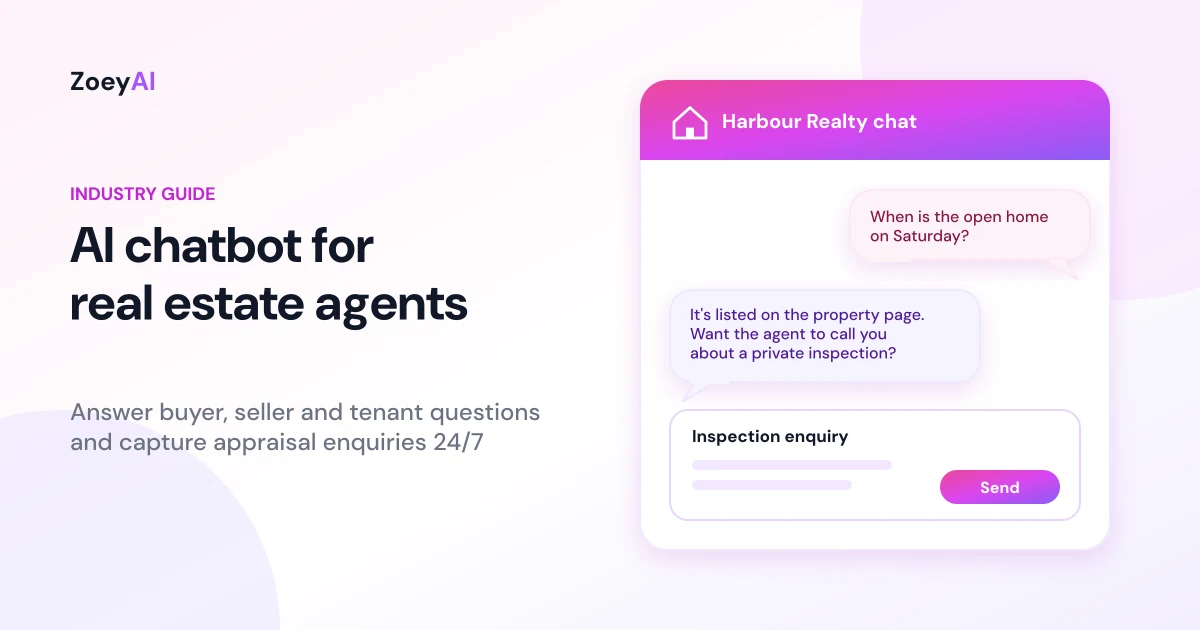
An AI chatbot for real estate agents sits on your agency website and answers the questions buyers, sellers, landlords and tenants ask every day, then captures their details so your team can follow up. A chatbot gives every visitor a useful answer straight away and gives your agents a tidy list of people worth calling.
This guide covers what a real estate chatbot should and should not do, the enquiries it handles best, what to train it on, the Australian privacy, spam and pricing rules to keep in mind, and how to tell whether it is working for your agency.
What does an AI chatbot for real estate agents actually do?
Agency websites attract buyers, sellers, landlords and tenants, and each group asks predictable questions. Buyers want to know when the next open home is and whether a property is still available. Sellers want to know what their home might be worth and how your agency works. Landlords ask about property management fees and services. Tenants ask how to apply, how to report a repair and when the rent is due.
A well-trained chatbot handles that layer of questions using information you give it:
- Answers agency questions. Office hours, suburbs you cover, services offered, the selling process, property management basics and how to contact a specific agent.
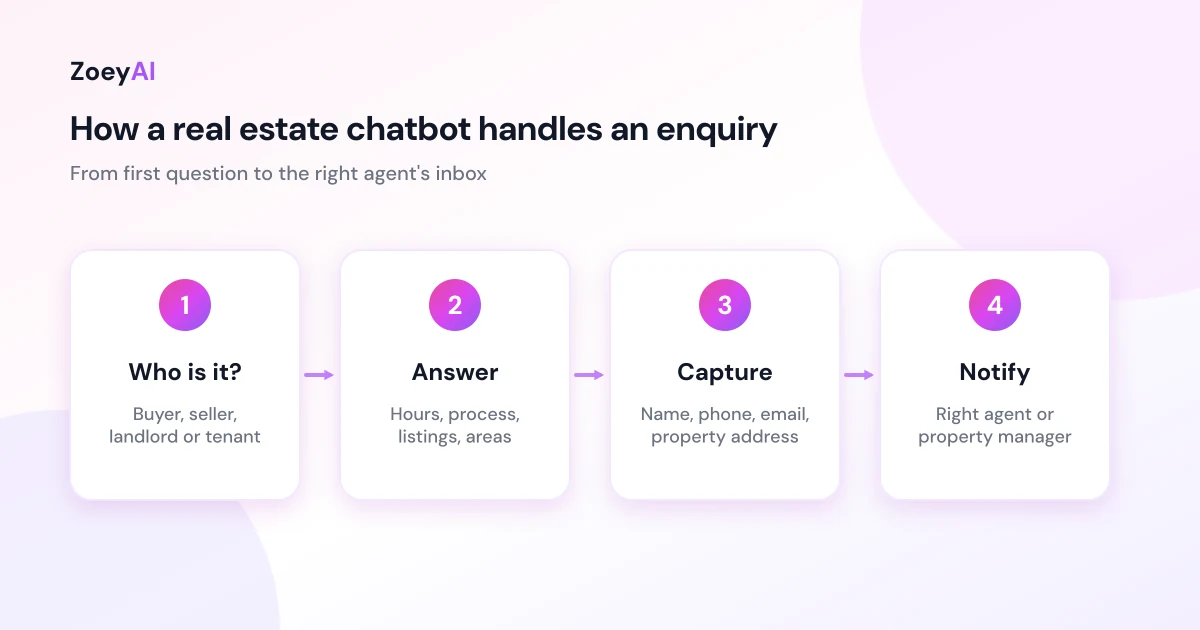
- Captures appraisal requests. It asks a potential seller for their name, phone number, email, property address and rough timeframe, then sends the enquiry to the right agent.
- Handles buyer and rental enquiries. It points people to listings, inspection times and application steps, and collects details when someone wants a call back.
- Hands over to a person. When an agent or property manager is free, they can take over the conversation from the dashboard.
What it should not do is give a valuation, promise a sale price, give legal or financial advice, or make commitments about a specific property on your behalf. Those belong with a licensed agent, and a good setup makes that clear to the visitor.
Why real estate agencies are a good fit for a website chatbot
Real estate has a few traits that make a chatbot worth considering:
- Agents are rarely at their desk. Open homes, appraisals, auctions and client meetings fill the week. A website enquiry can sit unread for hours.
- People browse property after hours. Buyers scroll listings at night and on weekends, and many sellers start researching agents well before they pick up the phone.
- Seller leads are valuable. One appraisal request can become a listing.
- Questions repeat. Inspection times, application steps, fee structures and "do you cover my suburb?" come up constantly, which is the kind of work an AI assistant trained on your content handles well.
We are not going to tell you how many extra listings a chatbot will win you. That depends on your market, your brand, your traffic and how quickly your agents follow up. The honest way to find out is to measure it, which we cover below.
The enquiries a real estate chatbot handles best
It helps to plan the chatbot around the conversations your office actually has. Most fall into four groups.
Seller and appraisal enquiries
This is usually the most valuable conversation. The chatbot can explain how your appraisal process works, collect the property address and the owner's contact details, ask about their timeframe and pass the enquiry to the listing agent for that area. It should not guess a value.
Buyer enquiries
Buyers want inspection times, the status of a listing and how to make an offer or register for an auction. The chatbot can link to your listings page, explain your general process and capture details for buyers who want updates. Questions about a property's condition, price or contract go to the listing agent.
Landlord and property management enquiries
Potential landlords ask what property management includes, how leasing works and how to switch agencies. These are strong leads for your rent roll, so the chatbot should capture contact details and the property address and route them to your business development manager or property management team.
Tenant questions
Current and prospective tenants ask how to apply, how to lodge a maintenance request and what to do in an urgent repair situation. The chatbot can share your standard process and links, and point urgent issues, such as a burst pipe or no power, to the emergency contact your agency provides.
If you are weighing up a chatbot against staffed chat for these conversations, our comparison of AI chatbot vs live chat explains where each one fits.
What to train a real estate chatbot on
A chatbot is only as good as the information behind it. Before you switch one on, gather:
- Agency basics. Office address, hours, phone number, the suburbs you cover and which agent looks after which area.
- Services. Sales, auctions, property management, leasing, commercial or whatever you actually offer, described in plain language.
- Processes. How an appraisal works, how to register for an auction, how rental applications work and how tenants lodge maintenance requests.
- Fees. Only the information you are happy to publish. If your fees depend on the property, say so rather than quoting a figure.
- Urgent contacts. Your after-hours emergency repair process for tenants.
- Boundaries. A clear instruction that the assistant does not give valuations, price guidance, or legal or financial advice, and should refer those questions to an agent.
ZoeyAI can scan your existing website to build its knowledge base, and you can add extra notes and FAQs in the dashboard. Our guide on how to add an AI chatbot to your website walks through installing the widget and training it step by step.
Price guides and property claims: keep the chatbot factual
Real estate advertising is regulated, and what a chatbot says on your website is part of how you represent a property. Each state and territory sets its own rules for agents. In New South Wales, for example, NSW Fair Trading's guidance on underquoting explains that agents must not advertise or tell buyers a price below the seller's asking price or the agent's reasonable estimate of the selling price. Other states have their own rules, and your state's real estate institute, such as the REIQ in Queensland, is a good place to check what applies to you.
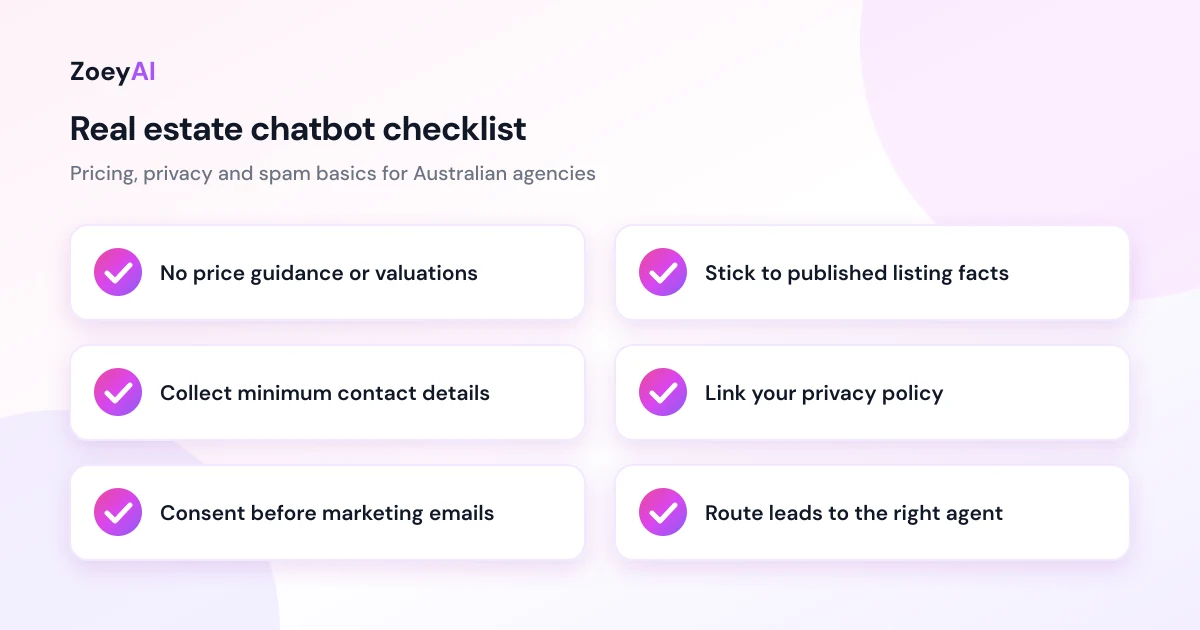
The safest approach is to keep property prices and claims out of the chatbot's own answers. Let it point buyers to the listing and to the agent, and let the agent handle price discussions. In practice, that means your chatbot should not:
- Suggest a price, price range or likely sale result for a property.
- Describe a property's features, condition or zoning beyond what is in the published listing.
- Promise that a property is available or that an offer will be accepted.
- Give legal, tax or finance advice about buying, selling or investing.
Privacy and spam rules for agency chat
A chatbot collects personal information, such as names, phone numbers, emails and property addresses. The Privacy Act and the Australian Privacy Principles set out how organisations covered by the Act must collect, use and protect it. Many small businesses with an annual turnover of $3 million or less are exempt, but there are exceptions, so check the OAIC guidance or get advice on whether your agency is covered.
A few sensible habits for a real estate chatbot:
- Collect only what you need. Name, contact details, the property address and a short description of what they want are usually enough.
- Tell visitors how their details are used. Link to your privacy policy from the chat widget and keep that policy current.
- Limit who can see conversations. Give dashboard access only to staff who need it, and remove access when someone leaves.
- Ask before adding people to marketing lists. A buyer who asks about one inspection has not agreed to your weekly email. The ACMA's guidance on avoiding spam explains the consent rules for commercial messages.
This is general information, not legal advice.
Routing leads to the right agent
An enquiry is only useful if the right person sees it quickly. Before going live, decide:
- Who gets seller enquiries for each area, and who covers them when that agent is away.
- Who gets landlord enquiries, usually your property management or business development lead.
- Where tenant maintenance requests go, so they do not land in a sales agent's inbox.
- What happens after hours. Business hours settings let the chatbot say "Our office is closed, but leave your details and an agent will call you tomorrow" instead of implying someone is about to reply.
Asking early whether the visitor wants to buy, sell, rent or manage a property makes routing much easier.
How to measure whether it is working
Give a new chatbot four to eight weeks, then look at:
- Conversations started. Are visitors actually using it?
- Leads captured by type. How many appraisal, buyer, landlord and tenant enquiries came through?
- After-hours share. How many enquiries arrived when the office was closed?
- Follow-up speed. How quickly did an agent call those people back? A seller lead that waits two days may already be talking to another agency.
- Unanswered questions. Which questions did the chatbot struggle with? Add those answers to its knowledge base.
Compare captured enquiries with the appraisals, listings and management agreements that came from them. That tells you more than any industry average could. Our guide to using an AI chatbot for lead generation goes deeper on qualifying questions and follow-up.
What does it cost?
ZoeyAI has a free Starter plan for live chat without AI. AI plans start at $29 a month incl. GST on Basic (100 conversations a month) and $79 a month incl. GST on Pro (250 conversations a month, up to 5 team seats). Annual billing on Basic and Pro works out cheaper per month, and Enterprise pricing is available on request. Basic and Pro both start with a 7-day free trial. See the full comparison on our pricing section.
A solo agent or small boutique office can usually start on Basic. An agency with several sales agents and a property management team will probably want Pro for the extra team seats and higher conversation limit.
Frequently asked questions
Can an AI chatbot give property appraisals?
It should not give a valuation or price estimate. It can explain how your appraisal process works, collect the owner's details and property address, and pass the request to an agent who prepares the appraisal properly.
Can a real estate chatbot book inspections?
It can share published inspection times, link to your listings and capture a buyer's details so an agent can confirm a private inspection. If you use a separate booking or inspection tool, the chatbot can link people to it.
Is an AI chatbot for real estate agents compliant with Australian privacy law?
A chatbot can be used in a privacy-compliant way, but compliance depends on how your agency collects, stores and uses the information. Collect only what you need, link your privacy policy in the chat, restrict dashboard access and ask for consent before marketing. Check the OAIC guidance or get advice if you are unsure.
Can the chatbot talk about property prices?
It is safest to keep price discussions with your agents. Price guide rules vary by state, so let the chatbot point buyers to the published listing and the listing agent rather than suggesting figures itself.
How long does it take to set up?
Installing the widget takes a few minutes with one line of code. Training it takes longer: add your services, processes, areas and routing rules, then test it with real questions.
Keep reading
"AI Chatbot Privacy Australia: What the Privacy Act and APPs Mean for Your Business"
AI chatbot privacy Australia guide covering the Privacy Act, the Australian Privacy Principles, commercially available AI products, data security, spam consent and practical steps for website chatbots.
"Intercom Alternative for Small Business: How to Choose Without Overpaying"
Looking for an Intercom alternative for small business? Compare what Intercom is built for with what SMBs usually need from an AI chatbot, lead capture and human handover — with Australian pricing and privacy notes.