
Industries
AI Chatbot for Tradies: Capture More Jobs While You're on the Tools
By ZoeyAI · · 9 min read
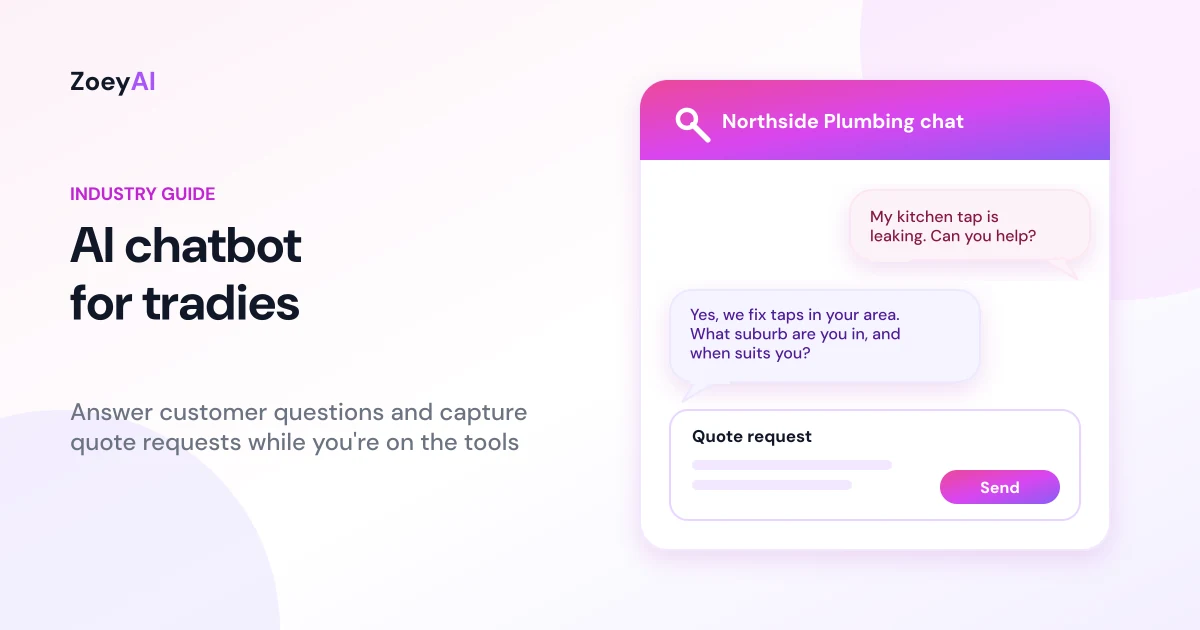
An AI chatbot for tradies sits on your business website and answers the questions customers ask while you're up a ladder, under a house or driving between jobs. It explains what you do and where you work, collects the details you need to quote, and sends you a tidy enquiry you can call back when you have a minute. Plumbers, electricians, builders, landscapers, painters, cleaners and other trade businesses all deal with the same problem: the phone rings and the website enquiries pile up at exactly the moment you can't stop work.
This guide covers what a chatbot for a trade business should and should not do, the enquiries it handles best, what to train it on, the Australian privacy, spam and licensing points to keep in mind, and how to tell whether it is actually winning you work.
What does an AI chatbot for tradies actually do?
Most trade enquiries start with the same handful of questions. Do you cover my suburb? Do you do this type of job? How soon can you come out? Roughly what does it cost? Are you licensed? A chatbot trained on your own information can answer those straight away, any time of day.
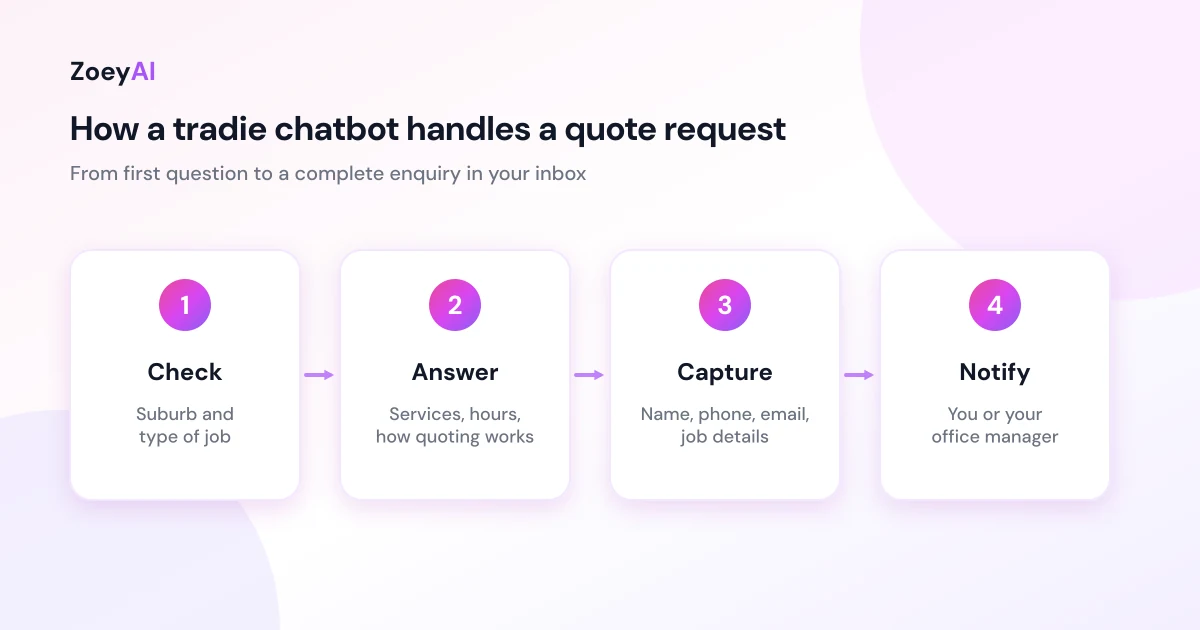
A well-set-up chatbot for a trade business does four things:
- Answers common questions. Services you offer, areas you cover, business hours, call-out arrangements, licence details and how your quoting process works.
- Captures quote requests. It asks for the customer's name, phone number, email, suburb or address, the type of job and how urgent it is, so you are not chasing basic details later.
- Sorts urgent from routine. It can tell someone with a burst pipe or no power to call your phone line now, while a bathroom renovation enquiry goes into the queue for a call-back.
- Hands over to a person. When you or your office manager are free, you can jump into the live conversation from the dashboard.
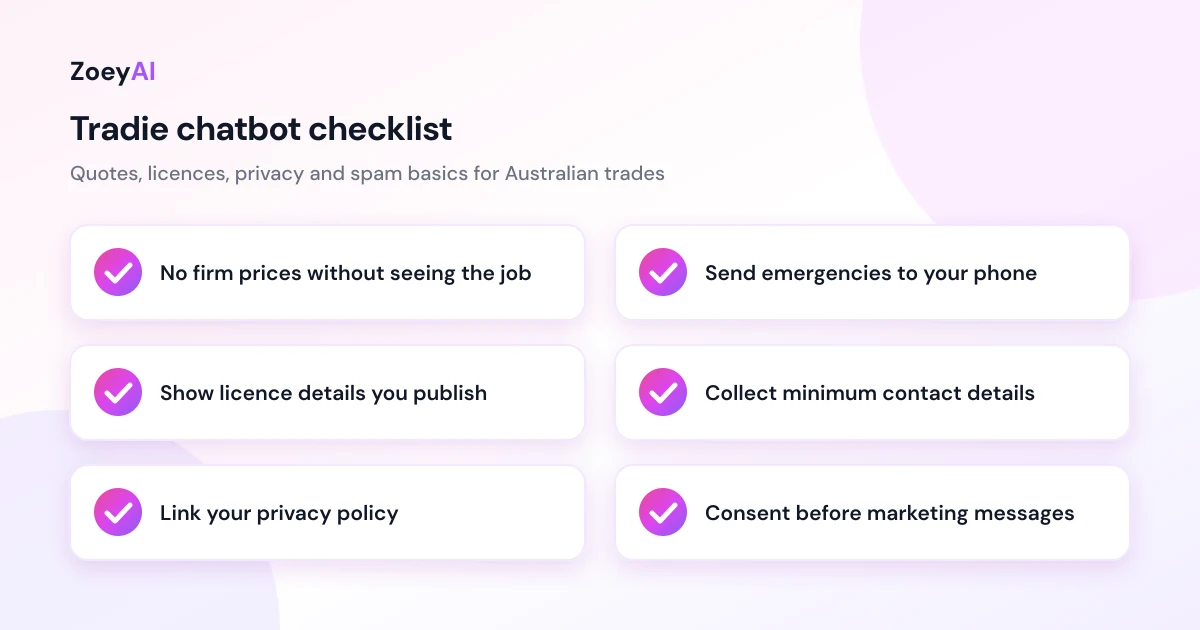
What it should not do is give a firm price for a job it hasn't seen, diagnose a fault, give safety advice about gas or electrical work, or promise a time slot you haven't confirmed. Those belong with you or your team, and a good setup tells the customer that clearly.
Why trade businesses are a good fit for a website chatbot
A few things about trade work make a chatbot worth a look:
- You're on the tools during business hours. Owner-operators and small crews often can't answer the phone or reply to a web form until the end of the day.
- Customers search when the problem happens. A homeowner who notices a leak at 9 pm, or a landlord sorting maintenance on a Sunday, is on your website when you're not working.
- Customers often contact several businesses. If a homeowner sends the same enquiry to three plumbers, the one who replies with something useful first has an advantage.
- The questions repeat. Service areas, call-out arrangements, licence numbers and "do you do small jobs?" come up constantly. That is the kind of work an AI assistant trained on your content handles well.
We won't promise you a number of extra jobs a month. That depends on your trade, your area, your website traffic and how quickly you call people back. The honest approach is to measure it, which we cover below.
The enquiries a trade chatbot handles best
Plan the chatbot around the conversations your business actually has. For most trades they fall into four groups.
Quote requests
This is the most valuable conversation. The chatbot asks what the job is, where it is, how big it is and when the customer wants it done. It can ask follow-up questions specific to your trade, such as the number of rooms for a painter, the size of the yard for a landscaper or whether it's a new installation or a repair for an electrician. It then sends you a complete enquiry instead of a one-line "please call me".
Urgent and emergency jobs
If you offer emergency call-outs, the chatbot should recognise words like "burst", "flooding", "sparking" or "no power" and tell the customer to call your emergency number straight away. It should never try to talk someone through a dangerous situation. If you don't do emergency work, it should say so plainly so the customer can find someone who does.
Service and area questions
"Do you service Ipswich?" or "Do you install split systems?" are quick questions that often decide whether a customer keeps reading. The chatbot can answer them instantly from your service list and area list, and politely tell people when a job is outside what you do.
Existing customers
Customers ask about warranty work, invoices, job follow-ups and rescheduling. The chatbot can explain your general process and collect details, then pass the conversation to whoever handles admin.
If you're wondering whether a chatbot or staffed chat suits these conversations better, our comparison of AI chatbot vs live chat explains where each one fits.
What to train a trade chatbot on
A chatbot is only as good as the information it has. Before you switch it on, gather:
- Your services list, including what you don't do. Being clear about exclusions saves both sides time.
- Your service area, as a list of suburbs or regions.
- Business hours and emergency availability, including after-hours arrangements if you offer them.
- How quoting works, such as whether you quote on site, from photos or over the phone, and whether there is a call-out or inspection fee.
- Licence and insurance details you already publish, such as your licence number.
- Common FAQs from your phone calls and emails, written in plain language.
Only give the chatbot pricing information you're happy to publish. If your prices depend on the job, say that, and train it to explain that a firm quote comes after you've assessed the work.
ZoeyAI can scan your existing website to build its knowledge base, and you can add notes and FAQs in the dashboard. Our guide on how to add an AI chatbot to your website walks through installing the widget and training it step by step.
Licences, quotes and claims: keep the chatbot factual
What your chatbot says on your website is part of how you represent your business. Keep it to facts you can stand behind.
Licensing rules for trades are set by each state and territory, and they vary by trade and by the value of the work. In New South Wales, NSW Fair Trading's building and trade licences page explains which work needs a licence. In Queensland, the QBCC handles building licences and lets customers search for licensed contractors. Your chatbot should give the licence details you already publish and never claim a licence or qualification you don't hold.
On pricing, the safest approach is to give ranges or starting prices only where you already publish them, and to say clearly that the final price depends on the job. Avoid having the chatbot promise outcomes like "fixed today" or "cheapest in town" unless they are true and you can back them up.
Privacy and spam rules for trade businesses
A chatbot collects personal information, including names, phone numbers, emails and home addresses. The Privacy Act and the Australian Privacy Principles set out how organisations covered by the Act must collect, use and protect it. Many small businesses with an annual turnover of $3 million or less are exempt, but there are exceptions, so check the OAIC guidance or get advice on whether your business is covered. Following the principles is good practice either way.
Practical steps for a trade chatbot:
- Collect only what you need to quote. Name, contact details, address and job details are usually enough.
- Link your privacy policy in or near the chat widget.
- Be careful with photos and access details. Customers sometimes share gate codes, key locations or photos of the inside of their home. Treat that as sensitive and don't keep it longer than the job needs.
- Ask before adding people to marketing lists. Someone who asked for a quote hasn't agreed to your monthly newsletter. The ACMA's guidance on avoiding spam explains the consent rules for commercial emails and texts.
Getting enquiries to the right person
A chatbot only helps if enquiries reach someone who acts on them quickly. Decide up front:
- Who gets notified. For a sole trader that's you. For a bigger business it might be the office manager, with urgent jobs going straight to whoever is on call.
- How you get notified. Email, push notifications and the dashboard all work. Pick whatever you'll actually check between jobs.
- When you call back. Set yourself a target, such as within a couple of hours during the working day, and have the chatbot tell customers what to expect.
The chatbot does the first part of the conversation, but the call-back is still where the job is won.
How to measure whether it is working
Run the chatbot for four to eight weeks and track:
- Conversations started and how many turned into a captured enquiry.
- Quote requests by job type, so you can see which services attract chat enquiries.
- Enquiries outside business hours, which shows what you'd otherwise have been missing or answering late.
- Questions it couldn't answer. Add these to your training content.
- Quotes sent and jobs won from chat enquiries.
Compare captured enquiries with the jobs that came from them. That tells you more than any industry average could. Our guide to using an AI chatbot for lead generation goes deeper on qualifying questions and follow-up.
What does it cost?
ZoeyAI has a free Starter plan for live chat without AI. AI plans start at $29 a month incl. GST on Basic (100 conversations a month) and $79 a month incl. GST on Pro (250 conversations a month, up to 5 team seats). Annual billing on Basic and Pro works out cheaper per month, and Enterprise pricing is available on request. Basic and Pro both start with a 7-day free trial. See the full comparison on our pricing section.
Frequently asked questions
Can an AI chatbot give customers a quote?
It can explain how your quoting works and share any starting prices you already publish, but it shouldn't give a firm price for a job it hasn't seen. Its main job is to collect the details you need so you can quote quickly and accurately.
What happens with emergency jobs?
You decide. If you offer emergency call-outs, train the chatbot to tell customers to ring your emergency number straight away. If you don't, it should say so clearly so they can find someone who does.
Will it work on my existing website?
Yes, in most cases. ZoeyAI installs with one script tag, which works on most website platforms and custom sites. If someone else manages your website, they can add it in a few minutes.
Do I have to watch the chat all day?
No. The chatbot answers on its own and captures enquiries for you to follow up. You can jump into a live conversation from the dashboard when you have time, but you don't have to.
How long does it take to set up?
If your website already lists your services, areas and FAQs, you can scan it, review what the chatbot learned, add a few notes and install the widget in an afternoon. Then test it with the questions your customers actually ask.
Keep reading
"AI Chatbot Privacy Australia: What the Privacy Act and APPs Mean for Your Business"
AI chatbot privacy Australia guide covering the Privacy Act, the Australian Privacy Principles, commercially available AI products, data security, spam consent and practical steps for website chatbots.
"Intercom Alternative for Small Business: How to Choose Without Overpaying"
Looking for an Intercom alternative for small business? Compare what Intercom is built for with what SMBs usually need from an AI chatbot, lead capture and human handover — with Australian pricing and privacy notes.