
Guides
"Chatbot Pre-Chat Form: When to Use One and What to Ask"
By ZoeyAI · · 8 min read
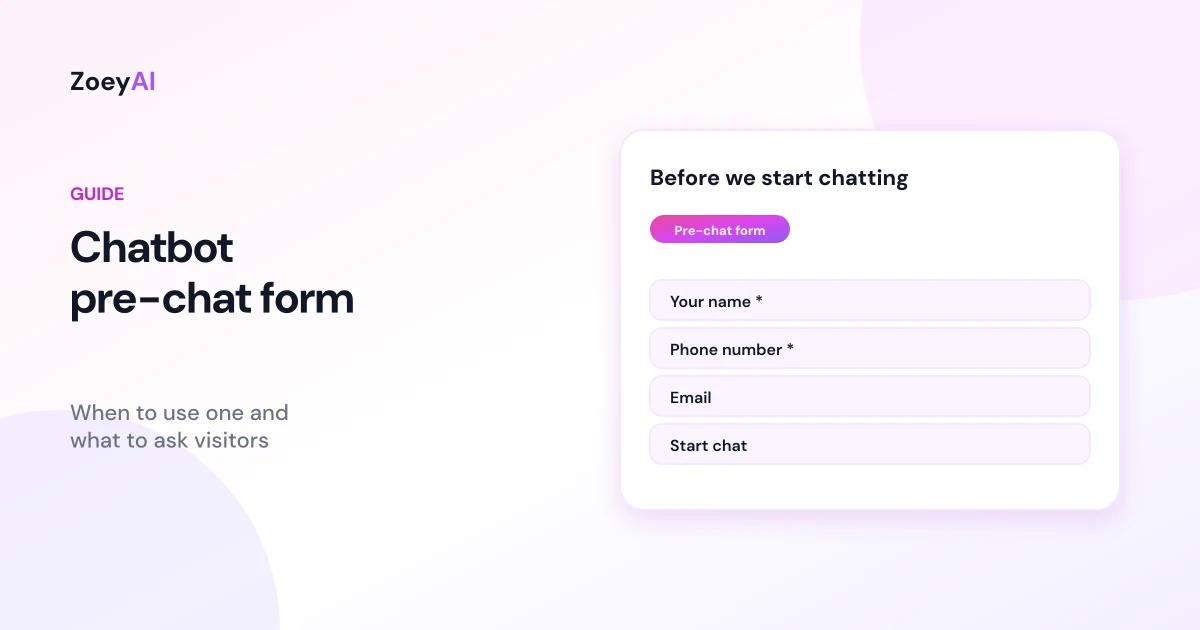
A chatbot pre-chat form is the short form a visitor fills in before the chat starts, usually asking for a name, phone number and email. It guarantees you have contact details for every conversation, which makes follow-up easy. It also adds a step between the visitor and their answer, and some people will close the chat rather than fill it in. Whether that trade-off works for you depends on your business, your traffic and how you capture leads.
This guide explains when a pre-chat form makes sense, which fields to ask for, how to word them, how to keep the form accessible and privacy-friendly, and how a pre-chat form fits alongside an AI chatbot that can collect details during the conversation.
What is a chatbot pre-chat form?
A pre-chat form appears inside the chat window when someone opens it. The visitor enters their details, taps a button such as "Start chat", and only then sees the conversation and the message box. Their details are attached to the conversation, so whoever picks it up, a person or an AI, knows who they are talking to and how to get back in touch.
The alternative is to let visitors start chatting straight away and collect details later, either by asking at the right moment or by letting an AI chatbot ask naturally once the visitor shows real interest. Both approaches are valid. The question is which one suits your business.
When a pre-chat form helps
A pre-chat form tends to work well when:
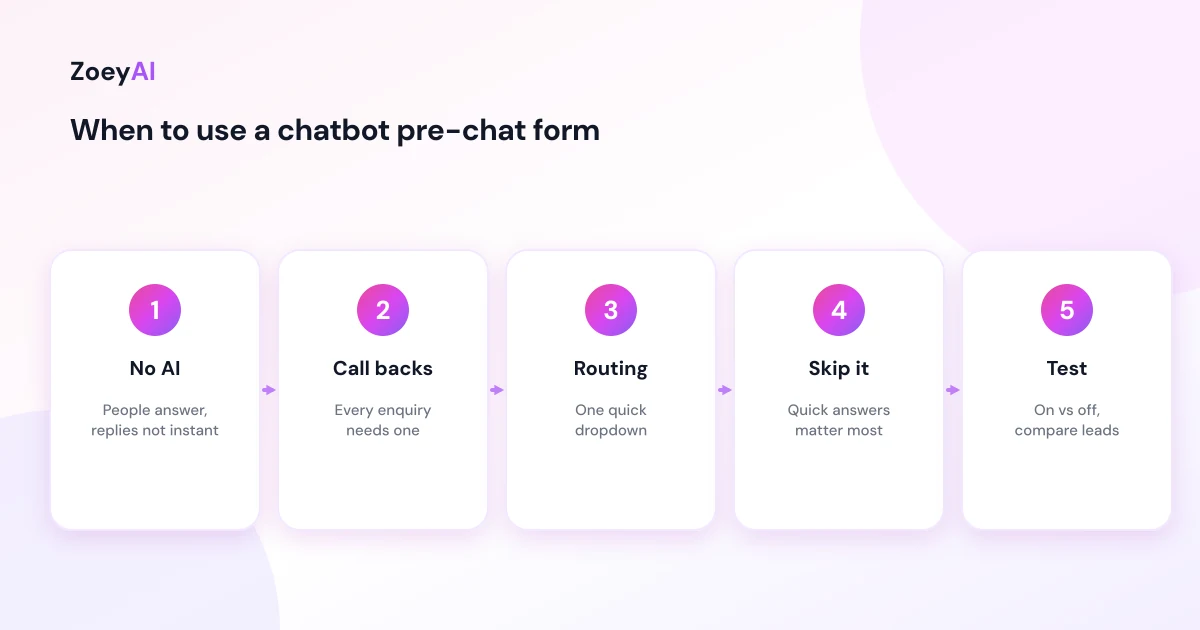
- There is no AI answering. If chats are answered by people who may not reply instantly, collecting contact details first means you can still follow up if the visitor leaves before you respond.
- Every enquiry needs a call back. Trades quoting jobs, clinics booking appointments and professional services often need to speak with the person anyway, so asking for a phone number up front is not a surprise.
- You route by enquiry type. A short dropdown such as "New quote", "Existing booking" or "Something else" can help your team prioritise.
- You get a lot of low-intent chats. A small step can filter out casual visitors, although it will also deter some genuine ones.
When a pre-chat form hurts
It can work against you when:
- Visitors want a quick answer. Someone checking your opening hours or whether you service their suburb probably will not hand over a phone number first. An AI chatbot can answer that instantly and still capture details if the conversation turns into an enquiry.
- The form is long. Every extra field adds effort. Nielsen Norman Group's guidance on website forms usability is a useful reference for keeping forms short and clear.
- It asks for things you do not need yet. Asking for an address, budget and project details before someone has said hello feels like paperwork.
A sensible approach is to test it. Try a few weeks with the form on and a few weeks with it off, and compare leads captured and enquiries that turned into work in your own records. Change one thing at a time so you can tell what made the difference.
Which fields to ask for
Keep the pre-chat form to the minimum you need to respond. For most small businesses that is:
- Name, so the conversation feels personal.
- Phone number, if you usually call or text people back.
- Email, if you send quotes or confirmations by email.
If you add anything else, make it a quick choice rather than a free-text question. A single dropdown such as "What can we help with?" with three or four options is easy to answer on a phone and helps routing. Save detailed questions, such as job addresses, dates or budgets, for the conversation itself.
The UK government's design system guidance on asking for names makes a point that applies here: only ask for information you need to deliver the service, and make it as easy as possible to enter.
How to word labels and the form introduction
The words around a pre-chat form matter as much as the fields:
- Explain why you are asking. A line such as "So we can get back to you if we get disconnected" is more reassuring than a bare form.
- Use plain labels. "Your name", "Phone number" and "Email" are clearer than "Contact information".
- Make the button say what happens. "Start chat" works better than "Submit".
- Be honest about who replies. If an AI answers first, say so in the greeting that follows.
Required versus optional fields
Mark which fields are required. Nielsen Norman Group's article on marking required fields in forms recommends using an asterisk on required fields rather than leaving people to guess. If a field is optional, consider whether it needs to be there at all.
Also think about what happens if someone enters a mobile number in an unusual format or a typo in their email. Use the right input types (telephone and email) so phones show the right keyboard, and avoid strict validation that rejects valid Australian numbers.
Accessibility
A pre-chat form is a form, so standard accessibility guidance applies. The W3C's forms tutorial covers the essentials:
- Every field needs a visible label, not just placeholder text that disappears when typing starts.
- Required fields should be indicated in text or with a marker that is explained, not by colour alone.
- Error messages should say what is wrong and how to fix it.
- The form should work with a keyboard and a screen reader.
Test the form on a phone, because that is where most chat widgets are used and where small fields and buttons cause the most trouble.
Privacy
Collecting names, phone numbers and emails means collecting personal information. Ask only for what you need, explain how you will use it and make sure your privacy policy covers chat. Do not ask for sensitive information such as health details, dates of birth or financial information in a pre-chat form. Our article on AI chatbot privacy in Australia covers privacy notices and data handling in more detail.
Pre-chat forms and AI lead capture
An AI chatbot changes the calculation. Because it can answer questions immediately, it does not need contact details up front to be useful. It can answer the visitor's question, then ask for their name and number when they want a quote, a booking or a call back. Our guide to the AI chatbot for lead generation explains that approach in more detail.
In ZoeyAI, the pre-chat form lives under Settings, Lead Fields:
- On the free Starter plan (live chat without AI), the pre-chat lead form is always on, because it is the way leads are captured without AI.
- On paid AI plans, the Pre-Chat Lead Form is a toggle. Turn it on to collect name, phone and email before the chat starts, or leave it off and let the AI collect details during the conversation.
- Core fields are name, phone number and email. Any custom lead fields you add, such as a text field or a dropdown, appear in the pre-chat form too when it is switched on. When it is off, the AI asks for those details naturally during the chat.
- Leads from the form are tagged "pre-chat-lead" in your conversations, so you can filter them.
- Returning visitors on the same browser are not asked to fill in the form again.
Common mistakes
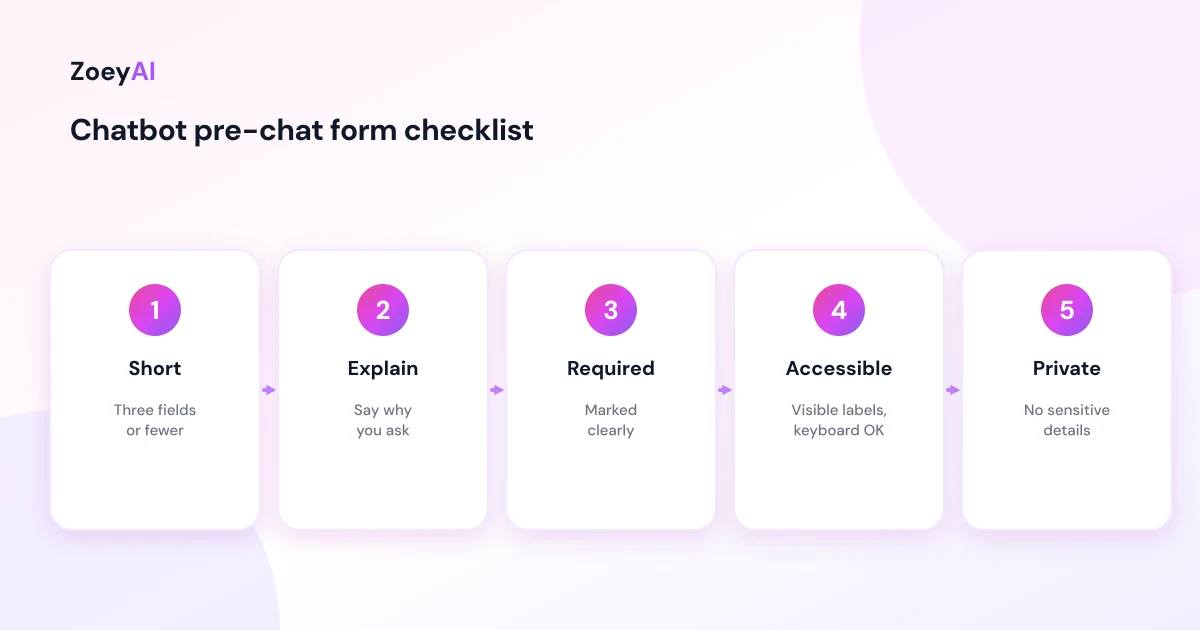
- Too many fields. Name, phone and email are usually enough to start.
- No reason given. People are more willing to share details when they know why.
- Placeholder-only labels. They vanish as soon as someone starts typing.
- Asking for sensitive information. Keep health, financial and identity details out of chat.
- Never testing it. A form that seemed sensible at launch may be costing you conversations. Compare periods with it on and off.
What it costs
ZoeyAI pricing is in AUD and includes GST. There is a free Starter plan for live chat without AI, which includes the pre-chat lead form. AI plans start at $29 a month incl. GST on Basic (100 conversations a month, knowledge base, website scanner, business hours and human takeover) and $79 a month incl. GST on Pro (250 conversations a month, up to 5 team seats, webhooks, CSV export and branding removal). Enterprise pricing is available on request, and every new account starts with a 7-day free trial. See the pricing section for current details.
Frequently asked questions
What is a chatbot pre-chat form?
It is a short form shown in the chat window before the conversation starts, usually asking for a name, phone number and email so the business can follow up.
Does a pre-chat form reduce the number of chats?
It can, because it adds a step before the visitor gets an answer. It also guarantees contact details for the chats that do start. Test with it on and off and compare the results in your own records.
What fields should a pre-chat form include?
Keep it to name, phone and email for most businesses, plus at most one quick dropdown for the type of enquiry. Save detailed questions for the conversation.
Do I need a pre-chat form with an AI chatbot?
Not necessarily. An AI chatbot can answer questions straight away and ask for contact details when the visitor wants a quote, booking or call back. A pre-chat form is most useful when people, not AI, answer your chats.
Where do I turn on the pre-chat form in ZoeyAI?
Under Settings, Lead Fields. It is always on for the free Starter plan and is an optional toggle on paid AI plans.
Should the form ask for sensitive information?
No. Keep health, financial and identity details out of the pre-chat form and the chat, and collect them through your normal secure process if needed.
Keep reading
"AI Chatbot for Event Venues: Answer Capacity and Package Questions and Capture Enquiries"
How an AI chatbot for event venues answers questions about spaces, capacity, published packages and policies, captures wedding, corporate and party enquiries with the right details, treats dates as requests rather than bookings and hands every lead to your events team.
"AI Chatbot for Funeral Homes: Calm Answers and a Fast Path to Your Staff"
How an AI chatbot for funeral homes answers practical questions about services, published prices and what to do first, uses a calm and respectful tone, never pressures families, protects privacy and connects people with your staff quickly, including after hours.