
Industries
"AI Chatbot for Funeral Homes: Calm Answers and a Fast Path to Your Staff"
By ZoeyAI · · 7 min read
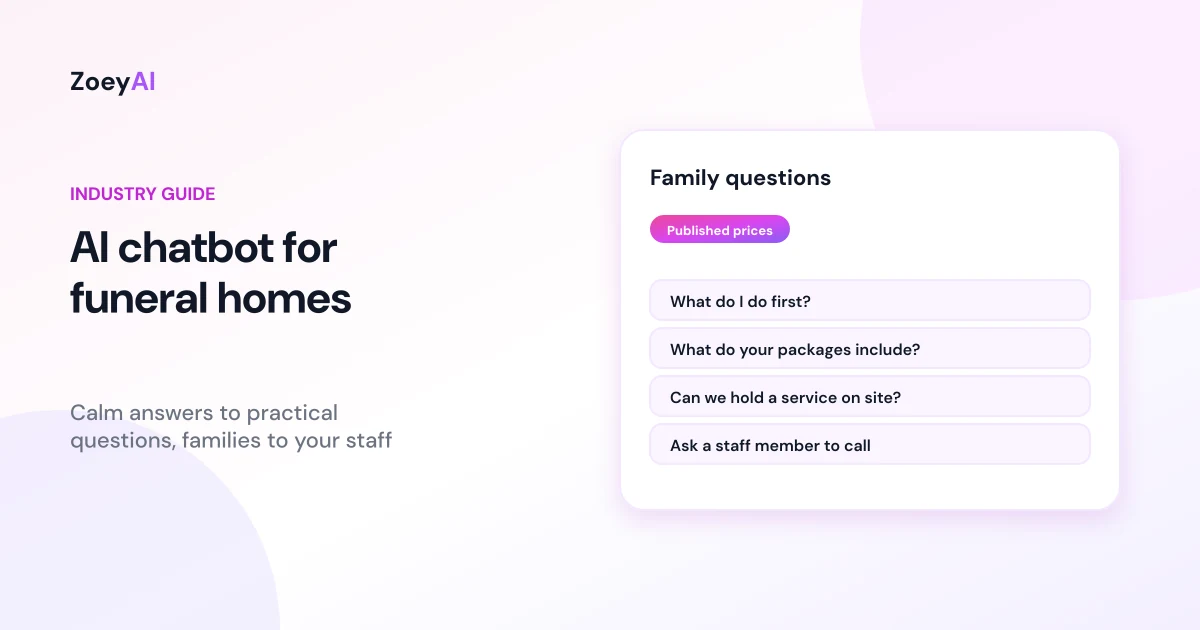
An AI chatbot for funeral homes helps families find practical information at a difficult time: what do I do first, what do your services include, how much does a cremation cost, can we hold the service in your chapel, and how do I speak to someone now? Many people visit a funeral director's website late at night or while comparing options, and they want clear answers without having to make a phone call before they are ready.
Used with care, a chatbot can answer those questions from your own website content, explain your published prices and connect families with your staff as quickly as possible. This guide covers what a funeral home chatbot should handle, how it should sound and where it must step back so your team can provide the personal support families need.
What does an AI chatbot for funeral homes do?
A funeral home chatbot is not a salesperson. It works like a calm, well-informed receptionist who can answer common questions at any hour and make it easy to reach a person. It:
- Explains your services. Burials, cremations, direct cremations, memorial services, chapel and venue options, pre-arranged and prepaid funerals, using your own descriptions.
- Shares published prices. Package prices and itemised costs exactly as they appear on your website, with a link to your price list.
- Answers practical questions. Locations, chapel capacity, parking, livestreaming if you offer it, cultural and religious services you cater for, and what to bring to an arrangement meeting.
- Gives first steps. General information about what usually happens first, based on content your staff have approved.
- Connects families with staff. Your phone number, including a 24-hour line if you have one, and a simple way to request a call back.
Tone matters more than anything
The words a funeral home chatbot uses carry more weight than in almost any other industry. Set it up with clear instructions:
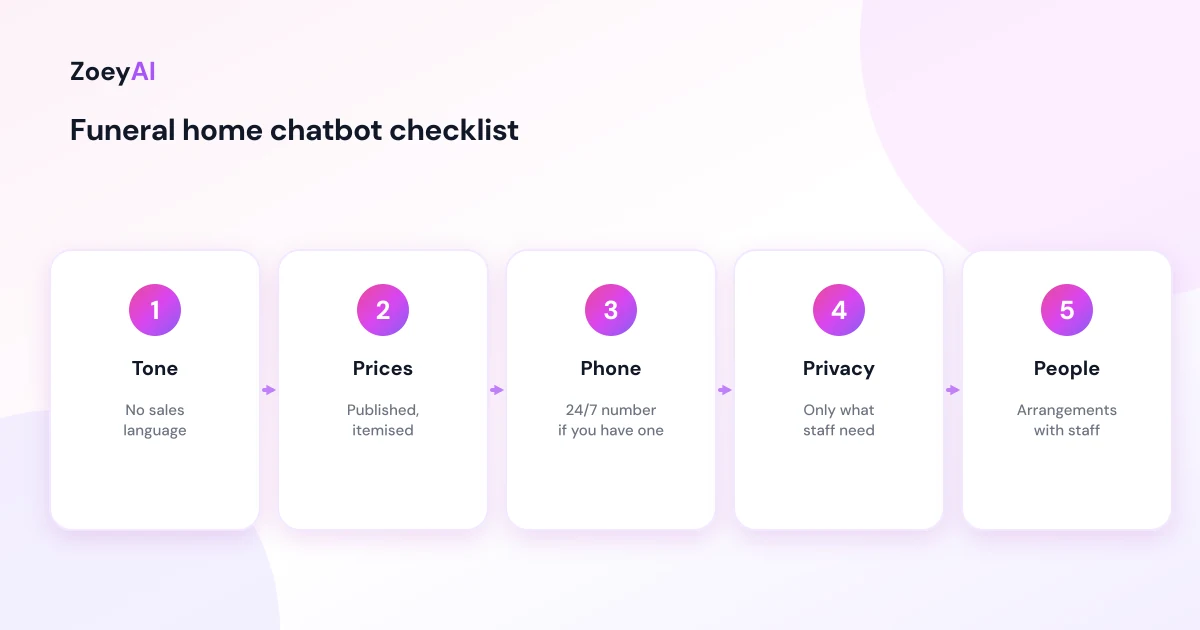
- Calm and simple. Short sentences, plain language and no exclamation marks.
- No sales language. Avoid upselling, urgency or phrases like "great choice". Never push a more expensive package.
- Acknowledge the loss briefly. A short, sincere line such as "I'm sorry for your loss" is enough. Overly emotional wording can feel automated and hollow.
- Offer a person at every step. Make it clear that a staff member is available, and how to reach them.
- Be honest that it is an assistant. Families should know they are using an automated assistant, not chatting with a funeral director.
Test the chatbot with realistic messages, including short, distressed ones like "my dad just died what do I do", and adjust the wording until your staff are comfortable with every response.
When someone has just died
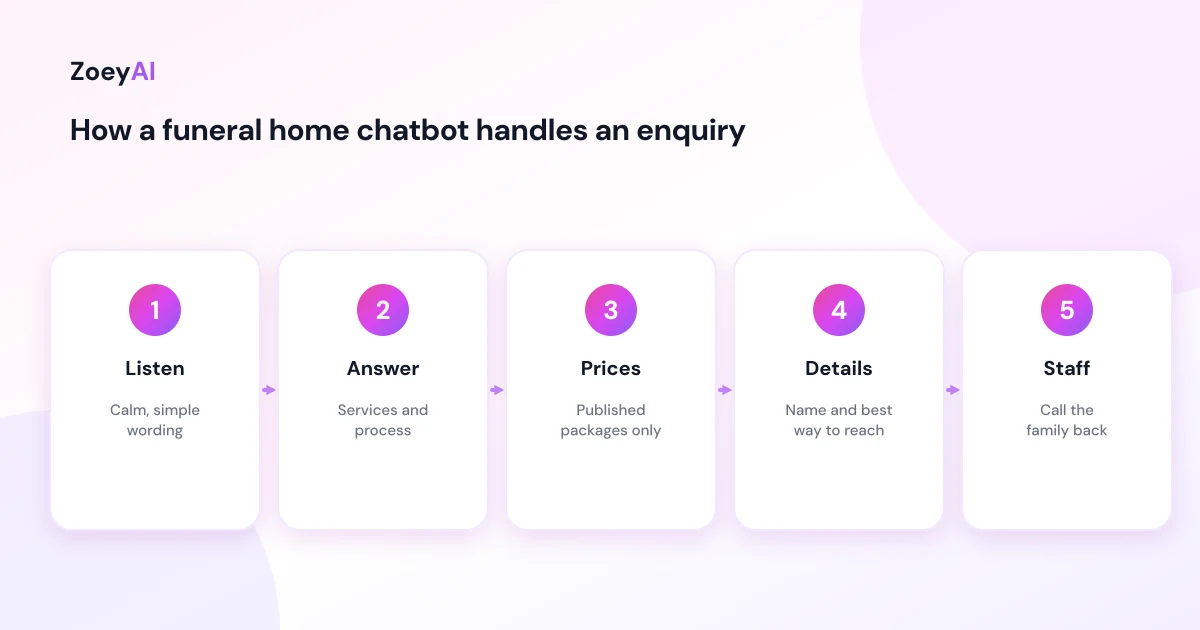
People often contact a funeral home within hours of a death and are unsure what to do. If someone has died at home or unexpectedly, the chatbot should give them your phone number straight away and keep its answer short. If there is any chance the situation is an emergency, it should tell them to call triple zero (000).
For general first steps, keep to information your staff have approved and point to reliable public resources. Services Australia's page on what to do when someone dies explains that a death must be registered with the births, deaths and marriages registry in your state or territory, and that if a funeral is held, the funeral director will usually register the death. It also notes that it is not a legal requirement in Australia to have a funeral, which is worth keeping in mind so your chatbot never implies otherwise.
Arrangements, the transfer of the person who has died, and anything personal should always be handled by your staff.
Published prices and transparency
Price is a common question, and many families find it hard to ask on the phone. A chatbot can help by giving clear, published information without pressure.
Pricing rules differ between states, so check what applies to you. In New South Wales, for example, the NSW Government's guidance on working as a funeral director sets out the itemised price list funeral directors must display, including on their website, and says items should not be combined into a single total price. Wherever you operate, the chatbot should repeat your published prices accurately, link to your full price list and say your staff will provide a written quote for the arrangements a family chooses.
Moneysmart's page on paying for your funeral lists the common costs of a funeral and explains options such as funeral bonds and prepaid funeral plans. If you offer prepaid or pre-arranged funerals, the chatbot can describe your published options and collect details for a staff member to follow up, but it should not give financial advice or compare products.
What the chatbot says is part of how you present your services. The ACCC's guidance on false or misleading claims applies to chatbot answers just as it applies to your website and brochures, so avoid "from" prices that leave out compulsory costs and never describe a package as including something it does not.
Questions a funeral home chatbot handles well
These appear on most funeral home websites and can be answered from your own content:
- "What should I do first?"
- "What is a direct cremation?"
- "What does your basic package include?"
- "Can we hold the service in your chapel?"
- "Do you livestream services?"
- "Do you cater for our religious or cultural traditions?"
- "Can I pre-arrange my own funeral?"
- "Where are you located and is there parking?"
Questions to pass to your staff include the arrangements themselves, transfers, specific dates and times, written quotes, payment arrangements, complaints and anything a family wants to talk through with a person.
After hours
Deaths happen at all hours, and many funeral homes already have a 24-hour phone line. The chatbot should make that number easy to find at any time. If you do not offer a 24-hour line, it should say when your team will be available and offer to take a name and contact number for a call back. Our article on the AI chatbot for after-hours enquiries covers how to set expectations clearly.
Handing over to your staff
ZoeyAI captures enquiries as leads and notifies your team. Keep the lead form short: a name, the best phone number and a preferred time to call is usually enough. On Basic and Pro plans a team member can take over a conversation live from the dashboard, and business hours settings let the chatbot say when your staff will be available. Our guide to AI chatbot human handover best practices explains how to word handovers so people know exactly what happens next.
Privacy
Families may share personal details about the person who has died, their own circumstances or health information. Ask only for what your staff need to call back, avoid prompting for sensitive details in chat and make sure your privacy policy covers the chatbot. The OAIC's guidance for small businesses explains when the Privacy Act applies to a smaller business.
Support for families
Some people reach out because they are struggling, not because they need a funeral service. The chatbot can share support lines your staff have approved, such as Lifeline on 13 11 14, alongside your own contact details. Keep this short and make sure it is always available, not hidden behind other questions.
How to tell if it is working
Use your own records rather than general benchmarks:
- Call-back requests captured, particularly outside office hours
- How quickly your staff respond to chatbot enquiries
- Questions the chatbot could not answer, so you can add clear information to your website
- Feedback from families and staff about the chatbot's tone
What it costs
ZoeyAI pricing is in AUD and includes GST. There is a free Starter plan for live chat without AI. AI plans start at $29 a month incl. GST on Basic (100 conversations a month, knowledge base, website scanner, business hours and human takeover) and $79 a month incl. GST on Pro (250 conversations a month, up to 5 team seats, webhooks, CSV export and branding removal). Enterprise pricing is available on request, and every new account starts with a 7-day free trial. See the pricing section for current details.
Frequently asked questions
Is an AI chatbot appropriate for a funeral home?
It can be, if it is set up with a calm tone, sticks to practical information, never pressures families and makes it easy to reach a person at every step.
What can an AI chatbot for funeral homes answer?
Questions your website already answers: services, published prices, chapel and venue options, locations, cultural and religious services, pre-arranged funerals and how to contact staff.
Should the chatbot quote funeral prices?
It should repeat your published prices accurately, link to your full price list and say staff will provide a written quote for the chosen arrangements.
What should it do if someone has just died?
Give your phone number straight away, keep the answer short, and tell them to call 000 if there is any chance of an emergency. Arrangements are handled by staff.
Can families tell they are talking to a chatbot?
They should be able to. Make it clear the assistant is automated and that a staff member is available.
Will a chatbot replace our funeral directors?
No. It answers practical questions and captures call-back requests so your staff can focus on supporting families personally.
Keep reading
"AI Chatbot for Event Venues: Answer Capacity and Package Questions and Capture Enquiries"
How an AI chatbot for event venues answers questions about spaces, capacity, published packages and policies, captures wedding, corporate and party enquiries with the right details, treats dates as requests rather than bookings and hands every lead to your events team.
"AI Chatbot for Optometrists: Answer Patient Questions and Capture Appointment Requests"
How an AI chatbot for optometrists answers questions about eye tests, opening hours, billing as published, frames and contact lenses, captures appointment requests, stays away from clinical advice and sends urgent eye symptoms straight to a person or emergency care.