
Industries
"AI Chatbot for Event Venues: Answer Capacity and Package Questions and Capture Enquiries"
By ZoeyAI · · 8 min read
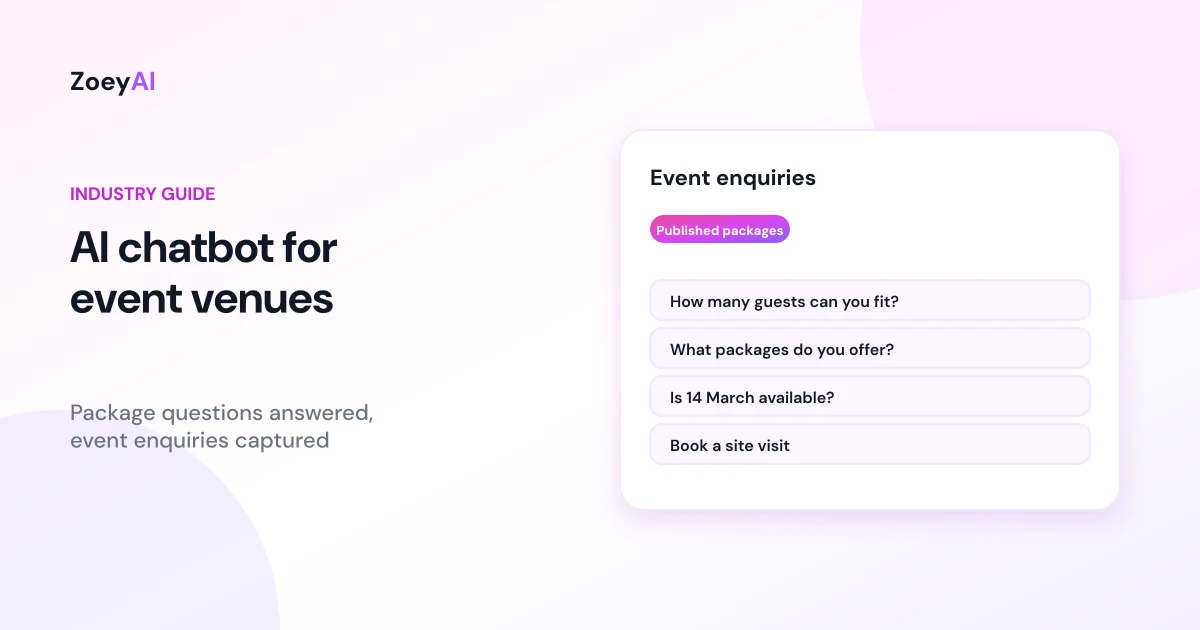
An AI chatbot for event venues answers the questions people ask before they make an enquiry: how many guests does the room hold, what is included in your packages, can we bring our own cake, is there parking, and do you have our date free? Event enquiries arrive at all hours, often from couples and office managers browsing after work, and the venue that replies first with clear information is usually the one that gets the site visit.
A chatbot can answer routine questions from your own website content, collect the details your events team needs to quote and pass every enquiry on quickly. This guide covers what an event venue chatbot should handle, where it should stop and how to set it up so it fills your calendar without promising dates, prices or arrangements your team has not confirmed.
What does an AI chatbot for event venues do?
Whether you run a wedding venue, a function centre, a restaurant with private dining rooms, a winery, a conference space or a community hall for hire, the chatbot works like an events coordinator who is always on the front desk. It:
- Describes your spaces. Each room or area, its style, indoor and outdoor options, and the layouts you offer, using the words on your website.
- Answers capacity questions. Seated and standing capacity for each space, as published, so guests do not have to dig through a PDF.
- Explains published packages. What each package includes, minimum spend or minimum guest numbers, and published prices per head or per event.
- Covers practical details. Parking, accessibility, accommodation nearby, suppliers you work with, curfews and noise limits, using your own policies.
- Captures enquiries. Name, phone, email, event type, preferred date, guest numbers, budget and anything special, then sends them to your team.
Capacity, spaces and packages
Capacity is one of the first filters people apply, so make it easy to answer. List seated and standing numbers for each space on your website, with any differences for ceremonies, cocktail events, theatre-style conferences or dinners. The chatbot can then answer "Can you fit 140 for a sit-down dinner?" with the published figure and suggest the space that fits.
Packages need the same clarity. If you publish package prices, give the chatbot the full picture: what is included, what costs extra, minimum numbers, and any differences between weekdays, weekends and peak season. The ACCC's guidance on price displays explains that businesses must show clear, accurate prices and be upfront about compulsory extra fees. Your chatbot is one of the places people see your prices, so it should mention surcharges such as public holiday rates or service fees whenever your website does.
If you quote every event individually, say so. A good answer is: "Our packages are tailored to each event. Share a few details and our events team will send you a quote."
Dates are requests, not bookings
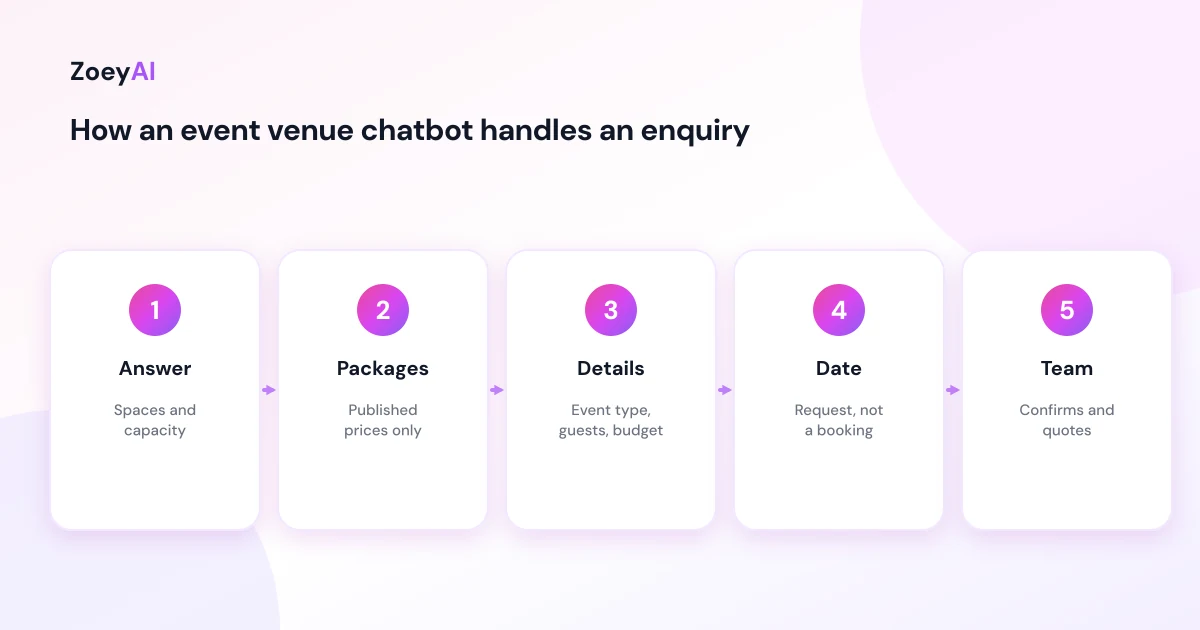
The most important rule for an event venue chatbot is that it never confirms a date. Your calendar changes daily, there may be tentative holds, and a date is usually only secured once your team has confirmed it and the client has signed and paid a deposit. The chatbot should record the preferred date, and any alternatives, as a request:
"Thanks, I have noted Saturday 14 March as your preferred date. Our events team will check availability and confirm with you, usually within one business day."
Adjust the wording to match how quickly your team actually replies. If you have published blackout dates or days you do not take certain events, the chatbot can mention those so people are not disappointed later.
Collect the details your team needs to quote
Event enquiries need more information than a general contact form. A chatbot can ask for the essentials one question at a time, which feels more natural than a long form:
- Event type. Wedding, engagement, birthday, corporate, conference, celebration of life or other.
- Preferred date and alternatives. Recorded as requests.
- Guest numbers. An estimate is fine at this stage.
- Format. Ceremony and reception, seated dinner, cocktail, theatre-style or workshop.
- Budget. A range helps your team suggest the right package.
- Extras. Accommodation, audio-visual, dietary needs or accessibility requirements.
In ZoeyAI you can set these up as custom lead fields, for example an "Event type" dropdown with your own options and a guest numbers field, so the AI asks for them naturally and they arrive with every lead. Our guide to chatbot custom lead fields explains how to choose them.
Deposits, cancellations and terms
People often ask about deposits, payment schedules and cancellations before they commit. The chatbot should describe your published terms in the same words your website uses and point to the full terms and conditions. It should not negotiate, waive fees or interpret a contract for someone.
Many venues use standard terms for every booking. The ACCC's page on contracts and unfair contract terms explains that laws protect consumers and small businesses from unfair terms in standard form contracts, and that a term is more likely to be seen as transparent when it is in plain language and not hidden. Clear, published terms make it easier for the chatbot to answer accurately, and questions about a specific contract should go to your team.
Customers also have rights under the Australian Consumer Law. The ACCC's page on consumer rights and guarantees explains that services must be provided with due care and skill, and that a business cannot take those rights away. If someone raises a problem with a past event, the chatbot should apologise, take the details and pass it to a manager.
Accessibility questions
Guests often ask whether a venue has step-free access, accessible toilets, lifts or parking close to the entrance. Give the chatbot accurate, specific information about each space, and have it pass detailed requirements to your team so they can plan properly. The Australian Human Rights Commission's disability rights page is a useful starting point for understanding why clear accessibility information matters.
Questions an event venue chatbot handles well
These appear on most venue websites and can be answered from your own content:
- "How many guests can you seat?"
- "What is included in your wedding package?"
- "Do you have a minimum spend?"
- "Can we bring our own celebrant or band?"
- "Is there parking or accommodation nearby?"
- "What time does the event need to finish?"
- "Do you cater for dietary requirements?"
- "Can we book a site visit?"
Questions to pass to your team include date confirmations, custom quotes, contract questions, complaints and anything involving a significant change to an existing booking.
Site visits and handover
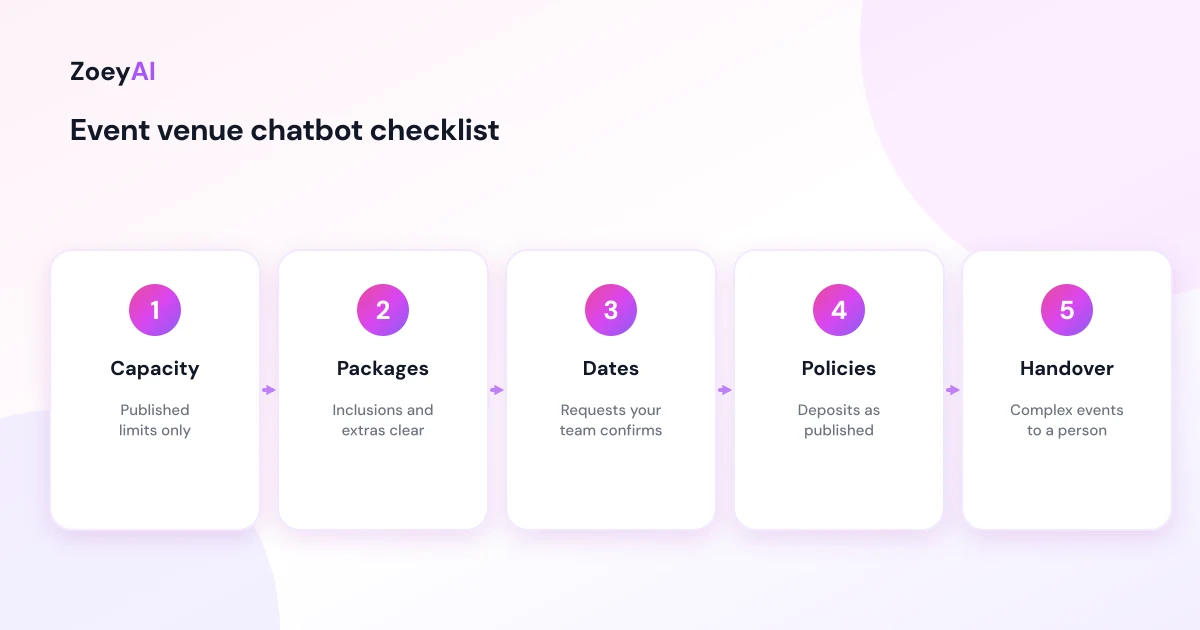
For most venues, the site visit is where the booking is won. The chatbot can collect a preferred day and time for a visit, again as a request, and tell the person what happens next. Make it clear that your team will confirm the appointment.
ZoeyAI captures enquiries as leads with any custom fields you set up and notifies your team. On Basic and Pro plans a team member can take over the conversation live from the dashboard, and business hours settings let the chatbot tell people when your events team will reply. Many venue enquiries arrive in the evening, so our article on the AI chatbot for after-hours enquiries explains how to capture those and set expectations.
Privacy
Event enquiries include names, contact details and sometimes personal information such as dietary needs or accessibility requirements. Ask only for what your team needs to quote and plan. The OAIC explains what counts as personal information, and your privacy policy should cover enquiries made through the chatbot.
How to tell if it is working
Use your own records rather than general benchmarks:
- Enquiries captured, particularly in the evenings and on weekends
- Enquiries that become site visits, and site visits that become bookings
- Time to first reply from your events team
- Questions the chatbot could not answer, so you can add them to your website
- Enquiries by event type, so you can see which packages attract interest
What it costs
ZoeyAI pricing is in AUD and includes GST. There is a free Starter plan for live chat without AI. AI plans start at $29 a month incl. GST on Basic (100 conversations a month, knowledge base, website scanner, business hours and human takeover) and $79 a month incl. GST on Pro (250 conversations a month, up to 5 team seats, webhooks, CSV export and branding removal). Enterprise pricing is available on request, and every new account starts with a 7-day free trial. See the pricing section for current details.
Frequently asked questions
What can an AI chatbot for event venues answer?
Questions your website already answers: spaces, seated and standing capacity, published packages and prices, inclusions, parking, accessibility, suppliers, curfews and how to book a site visit.
Can the chatbot confirm a date for our event?
No. It records the preferred date as a request. Your events team checks availability and confirms, usually after the client has signed and paid a deposit.
Can the chatbot quote for a custom event?
It can share published package prices. For custom events it collects the event type, guest numbers, budget and preferences so your team can send a quote.
What should the chatbot say about deposits and cancellations?
It should describe your published terms in the same words and link to the full terms. Questions about a specific contract go to your team.
Can it book site visits?
It can collect a preferred day and time as a request. Your team confirms the appointment.
Will a chatbot replace our events coordinator?
No. It answers routine questions and captures enquiries at any hour, so your coordinator can spend more time on site visits, quotes and planning.
Keep reading
"AI Chatbot for Funeral Homes: Calm Answers and a Fast Path to Your Staff"
How an AI chatbot for funeral homes answers practical questions about services, published prices and what to do first, uses a calm and respectful tone, never pressures families, protects privacy and connects people with your staff quickly, including after hours.
"AI Chatbot for Optometrists: Answer Patient Questions and Capture Appointment Requests"
How an AI chatbot for optometrists answers questions about eye tests, opening hours, billing as published, frames and contact lenses, captures appointment requests, stays away from clinical advice and sends urgent eye symptoms straight to a person or emergency care.