
Guides
How to Train an AI Chatbot on Your Website Content in 6 Steps
By ZoeyAI · · 8 min read
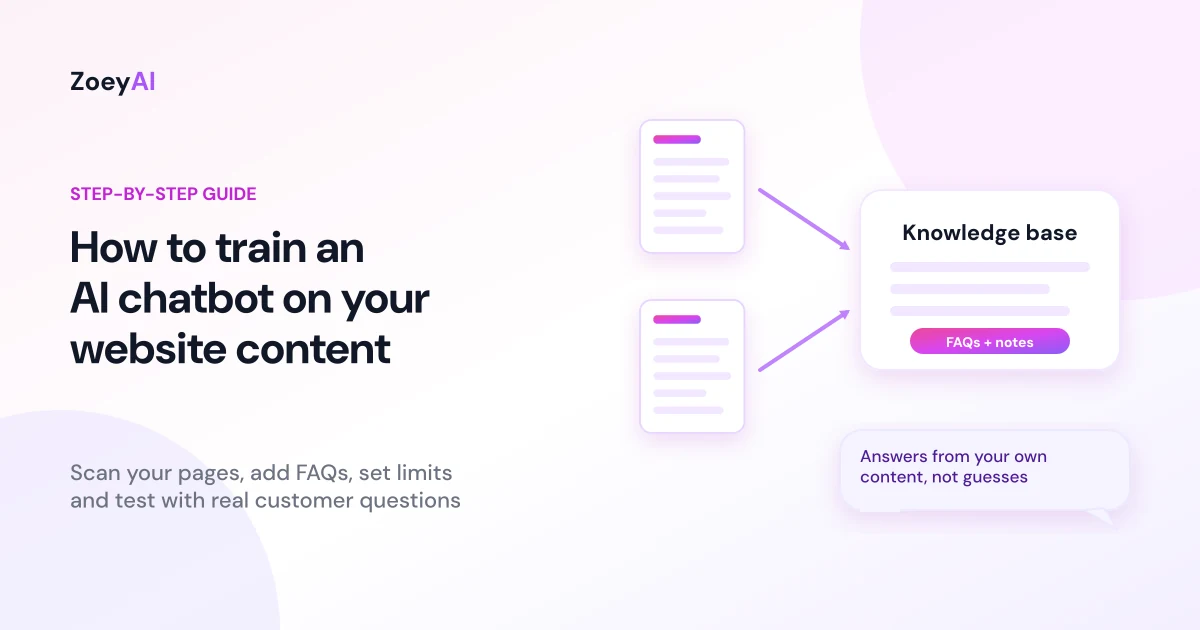
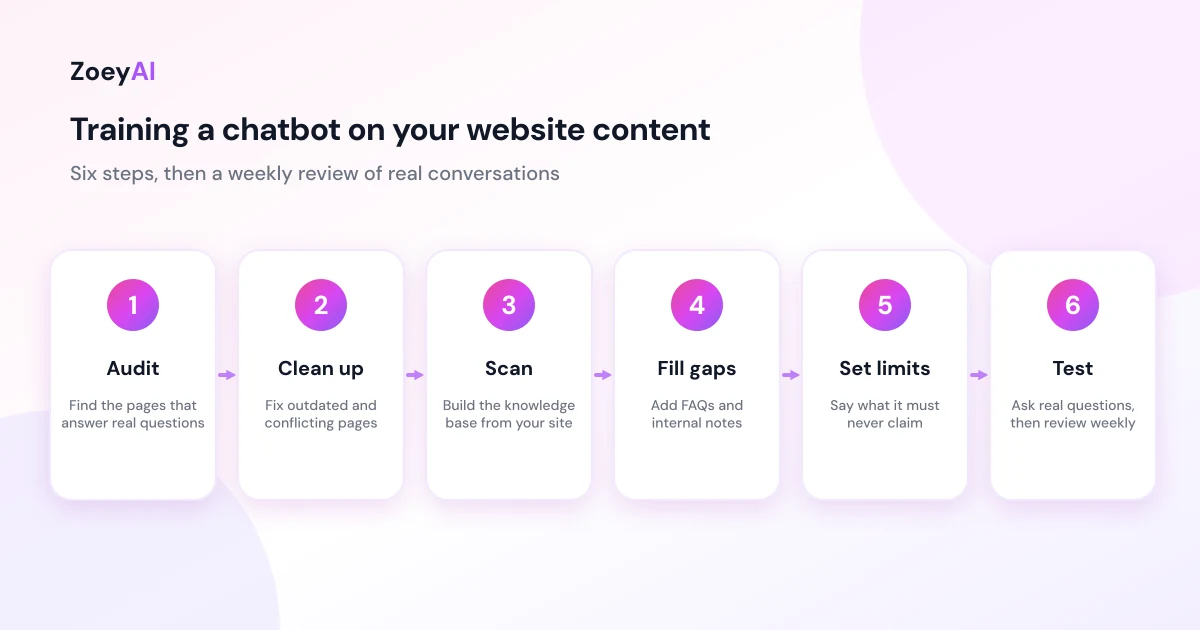
Knowing how to train an AI chatbot on your website content is the difference between a chatbot that sounds helpful and one that gives customers the right answer. The short version: gather the pages that hold your real answers, let the chatbot scan them, add FAQs for everything your site doesn't say clearly, set firm limits, then test it with real customer questions before you go live.
This guide walks through six steps you can follow on any website, from a one-page brochure site to a larger business site. It is written for Australian small and medium businesses, and it assumes you want accurate answers and clean lead capture rather than a chatbot that guesses.
What "training" a chatbot on your website actually means
Most business chatbots don't learn the way a person does. They answer using the content you give them: your pages, your FAQs and any extra notes you add. That content is often called a knowledge base. When a visitor asks a question, the chatbot looks for the most relevant material in that knowledge base and writes a reply based on it.
That has two practical consequences:
- Good content in, good answers out. If your pricing page is out of date or your opening hours differ between pages, the chatbot will repeat the confusion.
- Gaps stay gaps. If a question isn't covered anywhere, a well-configured chatbot should say so and offer to take the visitor's details, rather than make something up.
So training is mostly an editing job: make sure the right facts are written down in one place, in plain language. If you haven't installed a chatbot yet, start with our guide on how to add an AI chatbot to your website and come back here for the content side.
Step 1: Audit the pages that hold your answers
Before you scan anything, list the questions customers ask most. Check your inbox, voicemail, social messages and any past chat transcripts. You'll usually find a short list that repeats: what you do, where you work, what it costs, how to book, opening hours, and what happens next.
Then match each question to a page that answers it:
- Services and what's included (and what isn't).
- Pricing or how quotes work. If you can't publish exact prices, publish how pricing is worked out.
- Service areas and opening hours.
- Booking, cancellation and refund terms.
- Contact details and how quickly you reply.
Where a question has no page, or two pages disagree, fix the website first. That also helps human visitors and search engines. Google's guidance on creating helpful, reliable, people-first content is a good checklist for the pages you're about to rely on.
Step 2: Clean up the content the chatbot will read
A chatbot can only be as clear as the source it reads. Spend an hour on these fixes:
- Remove or update outdated pages, including old promotions, retired services and expired terms.
- Make one page the source of truth for each topic, such as one pricing page and one contact page.
- Use plain headings and short paragraphs. A question as a heading, with the answer directly below it, is easy for a chatbot (and a visitor) to use.
- Put key facts in text, not in images or PDFs. If your price list is a picture, the chatbot may not be able to read it.
- Keep prices consistent. In Australia, consumer prices are normally shown including GST, so make sure every page says the same thing.
Step 3: Scan your website to build the knowledge base
With your pages in good shape, point the chatbot at them. In ZoeyAI, the website scanner reads the pages on your site and uses them to seed your knowledge base, so you don't have to copy and paste content by hand. The scanner is included on the Basic and Pro plans.
After the scan, review what it picked up. Open the knowledge base and check:
- Are the important pages there, such as services, pricing, contact and policies?
- Is anything there that shouldn't be, like an old landing page or a test page?
- Does the wording match what you'd happily say to a customer?
Remove anything outdated and rescan when your site changes. A knowledge base is not a one-off setup: whenever you change prices, hours or terms on your site, update the chatbot the same day.
Step 4: Fill the gaps with FAQs and notes
No website answers every question. The awkward ones are exactly the ones customers ask: "Do you service my suburb?", "Can you do it on a Sunday?", "What happens if I need to reschedule?". Write short, direct answers to these as FAQ entries in the dashboard.
Good FAQ entries:
- Answer the question in the first sentence, then add detail.
- Use your own words and policies, not generic text.
- Say what you can't do as clearly as what you can.
- Include the next step, such as "Leave your details and the team will call you back" or "Book online here".
Use notes for internal rules that don't read like an FAQ, such as "never quote a price over chat; always collect details first" or "if the visitor mentions an emergency, give the phone number". Notes help keep the tone and boundaries consistent.
Step 5: Set limits on what the chatbot should not say
Training isn't only about what the chatbot knows. It's also about what it must refuse. Decide your boundaries before launch:
- No invented facts. If the answer isn't in the knowledge base, it should say it isn't sure and offer a handover.
- No promises you can't keep, such as guaranteed dates, outcomes or discounts.
- No advice outside your field. A trade business shouldn't have the chatbot giving legal advice, and a clinic shouldn't have it giving medical diagnoses.
- No sensitive data. Tell visitors not to share card numbers or passwords in chat.
Privacy matters here too. If your chatbot collects names, emails or phone numbers, the Office of the Australian Information Commissioner (OAIC) explains the Australian Privacy Principles, and has published guidance on privacy and the use of commercially available AI products. The federal government's guidance for AI adoption is also worth a read if you want a wider view of using AI responsibly in your business. This is general information, not legal advice.
Finally, plan the handover. Business hours settings and human takeover let your team step into a conversation during the day, while out-of-hours enquiries wait in the dashboard with the full transcript. Our comparison of AI chatbot vs live chat explains how a hybrid setup works.
Step 6: Test like a customer, then review real conversations
Before you publish the widget, test it properly. Open a private browser window and ask 20 or 30 questions in the way customers really write them: short, vague, misspelt, and sometimes off-topic. Include:
- Easy questions whose answers are clearly on your site.
- Questions with no answer in your content, to confirm it admits it doesn't know.
- Edge cases, such as asking for a discount, a guarantee or something outside your service area.
- Handover requests, such as "Can I talk to a person?"
Fix every wrong or vague answer by editing the source page, adding an FAQ or tightening a note. Then go live.
The work doesn't end at launch. For the first few weeks, read real transcripts every week and look for questions the chatbot couldn't answer. Each one is either a missing FAQ or a missing page. If you're using the chatbot to capture enquiries, our guide to an AI chatbot for lead generation covers what to ask and how to measure results.
Common training mistakes to avoid
- Scanning once and forgetting it. Prices, hours and policies change, and your chatbot needs to change with them.
- Training on contradictory pages. If two pages disagree, the chatbot may quote either one.
- Hiding key facts in images or PDFs. Put the answer in text.
- Skipping the limits. A chatbot with no boundaries will eventually say something you wouldn't.
- Never reading transcripts. They are the fastest way to find out what customers really want to know.
What does it cost?
ZoeyAI has a free Starter plan for live chat without AI. AI plans start at $29 a month incl. GST on Basic (100 conversations a month, knowledge base, website scanner, business hours and human takeover) and $79 a month incl. GST on Pro (250 conversations a month, up to 5 team seats, webhooks, CSV export and branding removal). Annual billing on Basic and Pro works out cheaper per month, and Enterprise pricing is available on request. Every new account starts with a 7-day free trial. See the full comparison in our pricing section.
Frequently asked questions
How do I train an AI chatbot on my website content?
Audit and fix the pages that hold your answers, scan your website so the chatbot builds a knowledge base from them, add FAQs and notes for the gaps, set clear limits on what it must not say, then test with real customer questions and review transcripts weekly after launch.
How long does it take to train a chatbot on my website?
The scan itself is quick. Most of the time goes into tidying your content, writing FAQ answers and testing. Plan a few focused sessions rather than a single afternoon, and expect to keep refining it as real conversations come in.
What if my website doesn't have much content?
A small site can still work well. Add FAQ entries for the questions customers ask most, and use notes to describe your services, areas, hours and boundaries. A short, accurate knowledge base beats a long, messy one.
Will the chatbot make things up if it doesn't know the answer?
You should set it up so it doesn't. Add clear limits, tell it to hand over or collect contact details when it's unsure, and test with questions that have no answer in your content. Reading transcripts helps you catch any remaining guesses.
How often should I update the chatbot's knowledge?
Update it whenever your prices, hours, services or policies change, and review transcripts weekly for the first month. After that, a monthly check is a sensible habit.
Keep reading
"AI Chatbot Privacy Australia: What the Privacy Act and APPs Mean for Your Business"
AI chatbot privacy Australia guide covering the Privacy Act, the Australian Privacy Principles, commercially available AI products, data security, spam consent and practical steps for website chatbots.
"Intercom Alternative for Small Business: How to Choose Without Overpaying"
Looking for an Intercom alternative for small business? Compare what Intercom is built for with what SMBs usually need from an AI chatbot, lead capture and human handover — with Australian pricing and privacy notes.