
Industries
AI Chatbot for Ecommerce Stores Australia: A Practical Guide for Online Retailers
By ZoeyAI · · 8 min read
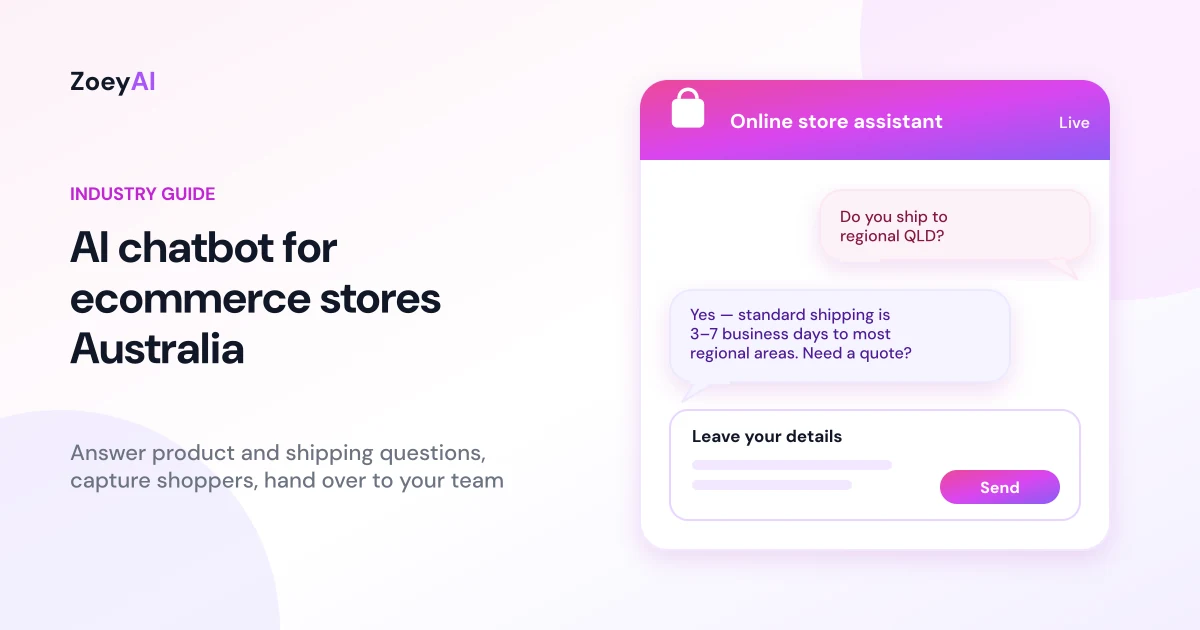
An AI chatbot for ecommerce stores Australia answers shopper questions on your website in real time, then captures their details when they need a human. For online retailers, that usually means product fit, stock, shipping, returns and order status — the same questions that fill your inbox and stop carts from converting when nobody is online to reply.
This guide explains what an ecommerce chatbot should do, what it must never invent, how to train it on your catalogue and policies, how Australian consumer, privacy and spam rules affect what you publish in chat, how to hand over to staff, and how to measure whether it's worth keeping. It is written for Australian online stores of any size, from a Shopify or WooCommerce shop through to a custom storefront.
Why ecommerce stores need a chatbot
Online shoppers expect answers before they buy. If your only options are a contact form, an FAQ page and a phone number that rings out, people compare you with competitors who reply in the chat window. That gap shows up after hours, on weekends and during busy sales periods when your team is already handling orders.
A static FAQ helps, but it can't ask clarifying questions or capture a lead when the answer isn't on the page. Live chat staffed all day is expensive. An AI chatbot sits between the two: it uses your own product and policy content to answer common questions immediately, collects name, phone and email when someone needs help, and leaves a full transcript for your team.
If you're new to website chatbots, start with our guide on how to add an AI chatbot to your website. For capturing enquiries specifically, see AI chatbot for lead generation.
What an AI chatbot for ecommerce stores Australia actually does
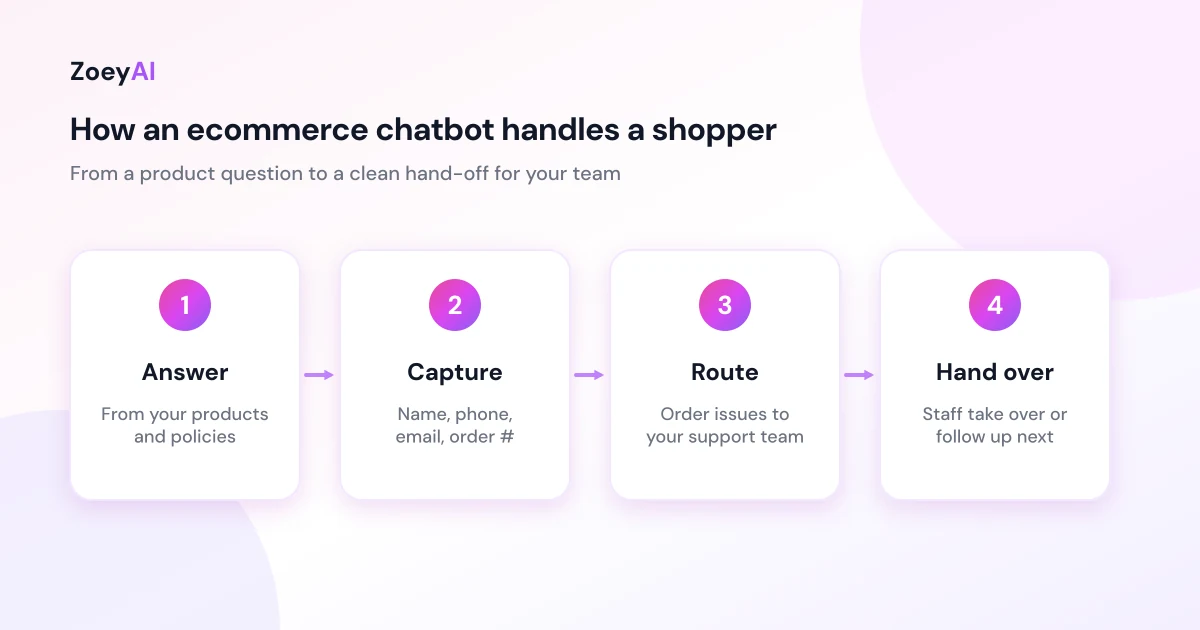
A well-set-up ecommerce chatbot does five jobs:
- Answers product questions from your content. Sizes, materials, what's included, compatibility, care instructions and differences between variants — only from what you've published or trained.
- Explains shipping, returns and payment options. Delivery areas, estimated timeframes you already publish, return windows, exchange rules and accepted payment methods.
- Captures shoppers who need a person. Name, phone, email, order number (if they have one) and a short description of the issue.
- Routes order and account problems. Tracks, cancellations, damaged goods and refund requests should go to your support process, not be "resolved" by the chatbot inventing a status.
- Hands over cleanly. During business hours a teammate can take over the live conversation; outside hours the lead waits in the dashboard with context.
What it must not do is invent stock levels, invent delivery dates, invent discounts, or promise a refund outcome your policy doesn't support. If your live inventory or order system isn't connected, train the chatbot to say how the shopper can check stock or track an order, and to collect their details for follow-up.
What to train your ecommerce chatbot on
Accuracy comes from training content, not from guessing. Before you go live, gather:
- Product and collection pages you want shoppers to understand, including variants and what's not included.
- Shipping policy: areas, timeframes, costs and any cut-off times you already publish.
- Returns, refunds and exchanges, written the way you actually apply them.
- Payment and checkout help: accepted methods, gift cards, deposit or lay-by rules if you offer them.
- Size guides and care instructions for apparel, furniture or anything with fit risk.
- Contact and escalation rules: when to collect details, when to send people to email or phone, and what counts as urgent.
- Clear limits: stock, custom quotes, wholesale, legal or medical claims, and anything the chatbot must refuse.
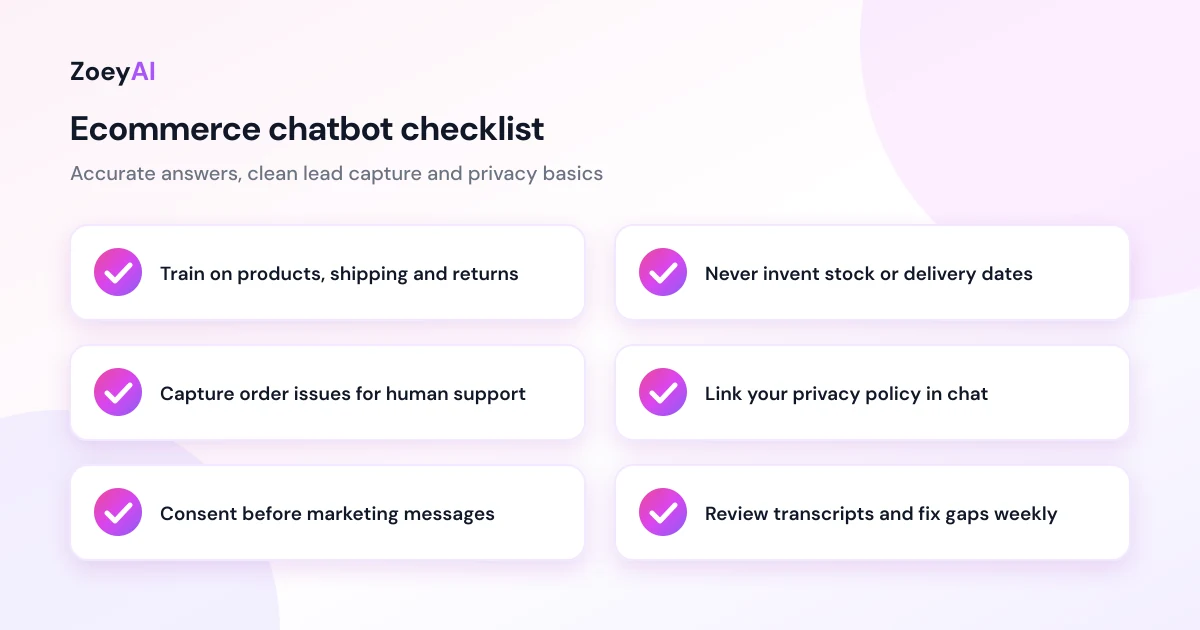
ZoeyAI can scan your website to seed a knowledge base, then you add FAQ entries for the awkward questions that never make it onto a product page. Review transcripts weekly and fix gaps the same day — wrong shipping answers are expensive.
Keep claims accurate under Australian consumer rules
Anything your chatbot says about products, prices, delivery or refunds is part of how you communicate with customers. NSW Fair Trading's guidance on shopping online covers what online buyers can expect, and its pages on consumer guarantees and refunds and returns summarise the guarantees that apply to many goods sold to consumers in Australia. Consumer Affairs Victoria also publishes plain-language online shopping guidance.
Practical rules for the chatbot:
- Only state policies you actually apply. If change-of-mind returns are store-credit only, say that. Don't invent a full refund.
- Don't guarantee delivery dates you can't meet. Use the ranges you publish, and say "estimated" when that's what you mean.
- Don't invent stock. If you can't check live inventory, tell the shopper how to confirm availability or leave details for the team.
- Don't overclaim product benefits. Stick to the wording on your product pages.
- Point to your published policies rather than paraphrasing when the topic is sensitive (returns, warranties, damaged goods).
This is general information, not legal advice. If you're unsure how consumer guarantees apply to your products, check the Fair Trading guidance or get advice.
Privacy and marketing consent
An ecommerce chatbot often collects name, email, phone, order numbers and sometimes delivery suburb. The Office of the Australian Information Commissioner (OAIC) explains the Australian Privacy Principles, which apply to organisations covered by the Privacy Act. Some small businesses with annual turnover of $3 million or less are exempt, but exceptions exist, so check the OAIC guidance. Following the principles is good practice either way.
The OAIC has also published guidance on privacy and the use of commercially available AI products, which is worth reading before you put any AI tool in front of customers.
Practical steps:
- Collect only what you need to answer or follow up.
- Don't ask for payment card numbers, passwords or identity documents in chat.
- Link your privacy policy from the chat experience.
- Limit who can read transcripts, and remove access when staff leave.
- Ask before marketing. An order enquiry is not consent for newsletters or SMS offers. The ACMA explains how to avoid sending spam.
Handling orders, returns and after-hours shoppers
Order status and returns are where chatbots fail if you let them improvise. Train separate paths:
- Pre-purchase questions (products, shipping estimates, size guides): answer from content.
- Existing orders: capture order number and contact details, then hand to support. Don't invent tracking events.
- Returns and faults: explain your published process and consumer guarantee rights at a high level, then capture details for a person.
- After hours: say when the team is back, capture the enquiry, and only point to an emergency contact if you truly have one.
The Australian Government's business.gov.au guide to communicating with customers stresses setting clear response expectations. An ecommerce chatbot should do the same: be honest about when a human will reply. Our guide to an AI chatbot for after-hours enquiries covers overnight lead capture in more depth.
Handing over to your team
AI answers the routine; people close the sale and fix the hard problems. Decide in advance:
- When the chatbot should stop answering and ask for contact details.
- Who owns chat leads during the day (support, sales or whoever packs orders).
- How fast you call or email back — and say that timeframe in the chat.
- Whether staff take over live conversations from the dashboard during business hours.
ZoeyAI's Basic plan and above include human takeover and business hours settings. Pro adds webhooks and CSV export if you want leads in Zapier, Make or your helpdesk. Our comparison of AI chatbot vs live chat explains how the hybrid model works.
How to measure whether it's working
Give it four to eight weeks, then look at your own numbers:
- Conversations that became captured enquiries, especially outside staffed hours.
- Questions it couldn't answer, which show training gaps (shipping, sizing and stock usually dominate).
- Time from capture to first reply from your team.
- Enquiries that became orders or resolved support tickets, which matter more than chat volume.
Ignore vanity metrics. If most chats are "where's my order?" and your team already has a tracking page, train the chatbot to send people there first and only capture details when tracking doesn't help.
What does it cost?
ZoeyAI has a free Starter plan for live chat without AI. AI plans start at $29 a month incl. GST on Basic (100 conversations a month, knowledge base, website scanner, business hours and human takeover) and $79 a month incl. GST on Pro (250 conversations a month, up to 5 team seats, webhooks, CSV export and branding removal). Annual billing on Basic and Pro works out cheaper per month, and Enterprise pricing is available on request. Every new account starts with a 7-day free trial. See the full comparison in our pricing section.
Frequently asked questions
Can an AI chatbot for ecommerce stores Australia connect to my live stock?
That depends on the platform and integrations you use. ZoeyAI answers from the content you train it on and can scan your website; it does not replace your inventory system. If live stock isn't connected, train it to explain how shoppers can check availability and to capture details when they need a person.
Will it process refunds or change orders?
No. Train it to explain your published returns process and to collect the shopper's details and order number so your team can action refunds, exchanges or cancellations.
Is it suitable for Shopify, WooCommerce or a custom store?
Yes. ZoeyAI installs with a script tag on any website, including common ecommerce platforms. You still need to train it on your products and policies so answers stay accurate.
Do I need to tell shoppers they're chatting with AI?
Yes. Be clear that it's an AI assistant and when a human will follow up. Shoppers are usually fine with that as long as answers are accurate and handover is honest.
How long does setup take?
Most of the time goes into gathering product, shipping and returns content. Installing the widget takes minutes. Plan a few focused sessions to train, test like a customer would, then review real conversations in the first week.
Keep reading
"AI Chatbot Privacy Australia: What the Privacy Act and APPs Mean for Your Business"
AI chatbot privacy Australia guide covering the Privacy Act, the Australian Privacy Principles, commercially available AI products, data security, spam consent and practical steps for website chatbots.
"Intercom Alternative for Small Business: How to Choose Without Overpaying"
Looking for an Intercom alternative for small business? Compare what Intercom is built for with what SMBs usually need from an AI chatbot, lead capture and human handover — with Australian pricing and privacy notes.