
Guides
"Chatbot Custom Lead Fields: What to Ask and How to Set Them Up"
By ZoeyAI · · 7 min read
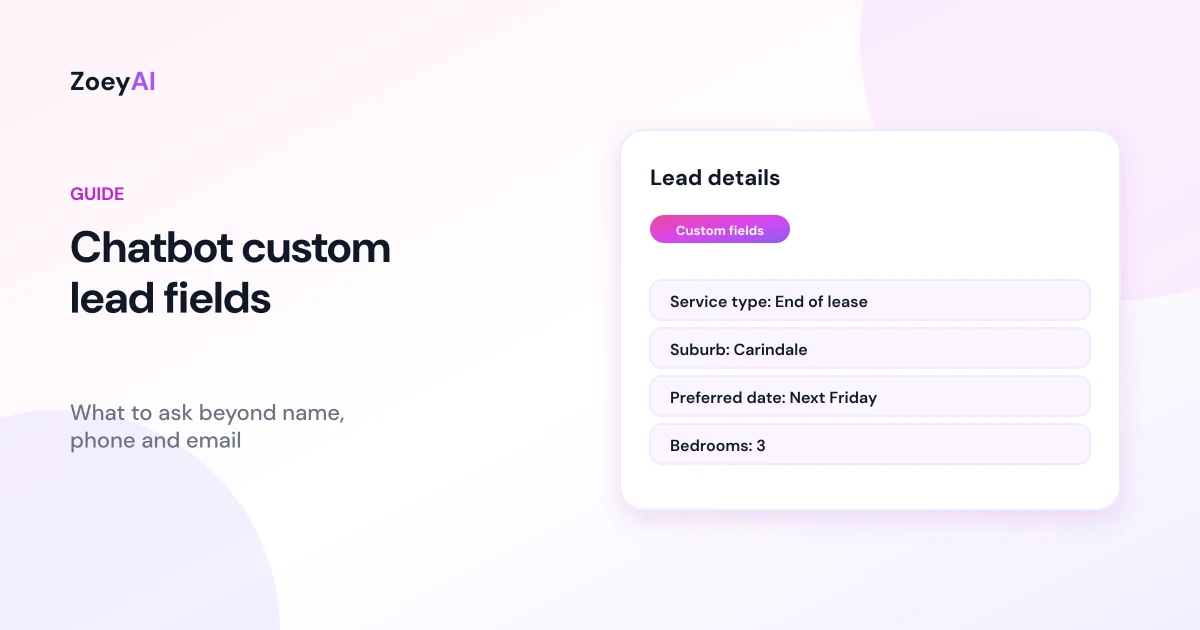
Chatbot custom lead fields are the extra questions your chatbot asks on top of name, phone and email, such as the type of service someone needs, their suburb or when they want it done. They turn a bare contact record into an enquiry your team can act on straight away. Get them right and you can quote, book or call back without a round of follow-up questions. Get them wrong and the chat feels like an interrogation.
This guide explains how to choose custom lead fields, when to use free text or a dropdown, how to write hints that help an AI chatbot ask naturally, and how to keep the list short and privacy-friendly. It finishes with examples for different industries and how custom lead fields work in ZoeyAI.
What are chatbot custom lead fields?
Every lead needs a way to get back in touch, so most chatbots collect a name plus a phone number or email. Custom lead fields are the business-specific details you add on top. A cleaning business might want the type of clean and the number of bedrooms. A physiotherapy clinic might want the reason for the visit and whether the person has a referral. A law firm might want the area of law.
With a traditional web form, those questions appear as boxes to fill in. With an AI chatbot, they work differently: the chatbot knows which details you want and asks for them during the conversation, one at a time, when it makes sense. The answers are then attached to the lead your team receives.
How to choose which fields to add
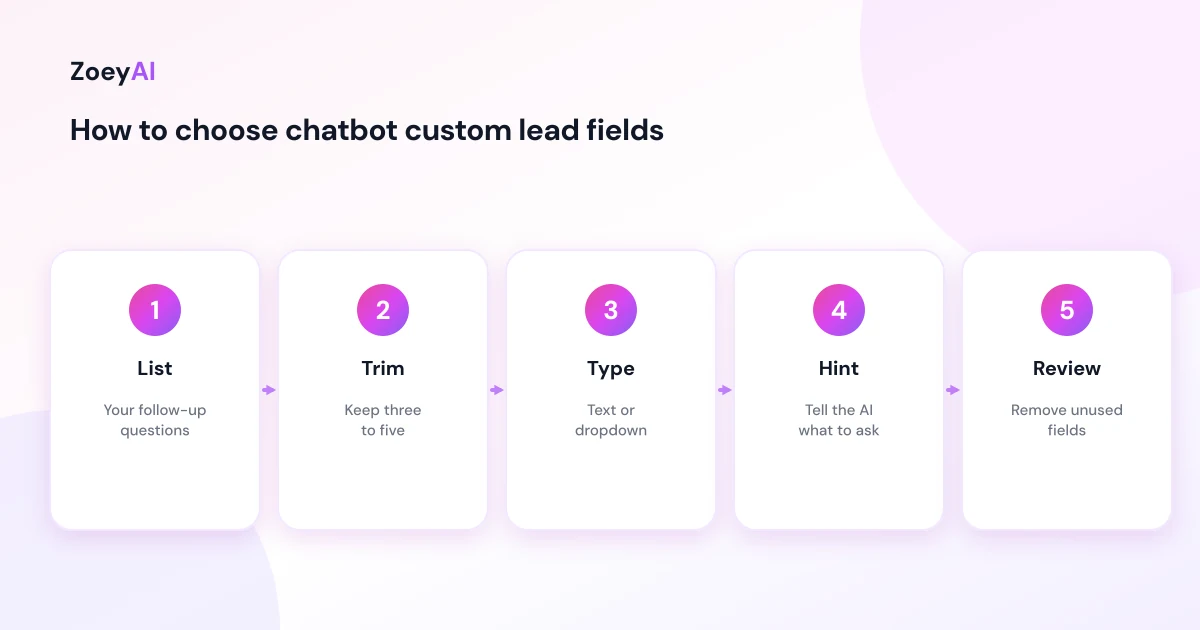
Start with one question: what do you need to know to respond well to this enquiry? The GOV.UK service manual's guide to designing good questions makes a point that applies to any business: know why you are asking every question. If you cannot say what you would do with the answer, leave the field out.
A useful test is to look at your last 20 enquiries and note what your team had to ask before they could quote or book. Those follow-up questions are your best candidates. Common ones include:
- Service or product type, so the right person follows up
- Location or suburb, to check you service the area
- Timing, such as a preferred date or how soon they need help
- Size or scope, such as rooms, people, vehicles or hours
- How they found you, if you want to track marketing sources
Aim for three to five custom fields. Every extra question adds effort for the visitor, and people who only wanted a quick answer are less likely to stay.
Text fields versus dropdown fields
Most chatbots support two kinds of custom field:
- Text fields accept anything the visitor types. Use them for details that vary a lot, such as an address, a description of the job or a preferred time.
- Dropdown (select) fields have a fixed list of options. Use them when you want consistent answers you can sort and report on, such as "Type of clean: regular, deep clean, end of lease, office".
On a traditional form, dropdowns can be hard to use. The GOV.UK Design System advises using the select component only as a last resort in public-facing services, because some users find selects difficult. With an AI chatbot that concern is smaller, because the visitor never sees a dropdown. They answer in their own words and the AI matches their answer to one of your options. Keep the list short and the options distinct, so the AI can map answers reliably. "Residential" and "Commercial" are clearer than "Home", "House" and "Residential property".
If you also show a form, for example a pre-chat form, standard form accessibility applies: every field needs a clear, visible label. The W3C's tutorial on labelling form controls explains how, and MDN's reference for the HTML select element covers how dropdowns work on the web.
Write hints that help the AI ask naturally
A label such as "Budget" tells your team what the field is. An AI chatbot benefits from a little more context, so most AI chatbots let you add a short description or hint. Good hints:
- Say what you mean. "The customer's suburb, so we can check our service area" is clearer than "Location".
- Give a format if it matters. "Number of bedrooms, as a number" or "Preferred month for the event".
- Explain sensitivity. "Approximate budget range if they are happy to share" tells the AI not to push.
Hints shape how the AI asks, so read a few test conversations and adjust the wording if questions feel clumsy.
Keep it short and respectful
Custom lead fields are a tool for helping people, not a checklist to complete before they get help. A few principles:
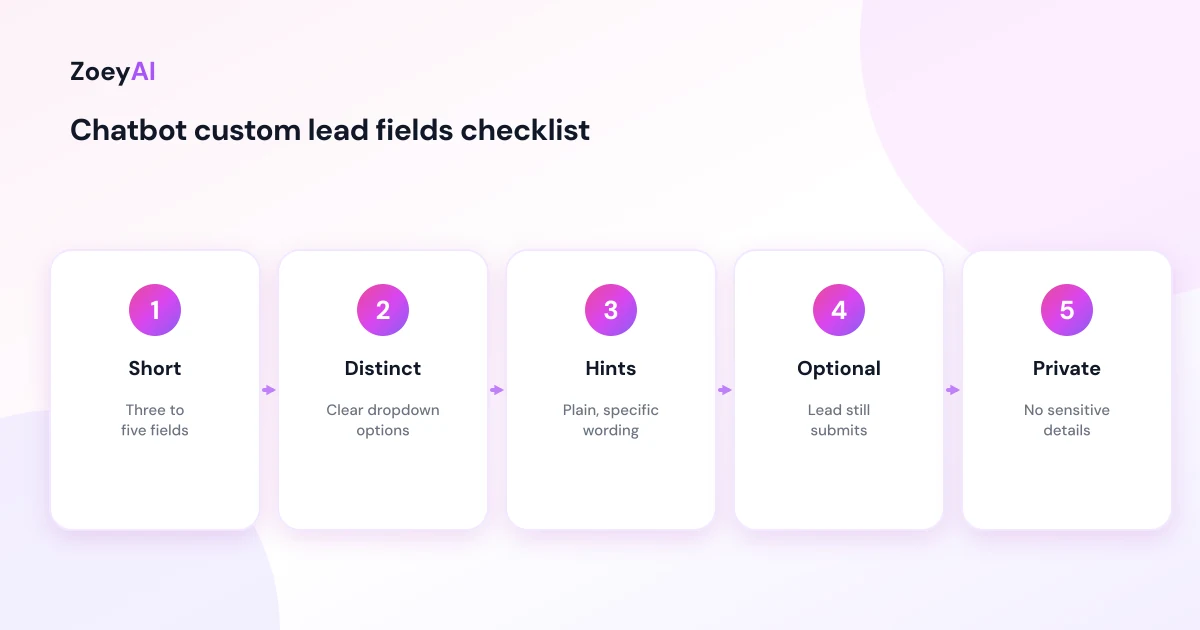
- Answer first, ask second. Let the chatbot answer the visitor's question, then collect details when they want a quote, booking or call back.
- Make most fields optional. If someone does not want to share their budget, the lead is still worth having.
- Ask one thing at a time. Stacking three questions in one message is harder to answer, particularly on a phone.
- Review regularly. If your team never uses a field, remove it.
Privacy and sensitive information
Every field you add is more personal information to collect, store and protect. Only ask for what you need, and never use custom lead fields to collect sensitive information such as health details, dates of birth, identity documents or bank details. The Attorney-General's Department's privacy pages explain Australia's privacy framework. Make sure your privacy notice covers what you collect through chat.
Examples by industry
Here are sensible starting points. Adjust them to your own process.
| Industry | Custom lead fields |
|---|---|
| Cleaning | Type of clean (dropdown), bedrooms, suburb, frequency (dropdown) |
| Physiotherapy or allied health | Reason for visit, preferred location (dropdown), preferred days |
| Real estate | Enquiry type (dropdown: buy, sell, rent, appraisal), property address or suburb |
| Accountants | Service (dropdown: tax return, BAS, business advice), business or individual |
| Gyms | Membership interest (dropdown), preferred start date |
| Event venues | Event type, guest numbers, preferred date |
| NDIS providers | Type of support, enquiring as (dropdown: participant, family, support coordinator), suburb |
For more on what an AI chatbot should collect in specific industries, see our guides to the AI chatbot for cleaning businesses and the AI chatbot for NDIS providers.
How custom lead fields work in ZoeyAI
In ZoeyAI, custom lead fields live under Settings, Lead Fields, on plans with AI chat (Basic and above):
- Core fields are name, phone and email, and are always collected.
- Add a field by giving it a label, choosing Text (free input) or Select (predefined options, entered as a comma-separated list), and adding an optional AI hint to tell the AI what to ask for.
- Reorder or remove fields at any time.
- The AI asks conversationally, one detail at a time when the conversation leads there, and still submits the lead if the visitor skips optional fields.
- Answers arrive with the lead. Custom field values are included in the lead notification email, shown on the Leads page and included in webhook payloads on plans with webhooks.
- Defaults: if you have not set up any custom fields, ZoeyAI uses a default set: service type, location, preferred date and budget.
Lead Fields is also where you switch the pre-chat lead form on or off. Our guide to the chatbot pre-chat form explains when that makes sense.
What it costs
ZoeyAI pricing is in AUD and includes GST. There is a free Starter plan for live chat without AI. AI plans, which include custom lead fields, start at $29 a month incl. GST on Basic (100 conversations a month, knowledge base, website scanner, business hours and human takeover) and $79 a month incl. GST on Pro (250 conversations a month, up to 5 team seats, webhooks, CSV export and branding removal). Enterprise pricing is available on request, and every new account starts with a 7-day free trial. See the pricing section for current details.
Frequently asked questions
What are chatbot custom lead fields?
They are the extra details a chatbot collects beyond name, phone and email, such as service type, suburb or preferred date, so your team can respond without asking follow-up questions.
How many custom lead fields should I add?
Three to five is a sensible starting point. Add only fields your team uses to quote, book or route enquiries.
Should I use a text field or a dropdown?
Use a dropdown when you want consistent answers you can sort and report on, and a text field for details that vary, such as a job description or address.
Will the chatbot show custom lead fields as a form?
With an AI chatbot, no. It asks for the details naturally during the conversation. If you switch on a pre-chat form, that form is separate and shown before the chat starts.
What is an AI hint on a lead field?
A short description that tells the AI what you want and how to ask, for example "The customer's suburb, so we can check our service area".
What should I never ask for in a custom lead field?
Sensitive information such as health details, dates of birth, identity documents or bank details. Collect those through a secure process if you need them.
Keep reading
"AI Chatbot for Event Venues: Answer Capacity and Package Questions and Capture Enquiries"
How an AI chatbot for event venues answers questions about spaces, capacity, published packages and policies, captures wedding, corporate and party enquiries with the right details, treats dates as requests rather than bookings and hands every lead to your events team.
"AI Chatbot for Funeral Homes: Calm Answers and a Fast Path to Your Staff"
How an AI chatbot for funeral homes answers practical questions about services, published prices and what to do first, uses a calm and respectful tone, never pressures families, protects privacy and connects people with your staff quickly, including after hours.