
Guides
"AI Chatbot Human Handover Best Practices: 8 Rules for Smooth Handoffs"
By ZoeyAI · · 9 min read
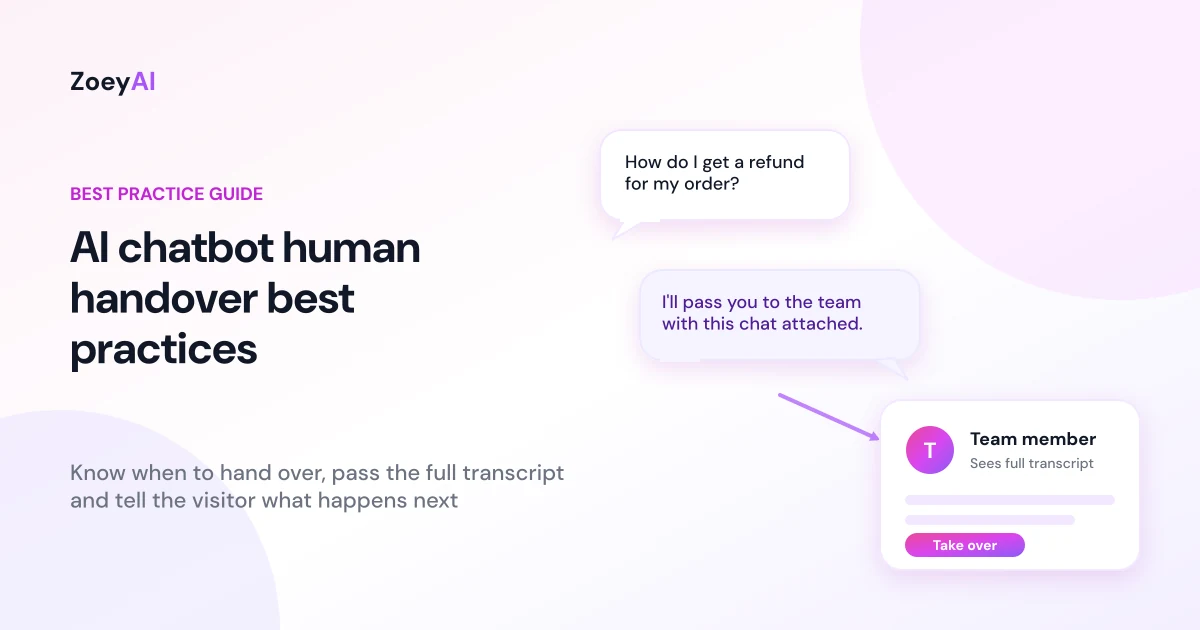
The AI chatbot human handover best practices come down to one idea: when the chatbot reaches its limit, the customer should reach a person without repeating themselves, getting stuck in a loop or wondering what happens next. A good handover is quick to trigger, clear to the visitor, and gives your team the full conversation so they can pick up exactly where the AI stopped.
This guide sets out eight practical rules for Australian small and medium businesses. It works for any industry, from a clinic to an online store, and it assumes you want a chatbot that handles routine questions and a team that handles everything else.
Why handover matters more than the chatbot's best answer
Most people judge a chatbot by what happens when it can't help. A visitor who gets a clear answer is happy. A visitor who gets the same "I didn't understand that" three times is not, and they may never come back.
Nielsen Norman Group's research on chatbot usability found that customer-service bots were generally seen as less helpful than human representatives, but that people valued speed. The same research noted that owning the failure and offering an escape hatch, such as a phone number or a live agent, was generally perceived favourably. You can read the full write-up in The User Experience of Chatbots. It was a small US study from 2018, so treat it as a useful guide rather than a measure of Australian customers today, but the lesson is easy to apply: make the way out obvious.
Handover is also a safety net. If your chatbot is limited to your own content (see our guide on how to train an AI chatbot on your website content), there will always be questions it can't answer. A handover plan decides what happens next instead of leaving it to chance.
Rule 1: Decide in advance when the chatbot should hand over
Don't leave handover to guesswork. Write a short list of situations that should always reach a person. Common triggers include:
- The visitor asks for a person. "Can I talk to someone?" should always work, with no argument.
- The chatbot can't answer. If the answer isn't in the knowledge base, say so and offer a next step.
- Complaints, refunds and disputes. These need judgement and empathy.
- High-value or complex enquiries, such as a large quote, a custom request or a commercial customer.
- Sensitive topics, such as health, legal or financial matters outside what your business can say in general terms.
- Urgent situations, where the right move is to give the visitor your phone number straight away.
- Repeated confusion. If the visitor has rephrased the same question twice, stop guessing.
Keep the list short and review it after the first few weeks of real conversations.
Rule 2: Be upfront that it's an AI
A smooth handover starts with honesty at the first message. The same NN/g research recommends being upfront about using a bot and not a human, and found that participants were pleased when a business was transparent because they could set their expectations and wording accordingly.
The Australian Government's Voluntary AI Safety Standard points the same way. Its guardrails include enabling human control or intervention, and informing end users about interactions with AI. The standard is voluntary and doesn't create new legal duties, but it is a sensible benchmark for any business using a customer-facing chatbot. See the 10 guardrails for the detail.
In practice, that means a greeting such as "Hi, I'm the AI assistant for [business name]. I can answer questions and pass you to the team if you need a person." It tells the visitor what to expect and that a human is available.
Rule 3: Make asking for a person easy at every step
Don't hide the way out. A visitor should never have to work out a magic phrase or scroll through menus to reach a human. Good practice looks like this:
- Say it early. Mention in the greeting that the team is available.
- Repeat it when it matters. If the chatbot can't answer, the reply itself should offer a person or a callback.
- Always honour the request. If someone types "human" or "agent", respond to that and not to the previous topic.
- Offer alternatives. If nobody is online, offer to take their details, or give your phone number or booking link.
A chatbot that argues with a customer who wants a person is worse than no chatbot.
Rule 4: Pass the whole conversation to your team
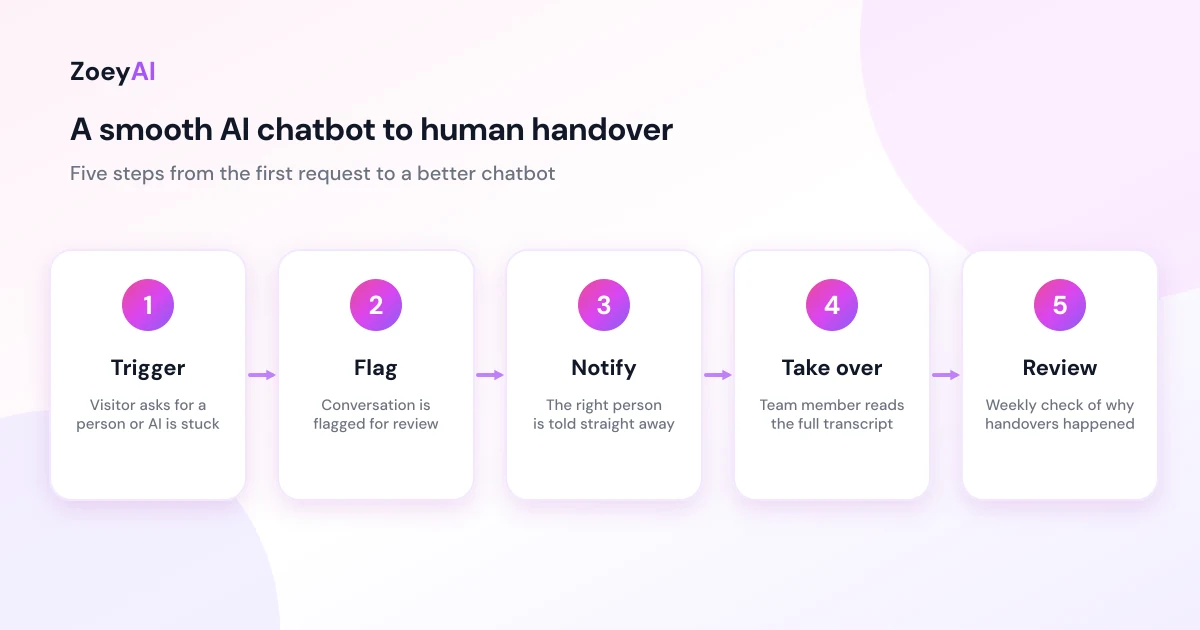
Nothing frustrates a customer more than repeating their question to a person after already explaining it to a bot. Your team should see the full transcript, the contact details the visitor gave and any context such as the page they were on, before they say a word.
In ZoeyAI, when the AI can't answer something it collects the visitor's contact information and flags the conversation for review. From the dashboard, your team can open the conversation and use human takeover to step in, with the transcript in front of them. Human takeover is available on the Basic plan and above.
The first message from your team should show they have read it: "Hi Sam, I can see you're asking about weekend availability. Let me check that for you." Never open with "How can I help you today?" after a long chat with the bot.
Rule 5: Tell the visitor what happens next
A handover can fail without a single error: the chatbot says "I'll pass you to the team" and then nothing happens for a day. Set honest expectations at the moment of handover:
- If someone is online, say that a team member is joining the chat.
- If it's after hours, say when the team is next available and that the conversation has been saved, then collect a name and a way to contact the visitor.
- If the matter is urgent, give your phone number.
Don't promise response times you can't keep. "We'll reply by 10 am on the next business day" is useful only if somebody really does. Our guide to an AI chatbot for after-hours enquiries explains how to set this up for the hours you're closed.
Rule 6: Make sure someone is actually notified
Handover only works if a person sees the flag. Before launch, check:
- Who gets notified? Name a person or shared inbox, not "the team".
- Which events trigger a notification? In the ZoeyAI dashboard, the Notifications settings let you choose which events notify you, so you can focus on new leads and conversations that need a person rather than every message.
- What happens on weekends and holidays? Decide who checks the dashboard and when.
- Where do leads go next? On the Pro plan, webhooks can send lead and takeover events into other tools you already use.
Then test it: start a conversation as a customer, ask for a person, and see how long it takes for someone to notice. If the answer is "next Tuesday", fix the process before you go live.
Rule 7: Protect privacy during and after the handover
A handover means personal information is moving from a chatbot to a person, and it is often stored in a transcript. If your chatbot collects names, emails or phone numbers, the Australian Privacy Principles (APPs) apply to how you collect, use, store and disclose that information if your business is covered by the Privacy Act. The OAIC explains them in its guide to the Australian Privacy Principles, and has separate guidance on privacy and the use of commercially available AI products. This is general information, not legal advice.
Practical steps:
- Collect only what you need to follow up, such as a name, an email or phone number and the reason for the enquiry.
- Tell visitors why you're asking and link to your privacy policy.
- Don't invite sensitive data in chat, such as card numbers or passwords, and tell visitors to keep those out of the conversation.
- Limit who can read transcripts to the people who need them.
Rule 8: Review handovers every week and keep improving
Every handover is feedback. Each time the chatbot passed a conversation to a person, ask why:
- A missing answer? Add an FAQ or update the page behind it.
- A genuine need for a person? Keep it as it is. Some conversations should always be human.
- A bad experience? Look at where the visitor got stuck and fix the wording or the trigger.
For the first month, spend 20 minutes each week reading handover conversations. Then move to a monthly check. A few measures worth tracking:
- Handover rate, meaning how many conversations ended up with a person. A very high rate may mean the chatbot needs more training, but a rate of zero isn't automatically good either.
- Time to first human reply during business hours, and the next-day reply rate after hours.
- Conversations that led to a booking, quote or sale after a handover.
- Visitor complaints about the chatbot itself.
If you're still deciding between a bot, live chat or both, our comparison of AI chatbot vs live chat explains why a hybrid with human handover works well for many small businesses.
What does it cost?
ZoeyAI has a free Starter plan for live chat without AI. AI plans start at $29 a month incl. GST on Basic (100 conversations a month, knowledge base, website scanner, business hours and human takeover) and $79 a month incl. GST on Pro (250 conversations a month, up to 5 team seats, webhooks, CSV export and branding removal). Annual billing on Basic and Pro works out cheaper per month, and Enterprise pricing is available on request. Every new account starts with a 7-day free trial. See the full comparison in our pricing section.
Frequently asked questions
What is AI chatbot human handover?
AI chatbot human handover is the point at which a conversation moves from the chatbot to a person on your team. It can be triggered by the visitor asking for a person, by the chatbot not knowing the answer or by rules you set for complaints, urgent requests or high-value enquiries.
When should an AI chatbot hand over to a human?
Hand over when the visitor asks for a person, when the chatbot can't answer from its knowledge base, when the topic is sensitive or a complaint, when the enquiry is complex or high value, or when the visitor has rephrased the same question more than once.
What should happen if nobody is online to take over?
Say so clearly. Tell the visitor when the team is next available, save the conversation and collect a name and contact details so someone can follow up. If the matter is urgent, give your phone number. Don't promise a reply time you can't meet.
Does a customer have to be told they're talking to an AI?
Being upfront is good practice, and it is recommended by both usability research and the Australian Government's voluntary AI guidance. Requirements can differ by industry and situation, so check any rules that apply to your business, or get professional advice if you're unsure.
How do I stop customers repeating themselves after a handover?
Make sure your team can see the full transcript and the contact details already collected, and train staff to read it before replying. Their first message should refer to what the customer asked, not start from scratch.
Keep reading
"AI Chatbot Privacy Australia: What the Privacy Act and APPs Mean for Your Business"
AI chatbot privacy Australia guide covering the Privacy Act, the Australian Privacy Principles, commercially available AI products, data security, spam consent and practical steps for website chatbots.
"Intercom Alternative for Small Business: How to Choose Without Overpaying"
Looking for an Intercom alternative for small business? Compare what Intercom is built for with what SMBs usually need from an AI chatbot, lead capture and human handover — with Australian pricing and privacy notes.