
Industries
"AI Chatbot for NDIS Providers: Answer Service Enquiries Clearly and Respectfully"
By ZoeyAI · · 7 min read
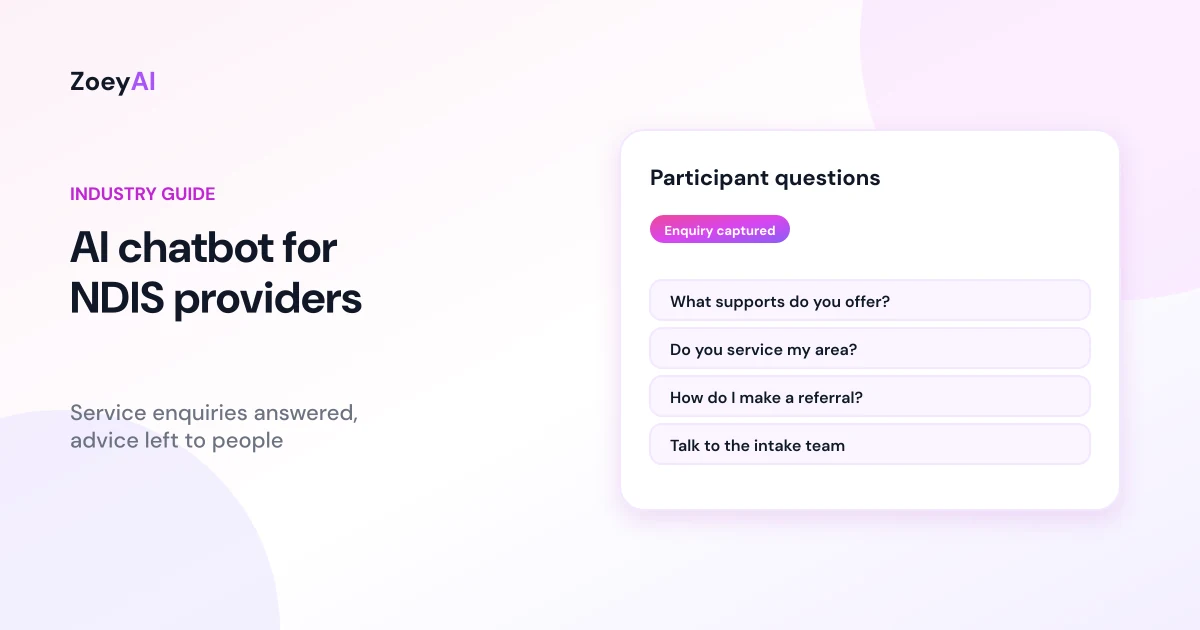
An AI chatbot for NDIS providers answers the questions people ask before they get in touch: which supports do you offer, which suburbs do you cover, do you have capacity, how does intake work and who do I speak to? Those questions come from participants, family members, carers and support coordinators, often outside office hours and often from people comparing several providers at once. Intake teams are usually busy with existing participants, so new enquiries can wait longer than anyone would like.
A chatbot can answer routine questions from your own published information, capture the enquiry with the details your intake team needs and make it clear what happens next. This guide covers what an NDIS provider chatbot should do, what it must leave to people and official sources, and how to set it up so it is accessible, respectful and careful with personal information.
What does an AI chatbot for NDIS providers do?
A well set up chatbot acts like a patient first point of contact. It:
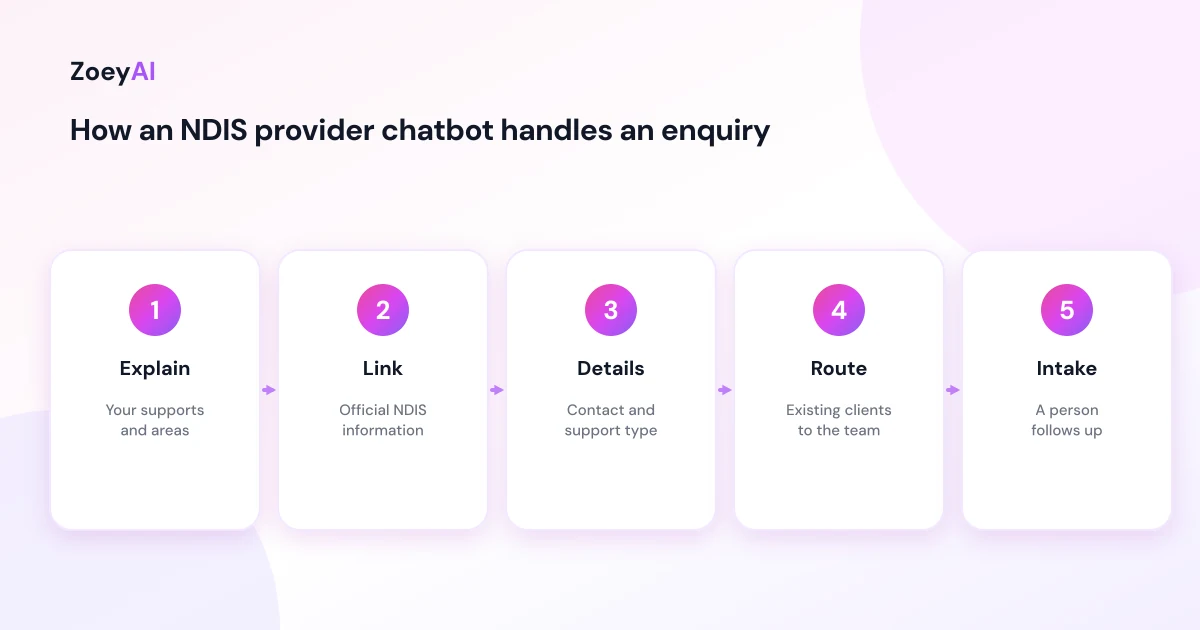
- Explains your services. The supports you deliver, such as daily living support, community participation, therapy or support coordination, described in the same words as your website.
- Answers practical questions. Service areas, opening hours, languages spoken by your team, whether you visit people at home and how to make a referral.
- Explains your intake process. What happens after someone enquires, who will contact them and roughly when, if your website states a timeframe.
- Captures enquiries. Name, preferred contact method, suburb, the type of support they are asking about and whether they are a participant, family member or support coordinator.
- Routes existing participants. Someone asking about a current roster or worker should be pointed to your team or phone number, not handled as a new enquiry.
What it should not do is tell people what they are eligible for, what their plan will fund or which supports they should choose. Those are covered next.
Stay out of eligibility, plan and funding advice
People often arrive with questions that belong to the NDIA or to a planner, not to a provider's website chat: "Am I eligible?", "Will my plan cover this?", "How much funding will I get?" or "Can I use my core budget for this?" The scheme's rules are detailed and they change, including through new legislation, so a chatbot should not paraphrase scheme rules from memory.
Instead, configure the chatbot to:
- Link to the official What is the NDIS? page for general scheme questions.
- Suggest that the person speak with their planner, local area coordinator or support coordinator about what their plan covers.
- Offer a call back from your team for questions about how your services might fit their goals.
This keeps answers accurate and keeps advice with the people qualified to give it.
Registration, quality and safeguards
Participants and families often ask whether a provider is registered. Your chatbot should answer only with what your website already says, using the same wording. It can also point people to the NDIS Quality and Safeguards Commission, which registers and regulates NDIS providers and offers a search for registered providers, so people can check for themselves.
If you are a registered provider, the NDIS Practice Standards set out the quality standards you need to meet. A chatbot does not change those obligations, but it should support them. Keep its answers consistent with your published policies on feedback, complaints and incident management, and make sure anything that sounds like a complaint, a safety concern or an incident goes straight to a person. Tell the chatbot never to try to resolve those itself.
Make the chat accessible
Your visitors include people with a wide range of disabilities, so accessibility is not optional. The W3C's introduction to web accessibility and the Web Content Accessibility Guidelines are good references. In practice:
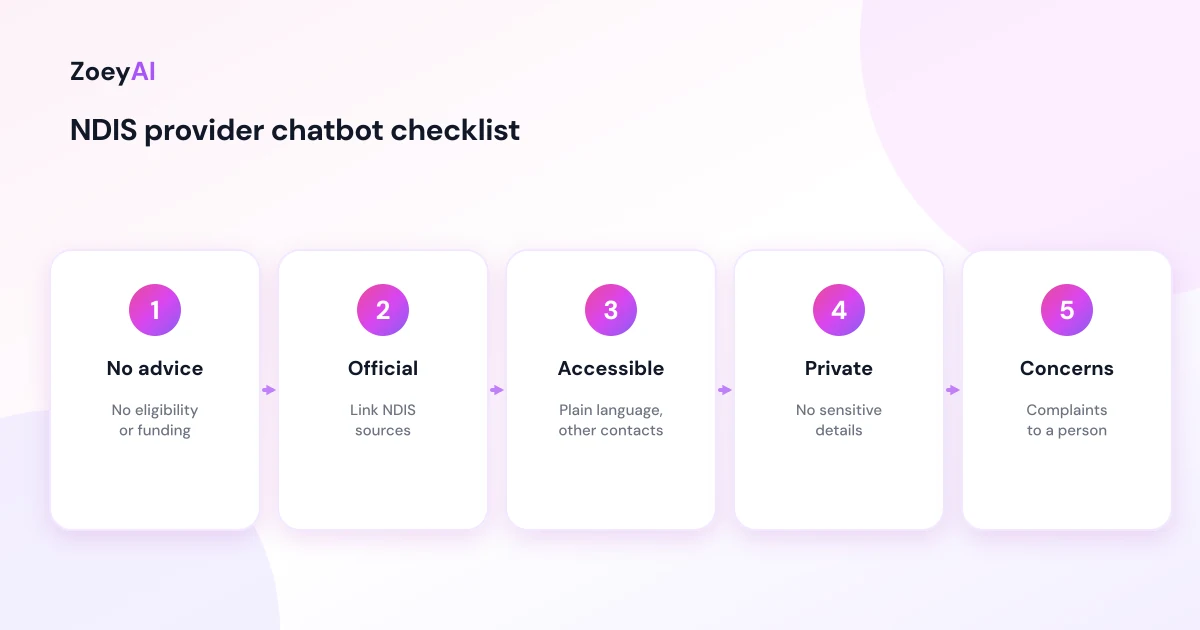
- Use plain language. Short sentences, everyday words and one question at a time. Avoid jargon and acronyms unless you explain them.
- Offer other ways to get in touch. Always give your phone number and email, and mention any interpreter or relay services your organisation uses, if your website lists them.
- Do not rush people. Some visitors use screen readers, switch access or communication aids and may take longer to reply.
- Let people talk to a person. Make it easy to ask for a human at any point in the conversation.
- Test with real users. Check the widget with a keyboard, a screen reader and on a phone, and ask participants or advocates for feedback where you can.
Keep sensitive information out of chat
NDIS enquiries can easily drift into health, disability and personal circumstances. That information is sensitive, and a website chat is not the right place to collect it. Set up the chatbot to:
- Ask only for what intake needs to make first contact: name, contact details, suburb and the type of support.
- Avoid asking for NDIS numbers, diagnoses, medical history, plan documents or dates of birth.
- Thank people if they share sensitive details and explain that your team will discuss their situation directly and securely.
- Point to your privacy policy, and make sure that policy covers chat.
Our guide to AI chatbot privacy in Australia explains privacy notices and data handling in more detail.
Questions an NDIS provider chatbot handles well
These come up on most provider websites and can be answered from your own content:
- "What supports do you offer?"
- "Do you service my area?"
- "Do you have workers who speak Vietnamese?" (answered only if your website says so)
- "How do I make a referral?"
- "Do you work with self-managed or plan-managed participants?" (as your website states)
- "What happens after I send an enquiry?"
- "Can I talk to someone about my situation?"
And these should always go to a person or an official source:
- Eligibility, plan and funding questions
- Pricing for a specific person's supports
- Complaints, incidents or safety concerns
- Anything urgent. The chatbot should tell people to call 000 in an emergency.
Capturing enquiries well
When someone wants to go ahead, the chatbot collects a short set of details: name, phone or email, preferred contact method and times, suburb, the support they are interested in, and whether they are the participant, a family member or a support coordinator. Support coordinators often want to send a referral, so tell the chatbot how referrals work at your organisation.
Then the chatbot should say honestly what happens next, for example "Our intake team will call you within two business days" if that is your process. In ZoeyAI, enquiries are captured as leads and your team is notified. On Basic and Pro plans a team member can take over a live conversation from the dashboard, and business hours settings let the chatbot tell people when the office will reply. You can also add custom lead fields, such as "Type of support" or "Enquiring as", so the AI asks for the details your intake team needs. Our guide to chatbot custom lead fields explains how, and our article on AI chatbot human handover best practices covers passing conversations to staff.
How to tell if it is working
Keep the measures simple and based on your own records:
- Enquiries captured, particularly out of hours
- How quickly intake follows them up
- How many become new participants
- Questions the chatbot could not answer, so you can update your website and FAQ
- Feedback from participants and families about the chat experience
What it costs
ZoeyAI pricing is in AUD and includes GST. There is a free Starter plan for live chat without AI. AI plans start at $29 a month incl. GST on Basic (100 conversations a month, knowledge base, website scanner, business hours and human takeover) and $79 a month incl. GST on Pro (250 conversations a month, up to 5 team seats, webhooks, CSV export and branding removal). Enterprise pricing is available on request, and every new account starts with a 7-day free trial. See the pricing section for current details.
Frequently asked questions
Can an AI chatbot for NDIS providers tell someone if they are eligible?
No. Eligibility, plans and funding are decided through the NDIS. The chatbot should link to official NDIS information and suggest the person speak with their planner, local area coordinator or support coordinator.
Should the chatbot say whether we are a registered provider?
Only in the words your website already uses. It can also point people to the NDIS Quality and Safeguards Commission, which registers providers and lets people search for registered providers.
What details should the chatbot collect?
Name, contact details, preferred contact method, suburb, the type of support and who is enquiring. Leave NDIS numbers, diagnoses and plan documents for your secure intake process.
How do we make the chatbot accessible?
Use plain language, one question at a time, give other contact options such as phone and email, make it easy to reach a person and test the widget with a keyboard and screen reader.
What happens with complaints or safety concerns?
They go straight to a person. The chatbot should not try to resolve them, and it should tell people to call 000 in an emergency.
Will a chatbot replace our intake team?
No. It answers routine questions and captures enquiries when your team is busy or offline, so intake staff can spend their time talking with people.
Keep reading
"AI Chatbot for Event Venues: Answer Capacity and Package Questions and Capture Enquiries"
How an AI chatbot for event venues answers questions about spaces, capacity, published packages and policies, captures wedding, corporate and party enquiries with the right details, treats dates as requests rather than bookings and hands every lead to your events team.
"AI Chatbot for Funeral Homes: Calm Answers and a Fast Path to Your Staff"
How an AI chatbot for funeral homes answers practical questions about services, published prices and what to do first, uses a calm and respectful tone, never pressures families, protects privacy and connects people with your staff quickly, including after hours.