
Industries
"AI Chatbot for Driving Schools: Answer Learners and Fill Your Lesson Calendar"
By ZoeyAI · · 7 min read
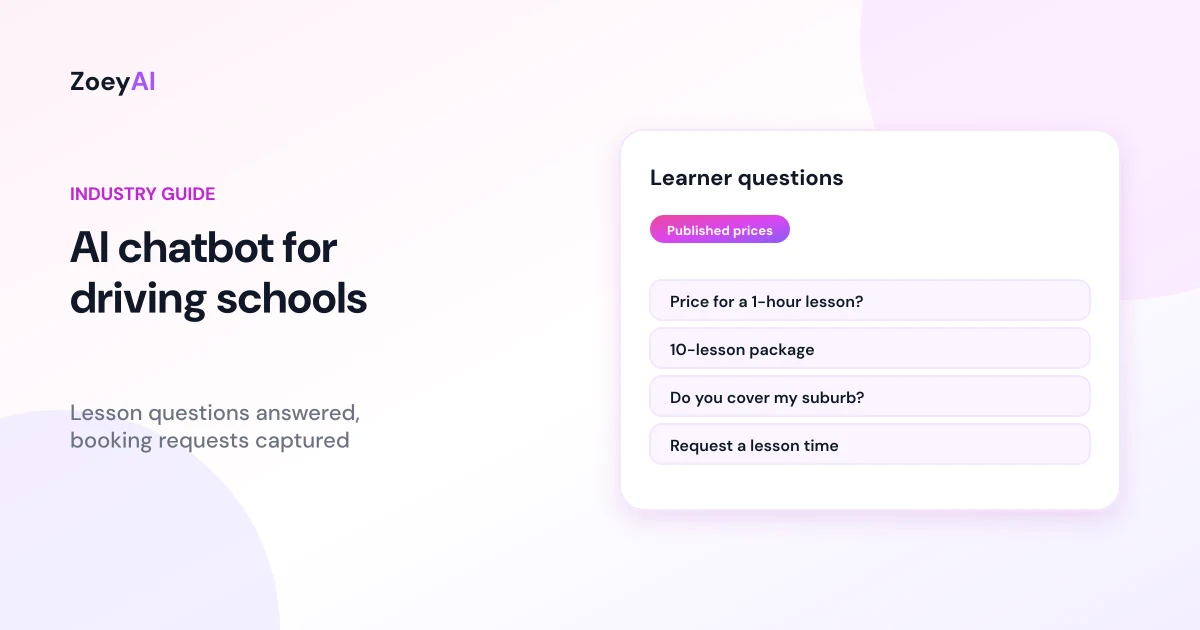
An AI chatbot for driving schools answers the questions learners and parents ask before they book: how much is a lesson, do you have packages, do you cover my suburb, automatic or manual, can you pick me up from school, and when is your next available time? Instructors spend most of the day in the car with students, which makes answering the phone or replying to website messages hard. Many enquiries also arrive in the evening, when parents and learners finally sit down to sort out lessons.
A chatbot can answer those routine questions from your own published information, capture a booking request with the details your team needs and pass anything else to an instructor. This guide covers what a driving school chatbot should handle, what it should leave to official sources and instructors, and how to set one up so your calendar fills without the back-and-forth.
What does an AI chatbot for driving schools actually do?
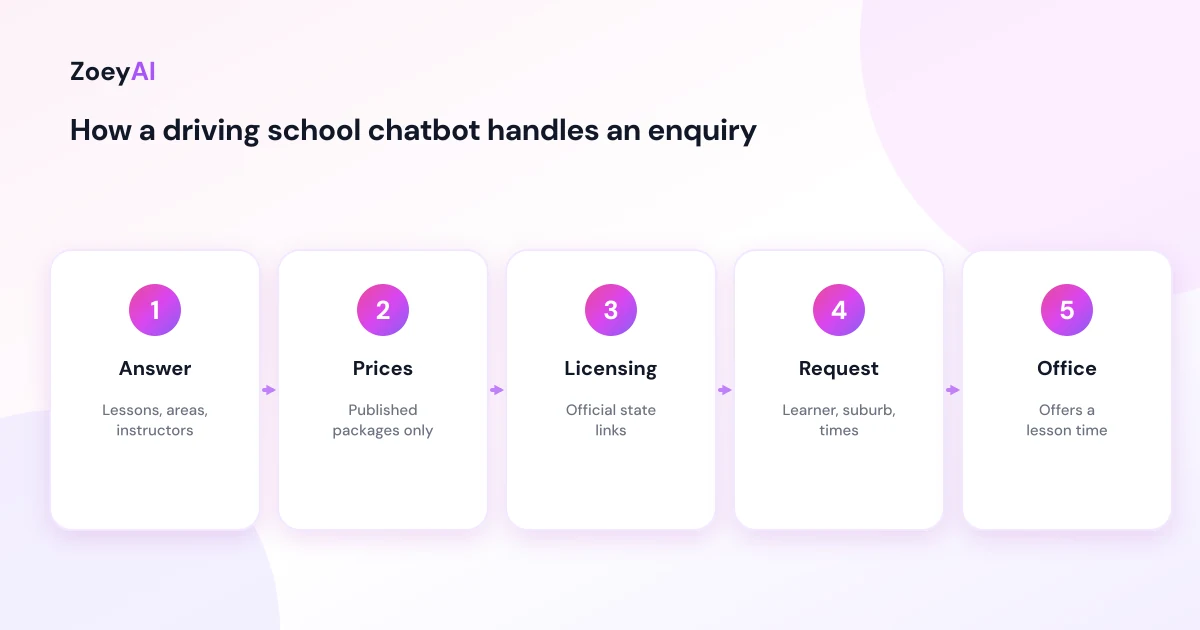
A good driving school chatbot works like a friendly front desk that never goes on a lesson. It:
- Answers questions about your school. Lesson types (automatic, manual or both), lesson lengths, packages, the suburbs you service, pick-up and drop-off options and your instructors' languages.
- Quotes published prices. Lesson and package prices exactly as they appear on your website, so there is no confusion later.
- Explains how booking works. How to book, how far ahead people usually book with you, your cancellation and rescheduling policy and payment options.
- Captures booking requests. Learner's name, phone, email, suburb, licence stage, automatic or manual and preferred days and times.
- Talks to parents too. Many enquiries come from a parent booking for a teenager. The chatbot can collect both contacts and explain how you work with supervising drivers.
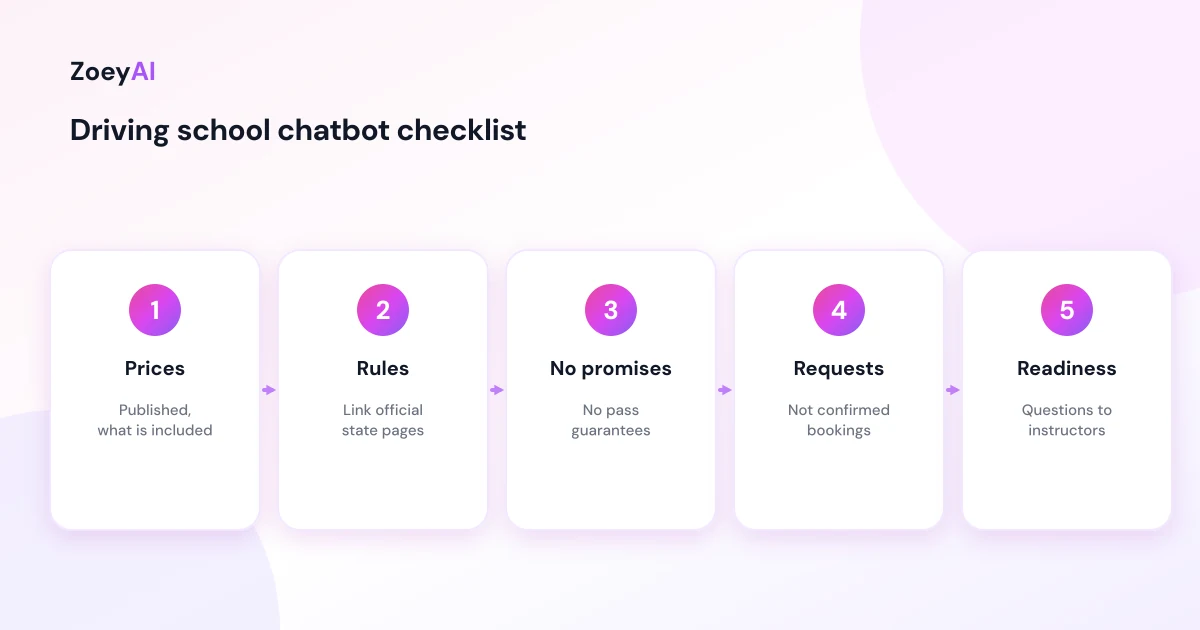
It should not confirm a lesson time unless it is connected to a live booking system, and it should not promise test results. More on both below.
Keep licensing and test questions accurate
Learners ask a lot of questions about the licensing process: how many logbook hours they need, when they can sit their driving test, what happens on test day. The rules differ between states and territories, and they change. A chatbot that answers those questions from memory can easily give out-of-date or wrong information.
The better approach is to point people to the official source for their state. In Queensland, for example, the car learner licence page explains who can apply and how. In New South Wales, the driver and rider licences section covers getting and progressing a licence. Add the official links for every state you operate in to your chatbot's content and tell it to link to them for licensing rules instead of answering in its own words.
Questions about a particular learner's readiness, such as "Am I ready for my test?" or "How many lessons will I need?", go to an instructor. Those depend on how the learner drives, and only someone who has been in the car with them can answer honestly.
Prices, packages and promises
Price is usually the first question a learner or parent asks. Make sure the chatbot quotes only the prices on your website and states what they include, such as lesson length, pick-up and drop-off and whether test-day packages include the vehicle. If prices differ by area or instructor, say so clearly in the content you give the chatbot.
Avoid promises the chatbot cannot keep. "Pass first time guaranteed", "we have plenty of availability" or "you'll only need five lessons" are claims your business would have to stand behind. The ACCC's guidance on false or misleading claims applies to everything your website says, chatbot included. Keep it factual: what you offer, what it costs and how to book.
Questions a driving school chatbot handles well
These appear on almost every driving school website and can be answered from your own content:
- "How much is a one-hour lesson?"
- "Do you have a package for 10 lessons?"
- "Do you teach in automatic or manual?"
- "Do you cover my suburb?"
- "Can you pick me up from school or work?"
- "Do you have female instructors?" or "Does anyone speak Mandarin?" (answered only if your website says so)
- "Can I use your car for my driving test?"
- "What's your cancellation policy?"
- "Do you offer lessons for overseas licence holders or nervous drivers?"
Questions it should hand over include anything about a specific learner's progress, complaints, refunds outside your published policy and changes to an existing booking if your team manages those manually.
What to train a driving school chatbot on
Give the chatbot accurate, current information:
- Your prices and packages page, with what each package includes.
- Service area information, listing suburbs or regions and any limits on pick-up.
- Instructor profiles, if you publish them.
- Booking, cancellation and payment policies.
- Official licensing links for each state you operate in.
- A short FAQ written by your team.
Our guide to training an AI chatbot on your website content explains how to choose and test pages. Then write a short set of instructions, for example: "Quote only published prices. For licensing rules, link to the official state page. Do not confirm lesson times. For questions about a learner's readiness, offer to have an instructor call back." Revisit the content whenever your prices or areas change.
Booking requests and handover
Unless your chatbot is connected to a live booking system, treat every booking as a request. The chatbot collects what your team needs to offer a time:
- Learner's name, phone and email
- Parent or guardian contact, if the learner is under 18
- Suburb for pick-up
- Licence stage and automatic or manual
- Preferred days and times
- Anything the learner wants the instructor to know, such as being a nervous driver
Then it tells them honestly what happens next, for example "Our office will text you with available times, usually within one business day" if that is true for your school. ZoeyAI captures these details as a lead and notifies your team, and on Basic and Pro plans someone can take over the live conversation from the dashboard. Business hours settings let the chatbot tell people when the office will reply. If you already link to an online booking page, a quick reply button can send people straight there. Our guide to chatbot quick reply buttons covers how to set those up.
Learner details and privacy
Many learners are teenagers, so collect only what you need to book a lesson. Do not ask for licence numbers, dates of birth or medical information in the chat. If someone volunteers health or medical information relevant to driving, the chatbot should thank them and say an instructor or the office will discuss it directly. Make sure your website privacy notice explains how chat details are stored and used. Our article on AI chatbot privacy in Australia covers the basics.
How to tell if it is working
Track a handful of practical measures:
- Booking requests captured, particularly evenings and weekends
- How quickly the office follows them up
- How many become paid lessons or packages
- Questions the chatbot could not answer, so you can add them to your FAQ
- Common objections, such as price or availability, that might shape your packages
Usability research on chatbots, such as Nielsen Norman Group's review of the user experience of chatbots, suggests keeping the chatbot focused on clear, simple tasks. For a driving school, that means prices, areas and booking requests.
What it costs
ZoeyAI pricing is in AUD and includes GST. There is a free Starter plan for live chat without AI. AI plans start at $29 a month incl. GST on Basic (100 conversations a month, knowledge base, website scanner, business hours and human takeover) and $79 a month incl. GST on Pro (250 conversations a month, up to 5 team seats, webhooks, CSV export and branding removal). Enterprise pricing is available on request, and every new account starts with a 7-day free trial. See the pricing section for current details.
Frequently asked questions
Can an AI chatbot for driving schools book lessons?
It can capture booking requests with all the details your team needs. It should only confirm a lesson time if it is connected to a live booking system. Otherwise, it tells the learner when the office will be in touch.
Should the chatbot answer questions about logbook hours and driving tests?
Only by linking to the official licensing page for the learner's state. Rules differ between states and change over time, so official sources are safer than the chatbot's own wording.
Can the chatbot tell a learner how many lessons they need?
No. That depends on how the learner drives. The chatbot can explain your packages and offer to have an instructor discuss it.
What details should the chatbot collect?
The learner's name, phone, email, suburb, licence stage, automatic or manual and preferred times, plus a parent or guardian contact for learners under 18. Licence numbers and medical information do not belong in chat.
Should the chatbot quote prices?
Yes, but only the prices published on your website, with what they include.
Will a chatbot replace our office staff?
No. It handles routine questions and captures booking requests when instructors are on the road and the office is busy or closed, so your team can focus on scheduling and students.
Keep reading
"AI Chatbot for Event Venues: Answer Capacity and Package Questions and Capture Enquiries"
How an AI chatbot for event venues answers questions about spaces, capacity, published packages and policies, captures wedding, corporate and party enquiries with the right details, treats dates as requests rather than bookings and hands every lead to your events team.
"AI Chatbot for Funeral Homes: Calm Answers and a Fast Path to Your Staff"
How an AI chatbot for funeral homes answers practical questions about services, published prices and what to do first, uses a calm and respectful tone, never pressures families, protects privacy and connects people with your staff quickly, including after hours.