
Industries
"AI Chatbot for Insurance Brokers: Capture Cover Enquiries Without Giving Advice"
By ZoeyAI · · 8 min read
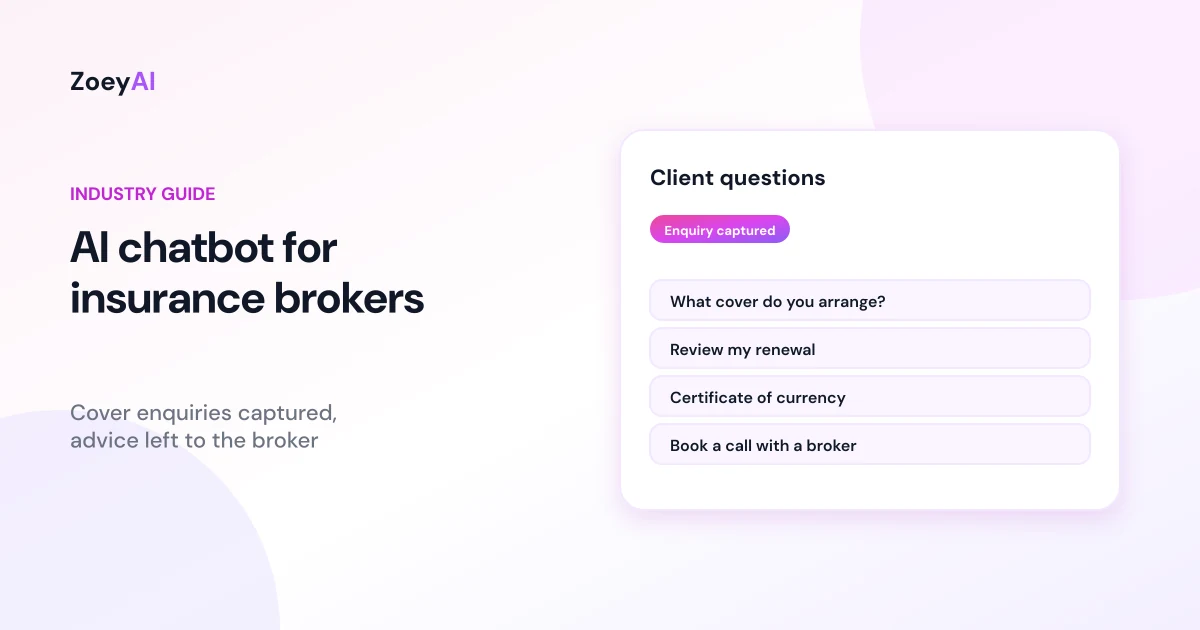
An AI chatbot for insurance brokers answers the first questions people ask on your website: what types of insurance do you arrange, do you work with businesses like mine, how does using a broker work, what do you need from me for a quote, and can someone call me back? Brokers spend much of their day with clients, insurers and claims, so website enquiries can sit for hours. Business owners often look into their insurance after hours, when the office is closed.
A chatbot can answer general questions about your brokerage straight away, collect the basics of a quote or review request and pass anything that needs judgement to a licensed broker. What it must never do is tell someone which policy to buy, whether they are covered or how much cover they need. This guide explains what a broker chatbot should handle, where the line sits, and how to set one up so it supports your team without adding compliance risk.
What does an AI chatbot for insurance brokers actually do?
Think of it as a well-briefed receptionist who has read your website and knows when to say "a broker will look at that for you". In practice, it:
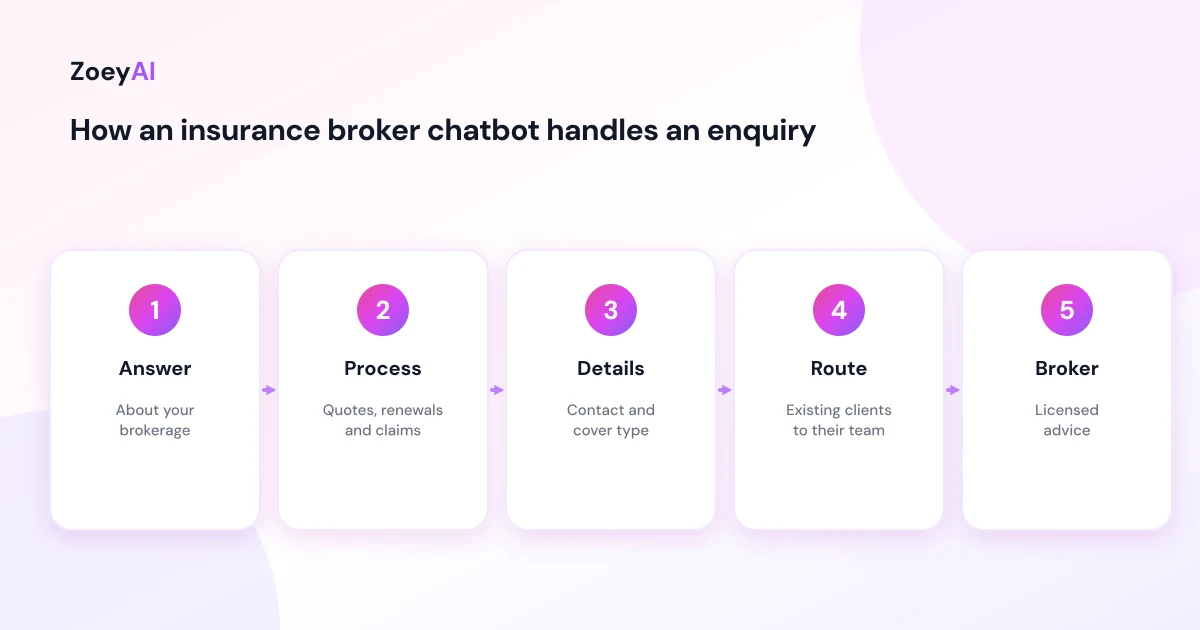
- Answers questions about your brokerage. Who you are, the classes of insurance you arrange (for example business packs, trade insurance, strata, commercial motor or professional indemnity), the industries you specialise in, office locations and hours.
- Explains your process. How a quote or policy review works, how long it usually takes on your side, and what information the broker will ask for.
- Captures enquiries. Name, phone, email, business name, the type of cover they are asking about, renewal date if they know it and preferred call times.
- Routes existing clients. Policy changes, certificates of currency and claims questions go to the right person, with the client's details captured so nobody has to ask twice.
- Covers the gaps. Evenings, weekends and busy renewal periods, when the phones are tied up.
Each of those is information, not advice. That distinction shapes everything else in this guide.
The line an insurance broker chatbot must not cross
Insurance brokers in Australia provide financial services under an Australian Financial Services licence, either their own or as an authorised representative. Under the Corporations Act 2001, a recommendation or statement of opinion intended to influence someone's decision about a financial product, including an insurance policy, can be financial product advice. ASIC's guidance on giving financial product advice explains the obligations that follow, including the difference between general and personal advice.
A chatbot on your website is part of how your business communicates, so treat anything it says as if your brokerage said it. Set it up so it does not:
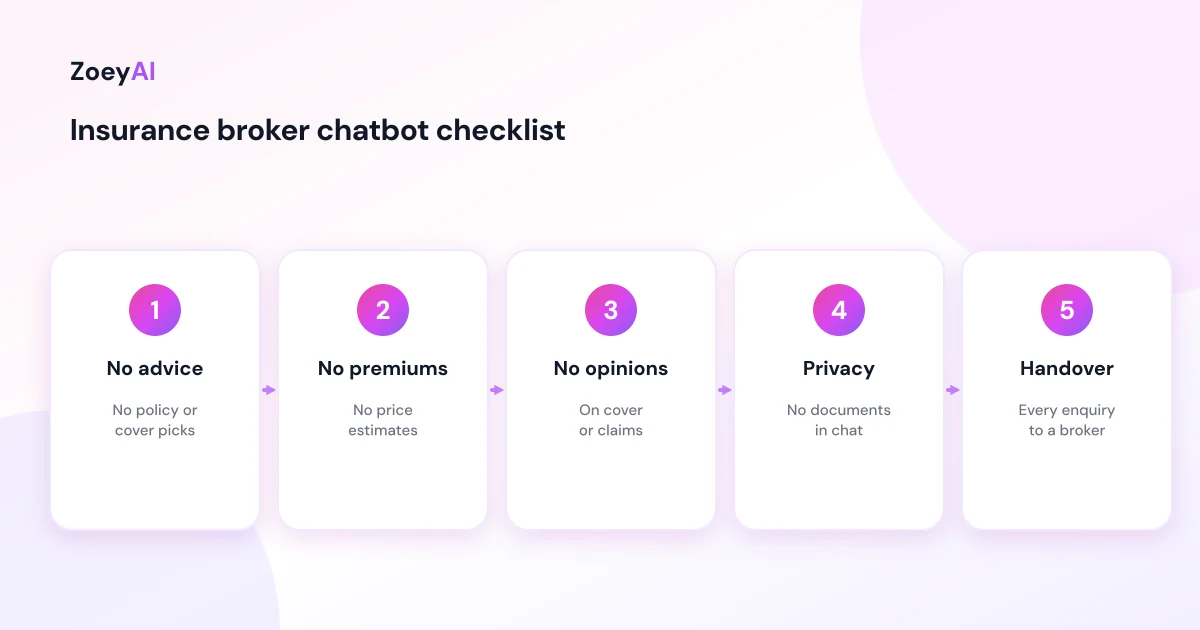
- Recommend an insurer, policy or level of cover. "You should take out business interruption cover" or "Insurer X is best for cafes" is advice territory.
- Say whether something is covered. Whether a loss, claim or situation is covered depends on the policy wording and the facts. That is for a broker or the insurer.
- Estimate premiums. Premiums depend on underwriting. The chatbot should not quote or guess prices for cover.
- Promise outcomes. No "we'll get you a cheaper premium" or "your claim will be accepted".
- Comment on someone's existing policy. Even a friendly "sounds like you're underinsured" is a statement of opinion about their situation.
The safest pattern is simple: the chatbot answers questions about your business and your process, and anything about a person's own risks, cover or claims becomes a call request for a broker. Your compliance manager or licensee should review the chatbot's instructions and greeting before it goes live. This article is general information about website chatbots, not legal or compliance advice.
Point people to independent information
Some visitors want to understand insurance in general before they talk to anyone. Rather than having the chatbot explain policy types in its own words, point them to independent sources. Moneysmart's insurance guides explain common types of cover in plain English. If your brokerage subscribes to the Insurance Brokers Code of Practice, the chatbot can say so and link to it, because it sets out what clients can expect from subscribing brokers.
Linking out keeps the chatbot factual and gives visitors a reason to trust the conversation that follows with your broker.
Questions an insurance broker chatbot handles well
These come up on almost every brokerage website and can be answered from your own approved content:
- "What types of insurance do you arrange?"
- "Do you work with tradies, cafes, medical practices or strata buildings?"
- "How does using a broker work, and how are you paid?" (answered from your published remuneration and fee information, word for word)
- "What will you need from me to get a quote?"
- "My renewal is next month. Can someone review it?"
- "I need a certificate of currency. Who do I ask?"
- "How do I make a claim?" (answered with your claims process and contact details, not a view on the claim)
- "Are you open on Saturdays?"
Questions it should hand over every time include "Am I covered for...?", "How much cover do I need?", "Which policy is cheaper?" and anything involving a specific incident.
What to train an insurance broker chatbot on
A chatbot is only as good as the content you give it. Good sources for a brokerage include:
- Your service pages for each class of insurance and industry you work with.
- About and team pages, so the chatbot can say who the brokers are and where you are located.
- Your Financial Services Guide and published remuneration or fee information, so answers about how you are paid match your disclosures.
- Process pages explaining quotes, renewals and claims support.
- A short FAQ written by your team in plain language.
Our guide to training an AI chatbot on your website content walks through choosing pages and testing answers. Then write clear instructions: who the chatbot is, what it may discuss, and the exact wording to use when someone asks for advice. For example: "I can't give advice about cover or tell you whether something is covered, but one of our brokers can look at that with you. Can I take your details for a call back?"
Enquiry details and privacy
Insurance conversations can drift into sensitive territory quickly: claims history, health information for some covers, financial details. Keep the chat to what a broker needs to call back:
- Name, phone and email
- Business name and industry, if it is a business enquiry
- The type of cover they are asking about
- Renewal date, if known
- Preferred call times
Tell visitors not to share policy documents, claims details or health information in the chat, and say the broker will collect what they need through your usual process. Avoid making claims in the chat that your business cannot back up. The ACCC's guidance on false or misleading claims applies to what your website says, including your chatbot. Our article on AI chatbot privacy in Australia covers privacy notices and data handling.
Human handover: every enquiry goes to a broker
For a brokerage, the handover is the whole point. The chatbot's job is to start the conversation and make sure a broker can pick it up quickly. Set up routing so:
- New business enquiries go to the broker or team who handles that class of insurance.
- Renewal and review requests go to the client's account manager where known.
- Claims questions go to your claims support contact, with a clear note that the chatbot cannot comment on the claim.
- Complaints go to the person named in your complaints process, with your published internal dispute resolution details.
- Anything urgent, such as an incident that has just happened, gets your phone number straight away.
ZoeyAI lets a broker take over a live conversation from the dashboard on Basic and Pro plans, and business hours settings let the chatbot tell people when the team will reply. Pro adds up to 5 team seats, webhooks to send new enquiries to your CRM or broking system and CSV export. Our human handover best practices explain how to make the switch smooth.
How to tell if it is working
Measure practical outcomes rather than chat volume:
- Call and quote requests captured, especially outside office hours
- How quickly brokers follow them up
- How many become quotes or new clients, tracked in your own CRM
- Questions the chatbot could not answer, so you can add approved content
- Any reply that edged towards advice, found by reading a sample of conversations each week and tightening the instructions
What it costs
ZoeyAI pricing is in AUD and includes GST. There is a free Starter plan for live chat without AI. AI plans start at $29 a month incl. GST on Basic (100 conversations a month, knowledge base, website scanner, business hours and human takeover) and $79 a month incl. GST on Pro (250 conversations a month, up to 5 team seats, webhooks, CSV export and branding removal). Enterprise pricing is available on request, and every new account starts with a 7-day free trial. See the pricing section for current details.
Frequently asked questions
Can an AI chatbot for insurance brokers recommend a policy?
No. Recommending an insurer, policy or level of cover can be financial product advice. The chatbot should answer questions about your brokerage and process, then book a call with a licensed broker.
Can the chatbot tell someone whether they are covered?
It should not. Whether something is covered depends on the policy wording and the facts, so those questions go to a broker or the insurer.
Should the chatbot quote premiums?
No. Premiums depend on underwriting and change between insurers. Keep the chatbot to your services, process and published fee or remuneration information.
What details should the chatbot collect?
Name, phone, email, business name and industry where relevant, the type of cover, renewal date if known and preferred call times. Policy documents, claims details and health information belong in your normal client process, not in chat.
Should the chatbot say it is an AI?
Yes. A greeting that says it is an AI assistant and cannot give advice about insurance cover sets the right expectations from the first message.
Will a chatbot replace a broker?
No. It answers routine questions and captures enquiries when your team is busy or the office is closed, so brokers can spend their time on the conversations that need their expertise.
Keep reading
"AI Chatbot for Event Venues: Answer Capacity and Package Questions and Capture Enquiries"
How an AI chatbot for event venues answers questions about spaces, capacity, published packages and policies, captures wedding, corporate and party enquiries with the right details, treats dates as requests rather than bookings and hands every lead to your events team.
"AI Chatbot for Funeral Homes: Calm Answers and a Fast Path to Your Staff"
How an AI chatbot for funeral homes answers practical questions about services, published prices and what to do first, uses a calm and respectful tone, never pressures families, protects privacy and connects people with your staff quickly, including after hours.