
Industries
"AI Chatbot for Law Firms: A Practical Guide for Australian Legal Practices"
By ZoeyAI · · 8 min read
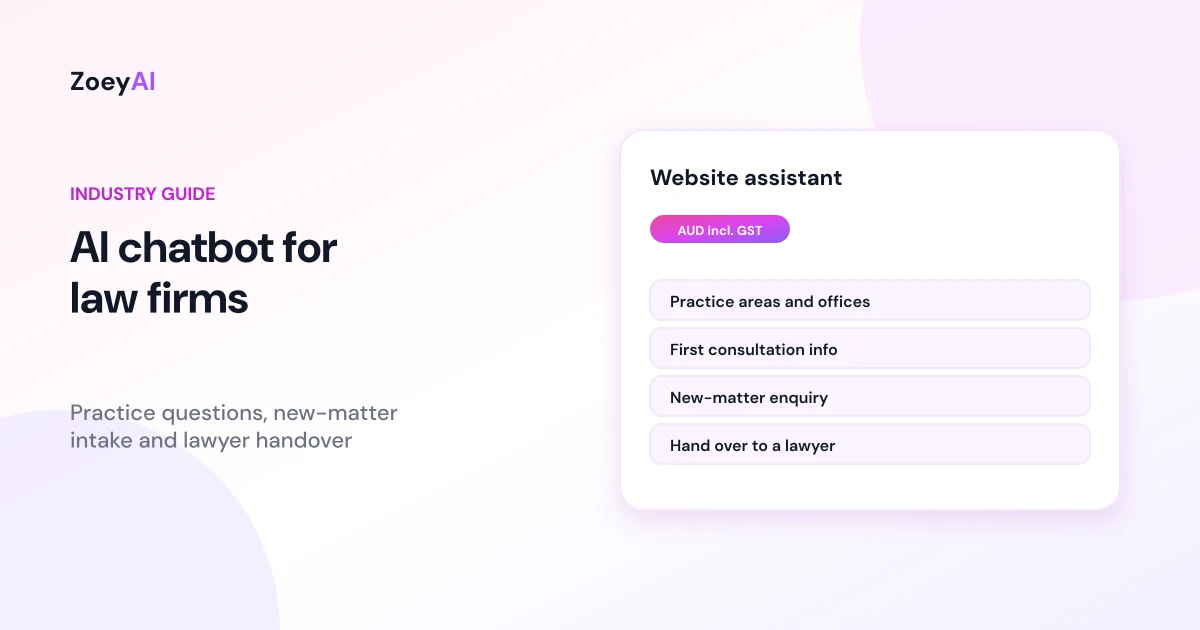
An AI chatbot for law firms sits on your practice's website and handles the first, practical part of a conversation: which areas of law you cover, where your offices are, how fees are worked out, what a first consultation involves and how to get in touch. It captures new-matter enquiries with enough detail for a lawyer or intake officer to follow up, and it passes anything that needs legal judgement to a person. Small and mid-sized practices in family law, conveyancing, wills and estates, employment, commercial and criminal law all field the same routine questions, often outside office hours when a worried person is searching for help.
This guide covers what a chatbot should and should not do for a legal practice, the enquiries it handles best, what to train it on, the professional and privacy rules to keep in mind in Australia, and how to tell whether it is working.
What does an AI chatbot for law firms actually do?
Most first contact with a law firm is not a legal question yet. People want to know whether you handle their type of matter, whether you work in their area, roughly how fees work and how quickly they can speak to someone. A chatbot trained on your own website and approved notes can answer those questions straight away.
A well-set-up chatbot for a legal practice does four things:
- Answers practice questions. Practice areas, office locations and hours, whether you offer phone or video appointments, how fees are generally set (fixed fee, hourly or a free first chat, if that is what you do) and what to bring to a first meeting.
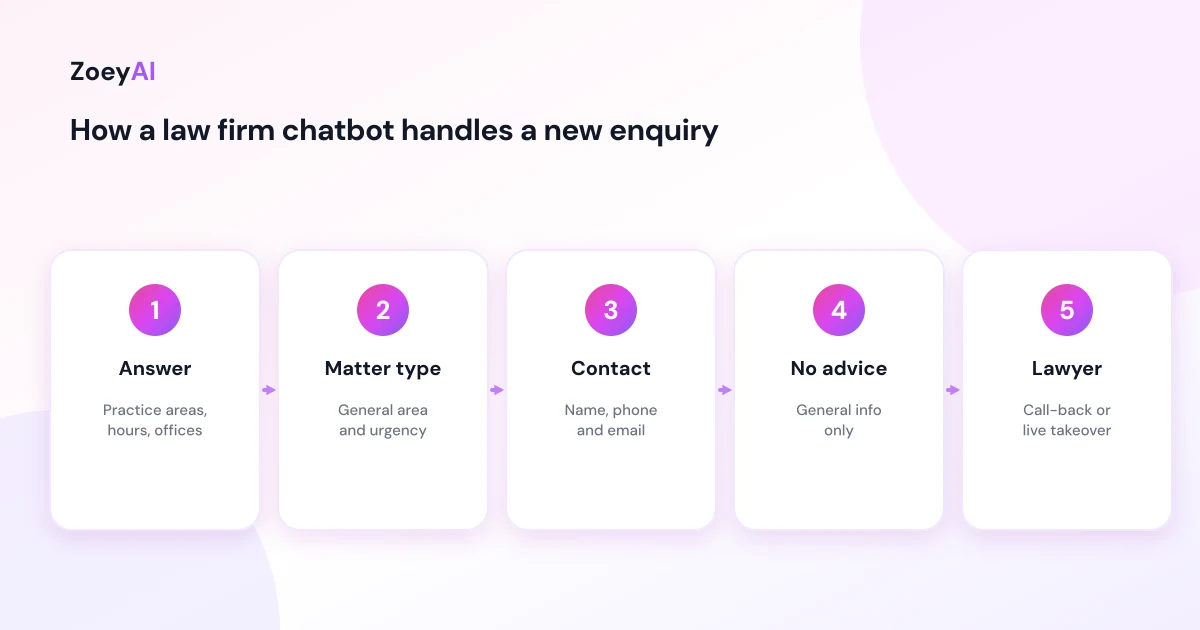
- Captures new-matter enquiries. It asks for name, phone number, email, the general type of matter and how urgent it is, so the right person can call back with context.
- Handles client admin. It can explain how to send documents, where to find your client portal or how to reach the lawyer handling an existing file.
- Hands over to a person. When someone needs advice, a staff member can take over the live chat, or the chatbot collects details for a call-back.
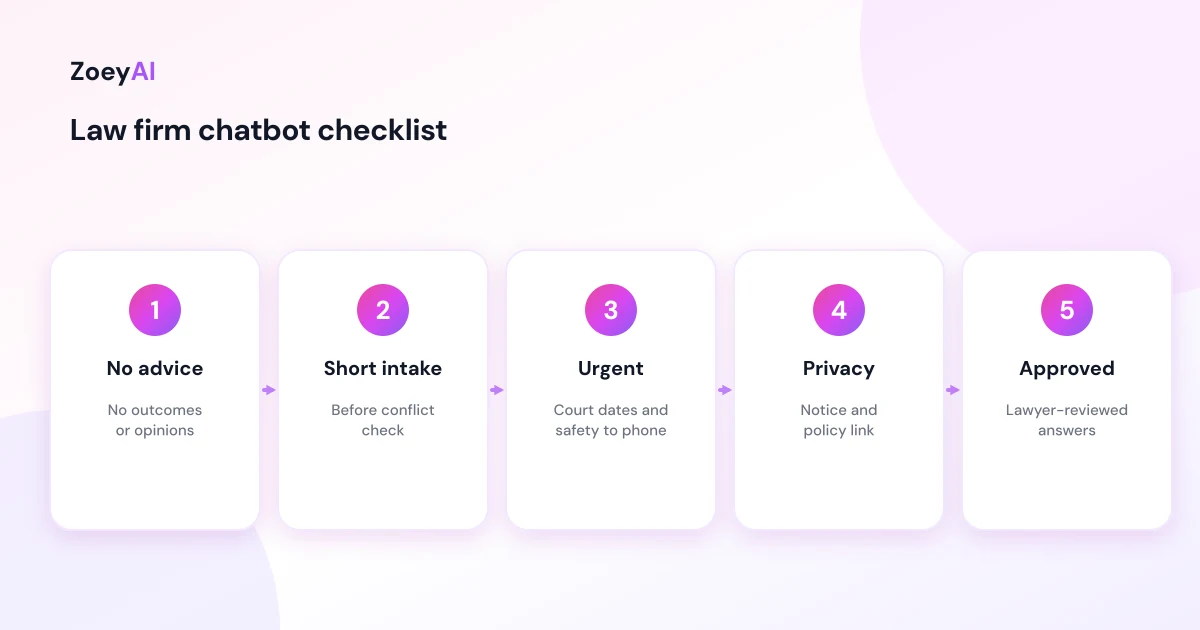
What it should not do is give legal advice. It should not tell someone whether they have a case, what their rights are, what a court is likely to do or what they should sign. The chatbot should say plainly that it can share general information about the firm, not advice about their situation, and offer to connect them with a lawyer.
The enquiries a law firm chatbot handles best
The best fit is any question your reception team answers the same way every time:
- "Do you do family law, wills or conveyancing?"
- "Do you have an office near me, or can we meet online?"
- "How much does a first appointment cost?"
- "What documents should I bring?"
- "How do I update my contact details on my file?"
- "Can someone call me back today?"
These questions are repetitive, but they matter. A person looking for a lawyer is often stressed and comparing several firms at once. A quick, clear reply and an easy way to book a call can be the difference between a new client and a lost enquiry. Capture the essentials quickly and make sure someone follows up.
Professional rules: keep the chatbot on the right side of the line
Lawyers have professional obligations that a chatbot must respect. In New South Wales, Victoria and Western Australia, the Legal Profession Uniform Law sets out the regulatory framework, and other states and territories have their own legal profession legislation and conduct rules. Your local law society, such as the Queensland Law Society or the Law Society of NSW, publishes practice guidance and support for its members.
You do not need a law degree to set up a chatbot, but the lawyers in your practice should approve its instructions. A few practical guardrails:
- No legal advice. Tell the chatbot it must not apply the law to someone's facts, predict outcomes or recommend a course of action.
- No promises about fees beyond what you publish. If costs depend on the matter, it should say so and explain how you give an estimate. Your cost disclosure obligations still happen through your normal process, not the chat window.
- Minimal detail before a conflict check. Ask for the type of matter and contact details, not the full story. A short intake avoids collecting detailed information about the other side before your team has run a conflict check.
- Clear urgency handling. If someone mentions a court date tomorrow, family violence or a risk to safety, the chatbot should give your phone number and, where relevant, emergency contacts, rather than keep chatting.
- No suggestion of a lawyer-client relationship. The chatbot should make clear that chatting does not mean the firm has agreed to act.
This is general information, not legal advice for your practice. If you are unsure how your conduct rules apply to website tools, check with your law society or professional indemnity insurer.
Privacy and confidentiality
People tend to share a lot when they are worried. Someone might describe a separation, a dismissal or a criminal charge in their first message. Your chatbot should be designed to collect only what the firm needs to follow up.
The Australian Privacy Principles cover how organisations collect, use, store and disclose personal information, and the OAIC has published guidance on privacy and commercially available AI products that is worth reading before you launch. In practice:
- Say what the chatbot is. A short line at the start, such as "I'm the firm's virtual assistant. I can answer general questions and pass your details to our team."
- Ask people not to share detail yet. "Please don't include details of your matter here. A lawyer will discuss it with you confidentially."
- Limit who can see transcripts. Treat chat transcripts like any other enquiry record in your practice.
- Link your privacy policy. Make it easy to find from the chat window.
Our article on AI chatbot privacy in Australia goes through the Privacy Act points in more detail.
What to train a law firm chatbot on
A chatbot is only as accurate as its sources. Start with:
- Your practice area pages. Make sure each one says clearly who you help and what the first step is.
- Office details. Addresses, parking, accessibility, hours and whether you offer online meetings.
- Fee basics. Only what you are happy to publish, for example "We offer a fixed-fee first consultation for family law matters" if that is true.
- What to bring. Identification, relevant documents, correspondence and any deadlines.
- A list of things it must not do. No advice, no outcome predictions, no fee promises and no detailed matter facts before intake.
Write these as short, approved answers. Our guide on how to write chatbot FAQs shows how to turn them into answers a chatbot can use.
Human handover for legal enquiries
Handover matters more for law firms than for most businesses. Decide in advance:
- Who gets notified. An intake officer, a practice manager or the lawyer on duty for that practice area.
- How fast you reply. Many practices aim to call back new enquiries on the same business day. Pick a target your team can actually meet.
- What triggers an immediate handover. Court deadlines, safety concerns, an existing client asking about their file, or anyone who asks for a person.
ZoeyAI lets a team member take over a live conversation from the dashboard on Basic and Pro plans, and business hours settings let the chatbot tell visitors when they can expect a reply. For a fuller checklist, read our human handover best practices.
How to tell if it is working
Skip vanity metrics. Look at:
- Enquiries captured outside office hours compared with before
- How many chat enquiries became booked consultations
- Questions the chatbot could not answer, so you can add approved answers
- Any reply that strayed toward advice, so you can tighten the instructions
Read a sample of transcripts every week for the first month. It is the fastest way to find gaps and fix them before they cause a problem.
What does it cost?
ZoeyAI pricing is in AUD and includes GST. There is a free Starter plan for live chat without AI. AI plans start at $29 a month incl. GST on Basic (100 conversations a month, knowledge base, website scanner, business hours and human takeover) and $79 a month incl. GST on Pro (250 conversations a month, up to 5 team seats, webhooks, CSV export and branding removal). Enterprise pricing is available on request, and every new account starts with a 7-day free trial. See the pricing section for current details.
Frequently asked questions
Can an AI chatbot for law firms give legal advice?
It should not. Set it up to share general information about your firm, such as practice areas, locations, hours and how to book, and to hand anything that needs legal judgement to a lawyer.
What details should a law firm chatbot collect?
Usually name, phone number, email, the general type of matter and how urgent it is. Avoid collecting the full story or details of other parties until your team has run its normal intake and conflict check.
Is a website chatbot confidential?
Treat chat transcripts like any other enquiry record. Tell visitors not to share matter details in the chat, limit who can see transcripts and link your privacy policy from the chat window.
Does chatting with a firm's chatbot create a lawyer-client relationship?
The chatbot should say clearly that it does not. A firm agrees to act through its normal engagement process, not through a website chat.
How quickly can a law firm set up a chatbot?
If your website already describes your practice areas clearly, a basic setup can be trained on that content in an afternoon. Allow extra time for a lawyer to review the instructions and test answers before going live.
What happens to enquiries that come in overnight?
The chatbot can answer general questions, capture contact details and tell the person when the office reopens, so your team can call back first thing.
Keep reading
"AI Chatbot for Event Venues: Answer Capacity and Package Questions and Capture Enquiries"
How an AI chatbot for event venues answers questions about spaces, capacity, published packages and policies, captures wedding, corporate and party enquiries with the right details, treats dates as requests rather than bookings and hands every lead to your events team.
"AI Chatbot for Funeral Homes: Calm Answers and a Fast Path to Your Staff"
How an AI chatbot for funeral homes answers practical questions about services, published prices and what to do first, uses a calm and respectful tone, never pressures families, protects privacy and connects people with your staff quickly, including after hours.