
Guides
"How to Write Chatbot FAQs: A Practical Guide for Better AI Answers"
By ZoeyAI · · 7 min read
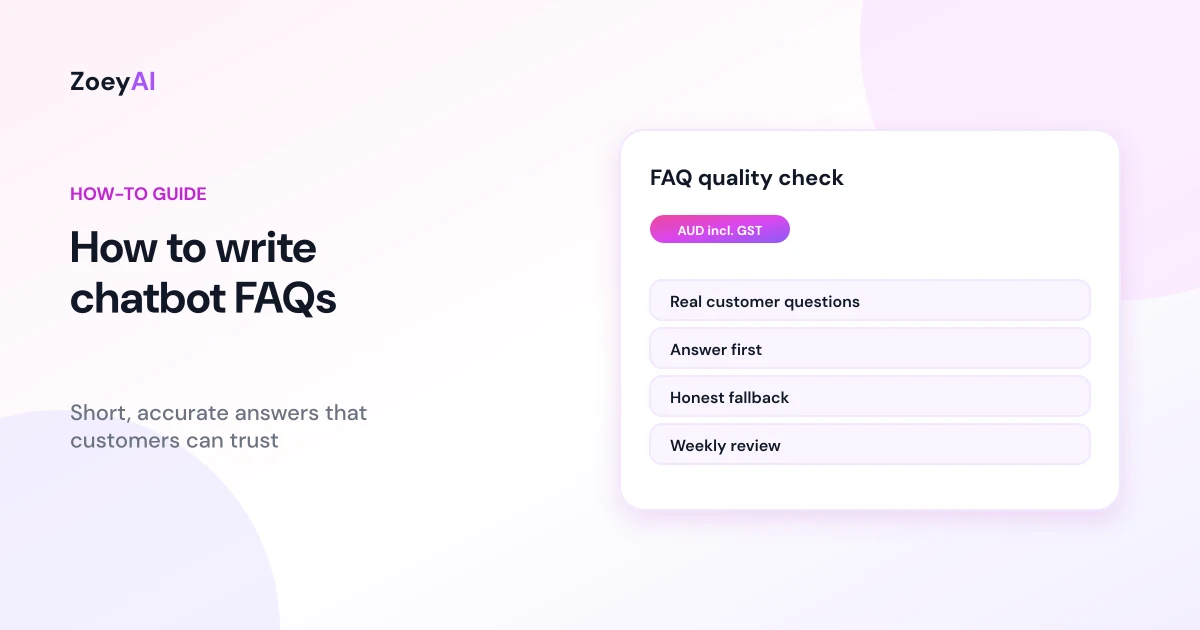
Knowing how to write chatbot FAQs is the single most useful skill when you set up an AI chatbot. The model can read your website, but the clearest, most accurate answers usually come from a short set of questions and answers written on purpose. Get them right and customers get quick, consistent replies. Get them wrong and the chatbot repeats outdated prices, vague policies or answers nobody asked for.
This guide shows you how to write chatbot FAQs step by step, with examples you can adapt to any industry.
Why chatbot FAQs matter more than you think
An AI chatbot answers best when it has clear source material. If your website says one thing on the services page and another in a blog post, the bot has no way to know which is current. A focused FAQ set gives it a single, approved version of the facts, and it gives your team one place to update when something changes.
FAQs also help with the questions customers ask most. Those are usually practical: what you do, where you work, how much it costs, how long it takes, how to book and what happens next. Our guide on how to train an AI chatbot on your website content covers the wider setup. This article goes deeper on the writing.
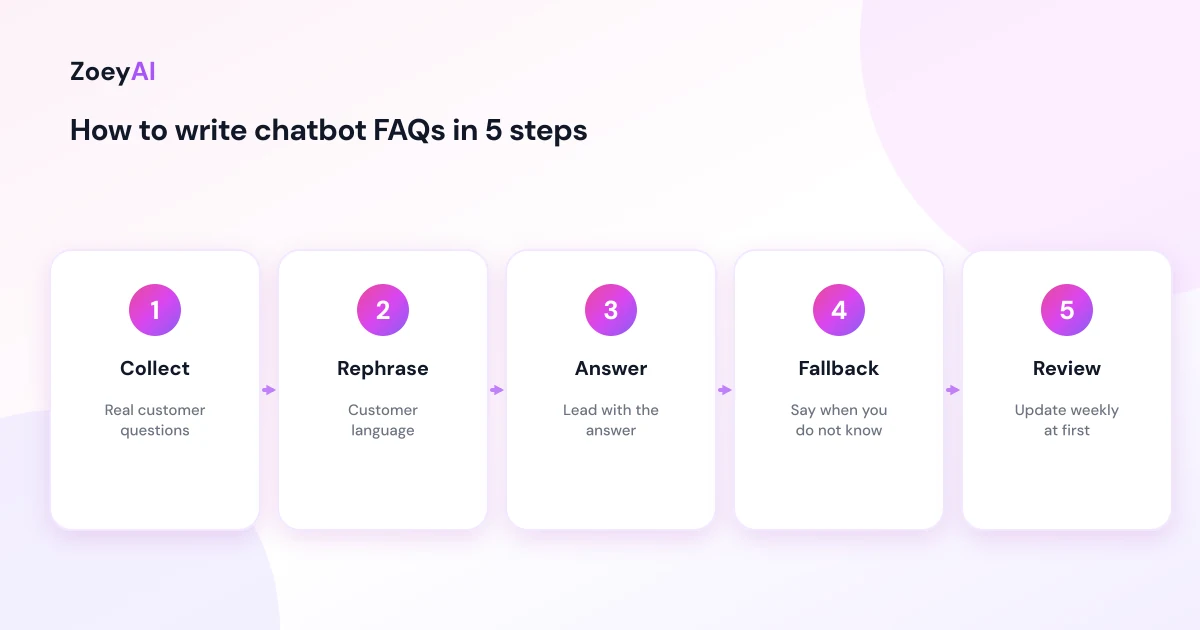
Step 1: Collect the questions customers really ask
Do not guess. Pull real questions from places you already have:
- Your inbox and contact form. Search for the questions you answer again and again
- Phone call notes. Ask staff which questions come up on almost every call
- Chat transcripts. If you already run live chat, read the last month
- Google search suggestions. Type your service plus a few starter words and note what is suggested
- Reviews. Customers often mention what they were unsure about before booking
Aim for 20 to 40 questions to start. Group them into themes such as services, pricing, booking, location, policies and aftercare. If two questions mean the same thing, keep the clearest wording.
Step 2: Write the question the way customers say it
Customers do not use your internal vocabulary. Write the question in everyday language, the way someone would type it into a chat box.
- Weak: "Service call-out fee schedule"
- Better: "How much do you charge to come out?"
You can add two or three alternative phrasings as notes for yourself. Good answers matter more than perfect questions, because the AI can match different wordings to the same answer.
Step 3: Lead with the answer
The first sentence should answer the question. Add detail afterwards, and finish with a next step when one makes sense.
Compare these two answers to "Do you work on weekends?":
- Weak: "We value flexibility and understand that our customers have busy lives."
- Better: "Yes, we take bookings on Saturdays. We are closed on Sundays. You can ask for a Saturday time slot when you request a quote."
Keep each answer to two to four short sentences. If the full answer needs more space, link to the page that holds the detail.
Step 4: Be specific, and be honest about what you do not know
Specific answers build trust, and invented specifics destroy it. Only include facts you can stand behind. Use real hours, real service areas and prices you actually charge. Where an answer depends on the job, say what it depends on.
- Weak: "Prices are very competitive."
- Better: "Prices depend on the size of the job. Tell us what you need and we will give you a written quote."
If you quote prices, state whether GST is included. The ACCC has guidance on avoiding false or misleading claims, which is a useful check on every claim in your FAQs, from guarantees to "best in town" wording.
Also write down what the chatbot should say when it does not have an answer. A good fallback is simple: "I am not sure about that one. I can pass your question to the team. What is the best email or number to reach you?"
Step 5: Cover the awkward questions on purpose
Most businesses only write FAQs for easy questions. The awkward ones are where customers lose trust, so write those first:
- Cancellations and refunds. State the policy plainly
- Complaints. Explain how to reach a person
- Pricing extras. Mention anything that can change the final cost
- Things you do not do. Say no politely and, if you can, point to an alternative
- Privacy. Explain what the chatbot collects and how to contact you about it
For privacy wording, the OAIC's page on the Australian Privacy Principles sets out what businesses need to be open about. We also wrote a guide to AI chatbot privacy in Australia.
Step 6: Decide when the bot should hand over
Some questions should never be answered by automation alone. Mark them in your FAQ notes so the handover is built in: complaints, urgent safety issues, legal questions, complex quotes and anything involving someone's health or finances. Customers should always be able to ask for a person. See our human handover best practices for a full set of rules.
Step 7: Format for readability
Chat windows are small. Keep answers short, avoid jargon and use a list when you give more than two items. Write in the same tone as the rest of your business, friendly and professional, and avoid long paragraphs.
Example FAQ set you can adapt
Here is a small, industry-neutral example. Replace every detail with your own facts.
What do you do? We provide [your service] for [type of customer] in [area]. You can see our full list of services on the services page.
How do I get a quote? Tell us what you need and your contact details, and we will reply with a written quote. You can also call us during business hours.
What are your hours? We are open [days and hours]. Outside those hours you can leave a message and we will reply the next business day.
Do you charge GST? All prices on our website include GST unless we say otherwise.
How do I cancel or change a booking? Contact us as soon as possible and we will help you reschedule. Our cancellation terms are on the booking page.
Can I speak to a person? Yes. Ask for a team member at any time and we will take over the chat.
Step 8: Test and keep them current
Before going live, run 20 real past enquiries through the chatbot and check each reply against your approved answer. Note any wrong, vague or missing answers and fix the FAQ rather than patching one reply at a time.
After launch, review transcripts weekly for the first month, then monthly. Look for questions with no good answer, answers customers follow up with "what do you mean?", and any fact that has changed. Put a date on your FAQ document so you know when it was last checked.
Common mistakes to avoid
- Copying marketing slogans. They sound nice and say nothing
- Writing for search engines, not customers. Keyword stuffing makes chat answers awkward
- Leaving old prices in. One outdated figure can cause a dispute
- Making answers too long. Link to a page instead
- Never reviewing. An unmaintained FAQ drifts out of date quickly
If you also publish an FAQ section on your website, Google explains how it handles FAQ structured data, which is worth reading so your page FAQs and chatbot FAQs stay consistent.
What does it cost to put these FAQs to work?
ZoeyAI trains on your website and supports a knowledge base, so your FAQs can feed the chatbot directly. There is a free Starter plan for live chat without AI. AI plans start at $29 a month incl. GST on Basic (100 conversations a month, knowledge base, website scanner, business hours and human takeover) and $79 a month incl. GST on Pro (250 conversations a month, up to 5 team seats, webhooks, CSV export and branding removal). Enterprise pricing is available on request, and every new account starts with a 7-day free trial. See the pricing section for details.
Frequently asked questions
How many FAQs should I write for a chatbot?
Start with 20 to 40 covering your most common questions, then add more as transcripts show gaps. Quality and accuracy matter more than volume.
How long should each answer be?
Two to four short sentences is a good target. Put the direct answer first and link to a page for the detail.
Do I still need FAQs if the chatbot reads my website?
It helps a lot. Your website may contain outdated or conflicting content, while an FAQ gives the chatbot one clear, approved version of the facts.
How often should I update chatbot FAQs?
Review them weekly for the first month after launch, then at least monthly, and straight away when prices, hours or policies change.
What should the chatbot say when it does not know?
It should say it is not sure, offer to pass the question to your team and ask for contact details. That is better than guessing.
Should chatbot FAQs match my website FAQ page?
They should agree on the facts, but chatbot answers are usually shorter and more conversational than a web page.
Keep reading
"AI Chatbot for Event Venues: Answer Capacity and Package Questions and Capture Enquiries"
How an AI chatbot for event venues answers questions about spaces, capacity, published packages and policies, captures wedding, corporate and party enquiries with the right details, treats dates as requests rather than bookings and hands every lead to your events team.
"AI Chatbot for Funeral Homes: Calm Answers and a Fast Path to Your Staff"
How an AI chatbot for funeral homes answers practical questions about services, published prices and what to do first, uses a calm and respectful tone, never pressures families, protects privacy and connects people with your staff quickly, including after hours.