
Industries
"AI Chatbot for Tutoring Businesses: Answer Parents and Capture Enrolments"
By ZoeyAI · · 8 min read
An AI chatbot for tutoring businesses answers the questions parents and students ask before they enrol: do you tutor Year 10 maths, is it online or in person, what days do you run sessions, how much does it cost, can we try a lesson first? Tutoring enquiries tend to arrive in the evening, after school and dinner, when tutors are busy teaching and the office is closed. If those questions sit unanswered until the next day, families often keep searching.
A chatbot can answer routine questions from your own website content, collect the details you need to place a student and pass the enquiry to your team. This guide covers what a tutoring chatbot should handle, where it should stop, and how to set it up so families get quick, accurate answers without the chatbot making promises about results.
What does an AI chatbot for tutoring businesses do?
Whether you run a one-person tutoring service, a learning centre with several rooms or an online tutoring business, the chatbot works like a front desk that is open whenever families are looking. It:
- Explains what you offer. Subjects, year levels, exam preparation, homework help, small group or one-on-one sessions, online or in-centre, described the way your website describes them.
- Answers practical questions. Locations, session times, term dates, how online lessons work, what students need to bring and how to reschedule.
- Quotes published fees only. If your website lists hourly rates, term packages or trial lesson prices, the chatbot can repeat them with what they include. If fees depend on an assessment, it says so.
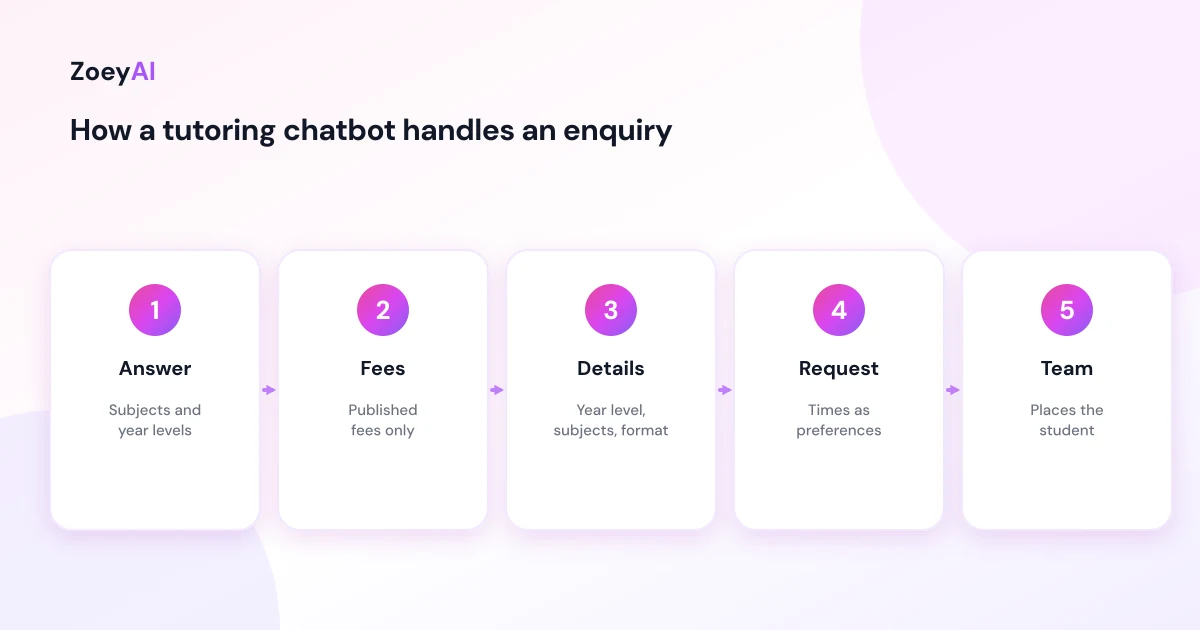
- Captures enrolment enquiries. Parent or student name, phone, email, year level, subjects, preferred days and whether they want online or in-person sessions.
- Routes existing families. Questions about invoices, a missed session or a change of tutor should reach your team quickly.
Collect the details that help you place a student
Matching a student with the right tutor or group usually needs a few details. A chatbot can ask for them during the conversation, one question at a time:
- Year level. And the school curriculum or state, if that matters for your programs.
- Subjects. For example maths, English, science or a specific senior subject.
- Goal. General support, building confidence, homework help or preparing for exams, in the family's own words.
- Format. One-on-one or small group, online or in person.
- Preferred days and times. As a preference, not a confirmed timetable slot.
- Location. If you run more than one centre or offer home visits.
In ZoeyAI you can set these up as custom lead fields, including dropdowns such as "Year level" or "Format", so the AI asks for them naturally and they arrive with every lead. Our guide to chatbot custom lead fields explains how to choose them without making the conversation feel like a form.
Keep the questions to what you need to make the first call. Detailed information about a student's learning needs, assessments or reports is better discussed directly with your team than typed into a chat window.
Fees, results and promises
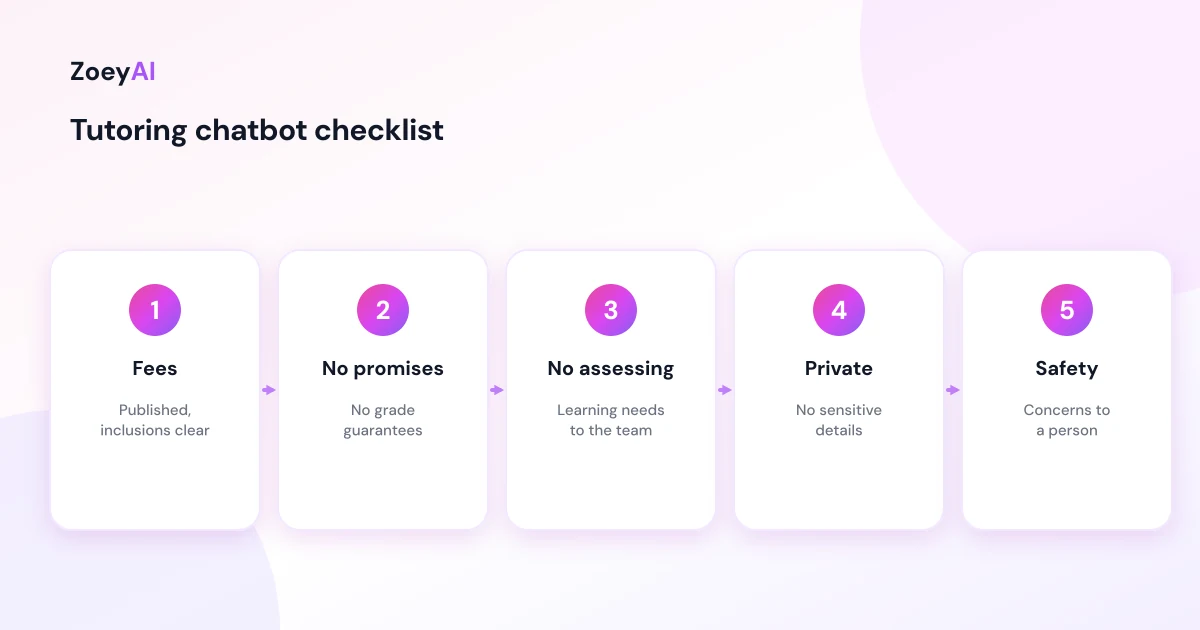
Fees are usually one of the first questions. Give the chatbot only the fees that appear on your website, and make sure it explains what they include, for example session length, materials, or whether a term package is paid upfront. The ACCC's guidance on price displays explains that businesses must show clear, accurate prices and be upfront about additional fees, and your chatbot is one of the places you display prices.
Results are where tutoring chatbots need the firmest limits. Phrases such as "guaranteed grade improvement", "your child will get into a selective school" or "we'll lift their ATAR" are claims your business would have to stand behind. The ACCC's guidance on false or misleading claims applies to everything your business says online, including what a chatbot says on your behalf. Tell the chatbot to describe your programs and approach, and to avoid predicting outcomes for any individual student.
The chatbot also should not assess a student. If a parent describes a learning difficulty and asks what is wrong or what program will fix it, the chatbot should acknowledge the question and offer a conversation with your team, rather than giving an opinion.
Child safety questions go to a person
Parents often ask about safety: are tutors screened, can I sit in on online sessions, who will my child be alone with? The chatbot can repeat exactly what your website says, for example that tutors hold a current working with children check for your state, if that is true. Anything beyond that, including concerns about a tutor or a session, should go straight to a person.
The Australian Human Rights Commission's Child Safe Organisations resources explain the National Principles for Child Safe Organisations, which are a useful reference when you decide how your business communicates about safety. For online tutoring, the eSafety Commissioner's information for parents is a helpful page to link from your website so families can find independent guidance.
Practical limits to give the chatbot:
- Do not collect sensitive details in chat. Medical information, diagnoses or school reports should be discussed with your team through an appropriate channel.
- Escalate any safety concern immediately. The chatbot should give the right contact details and not try to resolve it.
- Be clear when the student is the one chatting. If students use the chatbot, keep answers factual and route anything personal to a staff member.
Questions a tutoring chatbot handles well
These appear on most tutoring websites and can be answered from your own content:
- "Do you tutor Year 11 chemistry?"
- "Are lessons online or in person?"
- "What days and times do you run sessions?"
- "How much is a one-hour session?" (published fees only)
- "Do you offer a trial lesson?"
- "Do you run holiday programs?"
- "What happens if we miss a session?"
- "Where is your centre and is there parking?"
Questions to pass to your team include anything about a specific student's progress, learning difficulties, complaints, refund requests and safety concerns.
Make it easy for busy parents
Most parents look for a tutor on their phone, often between other jobs. Quick reply buttons such as "Book a trial lesson", "Subjects and year levels" and "Fees" help them start without typing. Our guide to chatbot quick reply buttons covers how to choose and word them.
Because so many tutoring enquiries come in after school hours, it also helps to set clear expectations about when your team will reply. Our article on the AI chatbot for after-hours enquiries explains how to capture those leads and tell families what happens next.
Handing enrolment enquiries to your team
Once the chatbot has the details, it should tell the family what happens next, for example "Our coordinator will call you tomorrow to find a time" if that is how your business works. ZoeyAI captures the enquiry as a lead with any custom fields you set up and notifies your team. On Basic and Pro plans a team member can take over the conversation live from the dashboard, and business hours settings let the chatbot tell families when the office will reply.
A good first reply from your team builds on what the chatbot collected rather than asking the same questions again. That is one of the main benefits of capturing structured details up front.
How to tell if it is working
Use your own records rather than general benchmarks:
- Enrolment enquiries captured, particularly in the evening and on weekends
- How complete they are, for example whether you can suggest a tutor or class without a long call
- How many become trial lessons and then ongoing students
- Questions the chatbot could not answer, so you can add them to your website or FAQ
- Peaks around term starts and exam periods, so you can plan staff time
Reviewing a handful of conversations each week is usually enough to spot gaps. Add the missing answers to your website or knowledge base so the chatbot can handle them next time.
What it costs
ZoeyAI pricing is in AUD and includes GST. There is a free Starter plan for live chat without AI. AI plans start at $29 a month incl. GST on Basic (100 conversations a month, knowledge base, website scanner, business hours and human takeover) and $79 a month incl. GST on Pro (250 conversations a month, up to 5 team seats, webhooks, CSV export and branding removal). Enterprise pricing is available on request, and every new account starts with a 7-day free trial. See the pricing section for current details.
Frequently asked questions
What can an AI chatbot for tutoring businesses answer?
Questions your website already answers: subjects, year levels, online or in-person options, session times, locations, trial lessons and published fees. It then captures the family's details for your team.
Can the chatbot enrol a student?
It can capture an enrolment or trial lesson request with the details you need. Unless it is connected to a live booking system, your team should confirm the timetable slot.
Should the chatbot promise better marks?
No. It should describe your programs and approach without predicting results for any individual student. Outcome guarantees are claims your business would have to stand behind.
Can parents ask about tutor screening in the chat?
Yes. The chatbot can repeat what your website says about screening and working with children checks. Specific concerns should go straight to a person.
Is it safe for students to use the chatbot?
Keep the chatbot to factual questions about your programs, avoid collecting sensitive details and route anything personal to staff. Link to independent guidance such as eSafety for online learning.
Will a chatbot replace our office or coordinator?
No. It answers routine questions and captures enquiries while tutors are teaching, so your coordinator can spend more time matching students and talking with families.
Keep reading
"AI Chatbot for Event Venues: Answer Capacity and Package Questions and Capture Enquiries"
How an AI chatbot for event venues answers questions about spaces, capacity, published packages and policies, captures wedding, corporate and party enquiries with the right details, treats dates as requests rather than bookings and hands every lead to your events team.
"AI Chatbot for Funeral Homes: Calm Answers and a Fast Path to Your Staff"
How an AI chatbot for funeral homes answers practical questions about services, published prices and what to do first, uses a calm and respectful tone, never pressures families, protects privacy and connects people with your staff quickly, including after hours.