
Guides
"Chatbot Greeting Message Examples: 30 Openers by Industry"
By ZoeyAI · · 8 min read
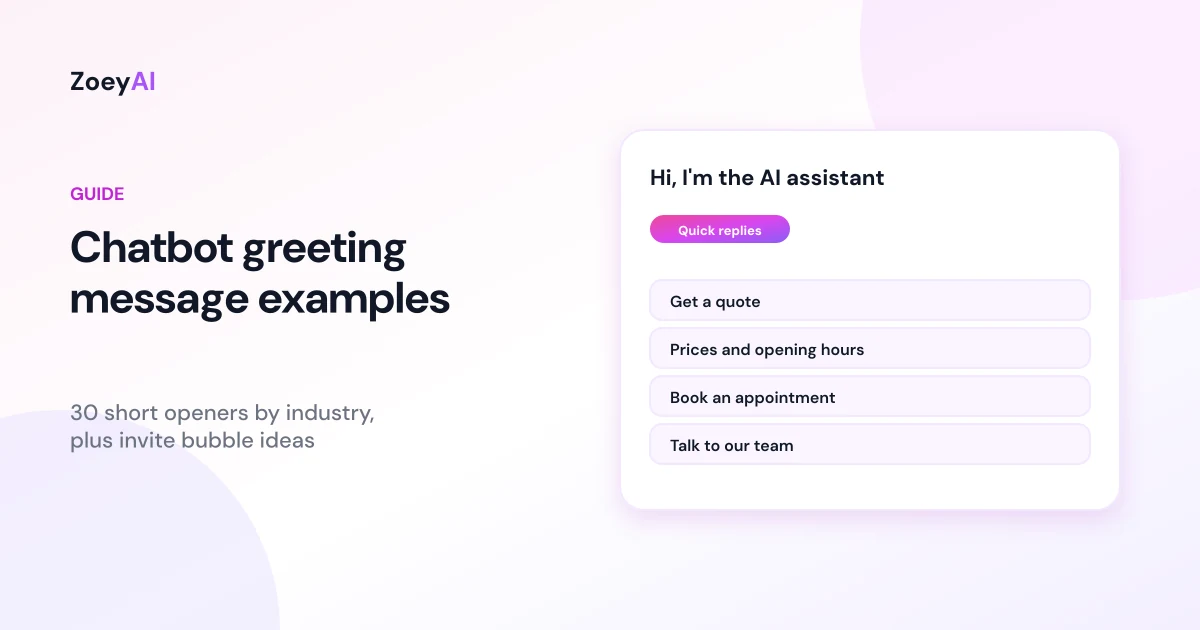
These chatbot greeting message examples are for business owners who have added a chatbot to their website and are staring at the default "Hi! How can I help?" wondering whether it could be better. The greeting is the first thing a visitor reads in the chat window, and the invite bubble next to the chat icon is often the reason they open it at all. Both are short, so every word matters.
Below you will find what makes a good greeting, 30 example openers grouped by industry, invite bubble ideas, and a simple way to test changes without guessing. We have not included conversion percentages or "best performing" claims, because the right greeting depends on your visitors, your pages and what you sell. Your own conversations are the only reliable test.
What a good chatbot greeting does
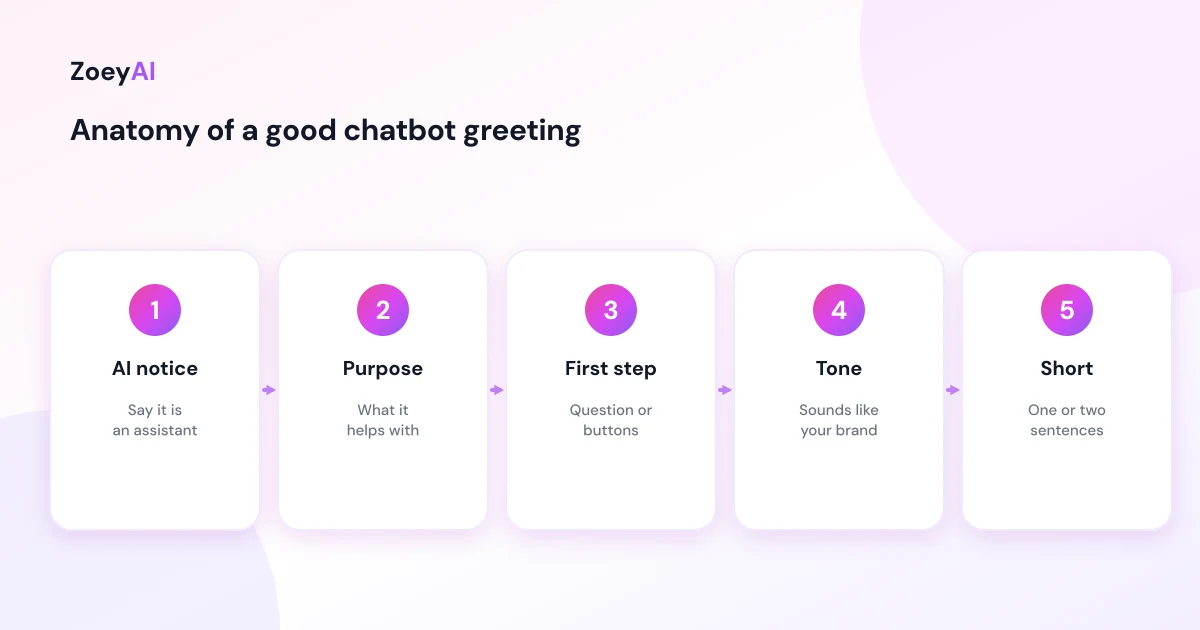
A strong greeting does four things in one or two sentences:
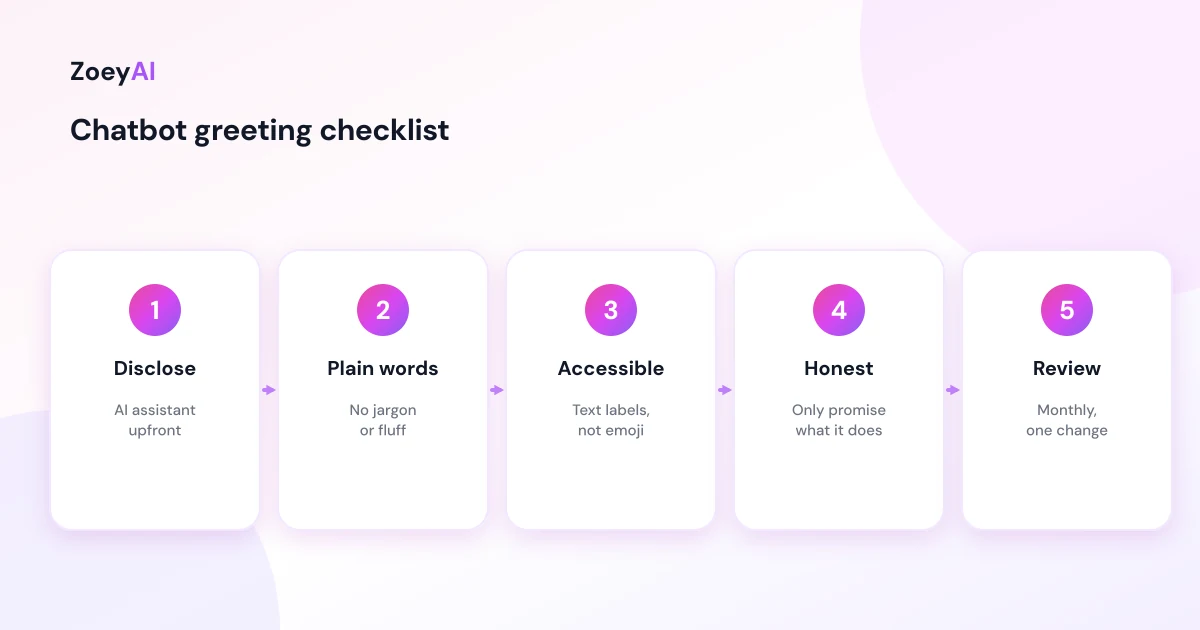
- Says it is an AI assistant. Visitors should know they are not chatting with a person. It sets expectations and builds trust.
- Says what it can help with. "I can help with quotes, prices and bookings" is more useful than "Ask me anything".
- Gives an easy first step. A question the visitor can answer, or quick-reply buttons for common topics.
- Sounds like your business. Match the tone of your website. A law firm and a café should not greet people the same way.
The Australian Government's Style Manual has practical advice on plain language and word choice: use everyday words, use "we" and "you", and avoid jargon. Those rules suit chat perfectly, because visitors skim.
Greeting vs invite bubble: two different jobs
Most website chat tools have two pieces of opening text:
- The invite bubble appears next to the chat icon before anyone clicks. Its job is to get the click, so it is very short.
- The greeting message is the first message inside the chat once it opens. Its job is to start a useful conversation.
In ZoeyAI, both live under Settings, Greetings: the website invite bubble (up to 80 characters) and the chat greeting message, with a live preview of each. You can also add quick-reply buttons under the greeting for the questions visitors ask most.
Chatbot greeting message examples by industry
Use these as starting points and swap in your own services. Keep the AI disclosure in whatever version you choose.
Trades and home services
- "Hi, I'm the AI assistant for [Business]. I can help with quotes, service areas and availability. What do you need done?"
- "Hi there, I'm [Business]'s AI assistant. Tell me about the job and your suburb, and I'll pass the details to our team for a quote."
- "Hi, I'm an AI assistant. Need a plumber, or just have a question about our services? Pick an option below."
Health and allied health clinics
- "Hi, I'm the clinic's AI assistant. I can help with bookings, fees and opening hours. For questions about symptoms, our practitioners can help at your appointment."
- "Welcome to [Clinic]. I'm an AI assistant who can help you book, check our fees or find our nearest location."
- "Hi, I'm the AI assistant for [Clinic]. Looking to book a first appointment? I can take your details for our front desk."
Professional services (accounting, legal, finance)
- "Hi, I'm [Firm]'s AI assistant. I can explain our services and arrange a call with our team. I can't give advice on your situation, but our team can."
- "Welcome. I'm an AI assistant for [Firm]. Would you like to know about our services, our fees, or book an initial consultation?"
- "Hi, I'm the AI assistant here. Tell me a little about what you need and I'll make sure the right person gets back to you."
Hospitality (restaurants, cafés, hotels)
- "Hi, I'm [Venue]'s AI assistant. I can help with opening hours, menus, bookings and functions. What can I help with?"
- "Welcome to [Venue]. I'm an AI assistant. Planning a group booking or function? I can take the details for our events team."
- "Hi, I'm the AI assistant for [Hotel]. I can answer questions about check-in, parking and facilities. For live rates, use our booking page."
Retail and ecommerce
- "Hi, I'm [Store]'s AI assistant. I can help with sizing, shipping, returns and finding the right product."
- "Welcome. I'm an AI assistant. Looking for something specific, or have a question about an order? Choose an option below."
- "Hi, I'm the AI assistant for [Store]. Ask me about delivery times, returns or product details."
Real estate and property management
- "Hi, I'm [Agency]'s AI assistant. Are you buying, selling, renting or a current tenant?"
- "Welcome. I'm an AI assistant. I can answer questions about our listings or log a maintenance request. For emergency repairs, call [number]."
- "Hi, I'm the AI assistant for [Agency]. Thinking about selling? I can arrange an appraisal with one of our agents."
Fitness, beauty and personal services
- "Hi, I'm [Studio]'s AI assistant. I can help with class times, memberships and free trial passes."
- "Welcome to [Salon]. I'm an AI assistant. I can help with services, prices and booking an appointment."
- "Hi, I'm the AI assistant here. New to [Gym]? Ask me about memberships or book a tour."
Education and childcare
- "Hi, I'm [Centre]'s AI assistant. I can help with enrolments, tours and fees as published. For anything about your child, our team will help."
- "Welcome. I'm an AI assistant for [Tutoring Business]. I can help with subjects, timetables and enrolment."
- "Hi, I'm the AI assistant here. Would you like to book a tour or join our waitlist?"
SaaS and online services
- "Hi, I'm [Product]'s AI assistant. I can answer questions about features, pricing and setup."
- "Welcome. I'm an AI assistant. Want to know if [Product] fits your business? Tell me what you're trying to do."
- "Hi, I'm the AI assistant for [Product]. Stuck on setup? I can walk you through it or connect you with support."
After hours, any industry
- "Hi, I'm [Business]'s AI assistant. Our team is offline right now, but I can answer questions and pass your details on for a reply when we open."
- "Thanks for visiting. I'm an AI assistant and I'm here 24/7. Leave your question and contact details and our team will follow up next business day."
- "Hi, I'm the AI assistant here. We're closed at the moment, but I can still help with prices, hours and bookings."
Invite bubble ideas (under 80 characters)
The invite bubble has to work at a glance. A few patterns that fit the space:
- "Questions about [service]? Ask our AI assistant."
- "Need a quote? Chat with us."
- "Ask about prices, hours or bookings."
- "Looking for something? I can help."
- "Open now: ask our AI assistant anything about [Business]."
Avoid bubbles that pretend to be a person ("Sarah here, got a minute?") when the chat is an AI assistant. The ACCC's guidance on false or misleading claims says information a business provides, including on websites, must not create a false impression. Being upfront that the chat is AI is the simplest way to stay clear of that.
Make it accessible and easy to read
Chat greetings should be readable by everyone. The W3C's Web Content Accessibility Guidelines are the international standard for accessible web content. For greetings, the practical points are simple: keep sentences short, avoid emoji-only messages, make sure quick-reply buttons have clear text labels, and do not rely on colour alone to show which option to choose.
Common greeting mistakes
- Too long. Three paragraphs before the visitor has typed anything. Keep it to one or two sentences.
- Too vague. "How can I help?" gives no clue what the chatbot knows.
- Pretending to be human. It damages trust as soon as the visitor notices.
- Promising what it cannot do. If the chatbot cannot book appointments, do not say "I can book you in".
- Asking for details too early. Let visitors ask their question before you ask for a phone number.
The greeting also needs to match the chatbot's instructions. If the greeting promises quotes, the chatbot should know how to handle a quote request. Our guide on how to write chatbot prompts covers writing instructions that line up with what your greeting says, and how to write chatbot FAQs helps fill the knowledge gaps visitors will expose.
How to test which greeting works
You do not need a complicated experiment. A simple routine is enough:
- Write down your goal. Usually more conversations started, or more leads captured.
- Record a baseline. Note conversations and leads for two to four weeks with your current greeting.
- Change one thing. Swap the greeting or the invite bubble, not both.
- Compare the same length of time. Watch for seasonal changes or ad campaigns that skew traffic.
- Read the conversations. Numbers tell you what changed; transcripts tell you why.
Our guide to chatbot metrics to track explains which numbers matter beyond conversation counts.
What it costs to try
ZoeyAI pricing is in AUD and includes GST. There is a free Starter plan for live chat without AI. AI plans start at $29 a month incl. GST on Basic (100 conversations a month, knowledge base, website scanner, business hours and human takeover) and $79 a month incl. GST on Pro (250 conversations a month, up to 5 team seats, webhooks, CSV export and branding removal). Enterprise pricing is available on request, and every new account starts with a 7-day free trial. See the pricing section for current details.
Frequently asked questions
What is a good chatbot greeting message?
One or two sentences that say the chat is an AI assistant, say what it can help with and give the visitor an easy first step, written in your brand's tone.
Should a chatbot greeting say it is an AI?
Yes. Saying so upfront sets expectations, builds trust and avoids giving the impression that visitors are talking to a person.
How long should a chatbot greeting be?
Short. One or two sentences in the chat, and under 80 characters for an invite bubble so it reads at a glance.
Should I use emoji in a chatbot greeting?
Only if it suits your brand, and never as the whole message. Words should carry the meaning so the greeting stays clear and accessible.
Should the greeting ask for contact details straight away?
Usually not. Let visitors ask their question first, then collect details when they want a quote, booking or call-back.
How often should I change my chatbot greeting?
Review it monthly, and change it when your services, opening hours or offers change. When testing, change one thing at a time and compare over the same period.
Keep reading
"AI Chatbot for Event Venues: Answer Capacity and Package Questions and Capture Enquiries"
How an AI chatbot for event venues answers questions about spaces, capacity, published packages and policies, captures wedding, corporate and party enquiries with the right details, treats dates as requests rather than bookings and hands every lead to your events team.
"AI Chatbot for Funeral Homes: Calm Answers and a Fast Path to Your Staff"
How an AI chatbot for funeral homes answers practical questions about services, published prices and what to do first, uses a calm and respectful tone, never pressures families, protects privacy and connects people with your staff quickly, including after hours.