
Guides
"How to Write Chatbot Prompts: A Simple Framework for Better AI Replies"
By ZoeyAI · · 7 min read
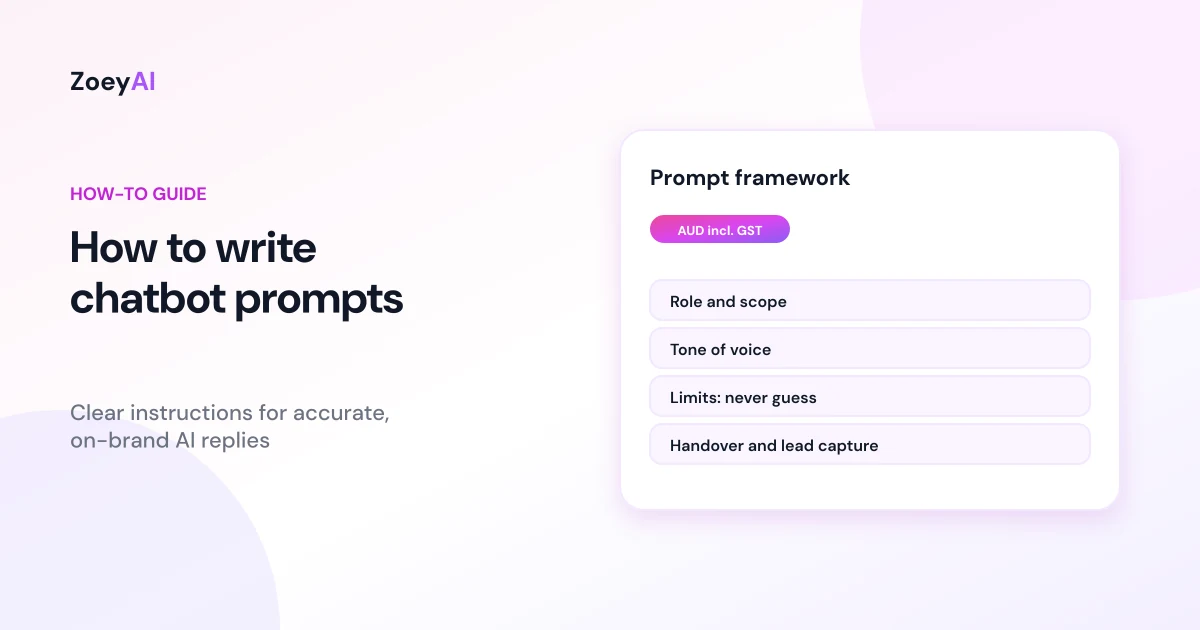
Learning how to write chatbot prompts is what turns a generic AI model into an assistant that sounds like your business and stays within the rules you set. Your website content and FAQs tell the chatbot what is true. The prompt, often called the system prompt or instructions, tells it how to behave: who it is, what it should help with, how it should sound, what it must never do and when to hand over to a person.
This guide gives you a simple framework for writing those instructions, examples you can adapt to any industry and a way to test them before customers see the results.
Prompts, FAQs and training content: what is the difference?
It helps to separate three things:
- Training content is your website, documents and knowledge base. It holds facts such as services, hours, locations and policies.
- FAQs are short, approved answers to the questions customers ask most. Our guide on how to write chatbot FAQs covers them in detail.
- Prompts are instructions about behaviour. They do not need to list every fact. They tell the chatbot how to use the facts it has.
A common mistake is stuffing prices, hours and policies into the prompt. Facts belong in your content, where they are easy to update. The prompt should be stable and mostly about behaviour.
The five parts of a good business chatbot prompt
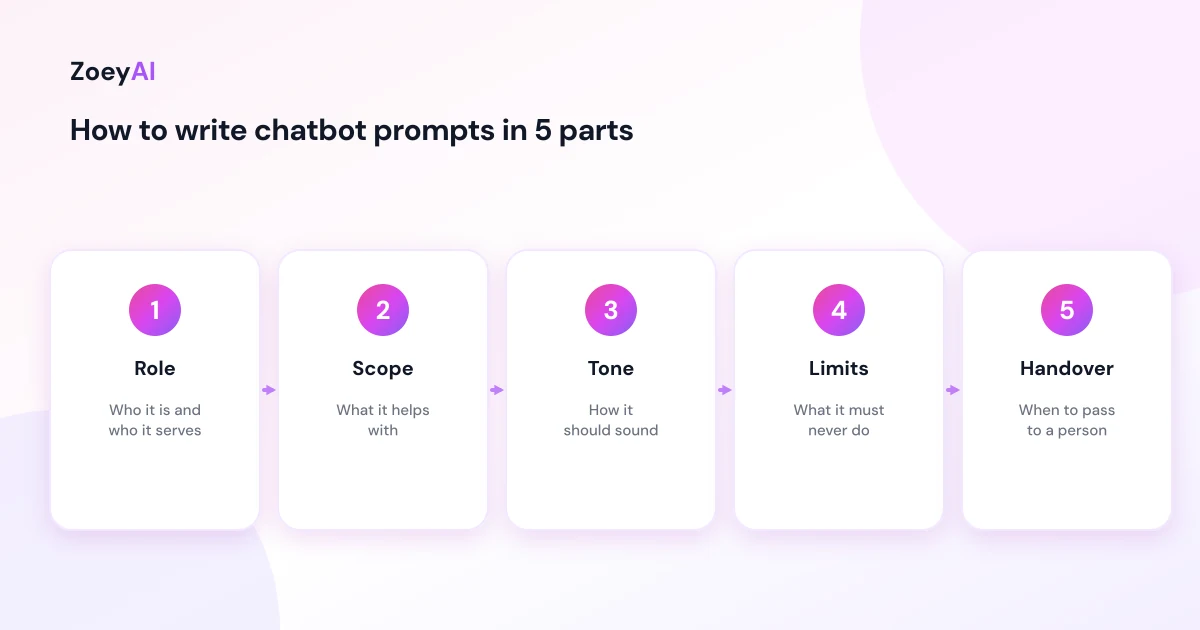
The major AI providers publish their own prompting guides, including Anthropic's prompt engineering overview, OpenAI's prompt engineering guide and Google's prompt design strategies. They share some common advice: be clear and specific, give context, use examples and break complex tasks into steps. For a business chatbot, that turns into five parts.
1. Role
Tell the chatbot who it is and who it works for.
Example instruction: "You are the website assistant for [Business name], a [type of business] in [area]. You help visitors with questions about our services, opening hours, locations and how to get started."
2. Scope
Say what it should help with and what is out of scope. A narrow scope keeps answers accurate.
Example instruction: "Answer questions using our website and knowledge base only. If a question is about something we do not offer, say so politely and suggest the visitor contact us."
3. Tone
Describe how it should sound in plain words. Short sentences and an example or two beat a list of adjectives.
Example instruction: "Be friendly, clear and professional. Use Australian English. Keep replies to two to four short sentences unless the visitor asks for more detail."
4. Limits
This is the part most businesses skip. List what the chatbot must never do.
Example instruction: "Never make up prices, availability, dates or policies. If you do not know, say so. Do not give medical, legal or financial advice. Do not promise outcomes or make guarantees."
5. Handover and lead capture
Tell it when to pass the conversation to a person and what details to collect.
Example instruction: "If a visitor wants a quote, wants to book, has a complaint or asks for a person, collect their name, phone number and email, and tell them our team will reply during business hours."
Write scenarios, not just rules
General rules are a good start, but chatbots follow specific situations better. A useful pattern is to write short scenarios with three parts: the situation, what to do and an example of what to say.
Scenario: the visitor asks for a price that depends on the job.
- Do this: explain what the price depends on, then offer to collect details for a quote.
- Say something like: "It depends on the size of the job. If you share a few details, our team can send you a written quote."
Scenario: the visitor is upset or making a complaint.
- Do this: acknowledge the problem, do not argue or make promises, and offer a person.
- Say something like: "I'm sorry to hear that. I'll pass this to our team so someone can look into it. What is the best number to reach you?"
Scenario: the visitor asks something outside your business.
- Do this: say politely that it is outside what you can help with.
- Say something like: "That's not something we can help with, but I'm happy to answer any questions about our services."
ZoeyAI's AI training area on paid plans lets you add custom sections like these, and they are merged into the chatbot's instructions for each new conversation. The same approach works in most chatbot tools.
Industry examples you can adapt
The structure stays the same. Only the limits and handover triggers change:
- Health clinics: no diagnoses or treatment advice, urgent symptoms go to a phone number or emergency services, bookings go to the booking system. See our guide to AI chatbots for dental clinics for an example.
- Professional services: no legal, tax or financial advice about the visitor's own situation, new-client enquiries get a call-back.
- Trades and home services: no fixed quotes without details, urgent jobs such as leaks or electrical faults go to the phone.
- Retail and ecommerce: no promises about stock or delivery dates the chatbot cannot see, returns follow your published policy.
- Hospitality: no confirming bookings or allergy safety, allergy questions go to staff.
Common prompt mistakes
- Vague instructions. "Be helpful" tells the model nothing. "Answer in two to four sentences and offer to collect contact details for quotes" does.
- Contradictions. "Keep replies short" and "always explain everything in detail" in the same prompt will produce inconsistent answers.
- Facts in the prompt. Prices and hours change. Keep them in your content so you update them in one place.
- No fallback. Without a clear "say you don't know" instruction, a model may guess.
- Too long. Very long prompts with dozens of rules are harder to maintain. Keep the core short and add scenarios for the cases that matter.
- Overclaiming. Do not tell the chatbot to say it is the "best" or "cheapest" unless you can back it up.
How to test your chatbot prompt
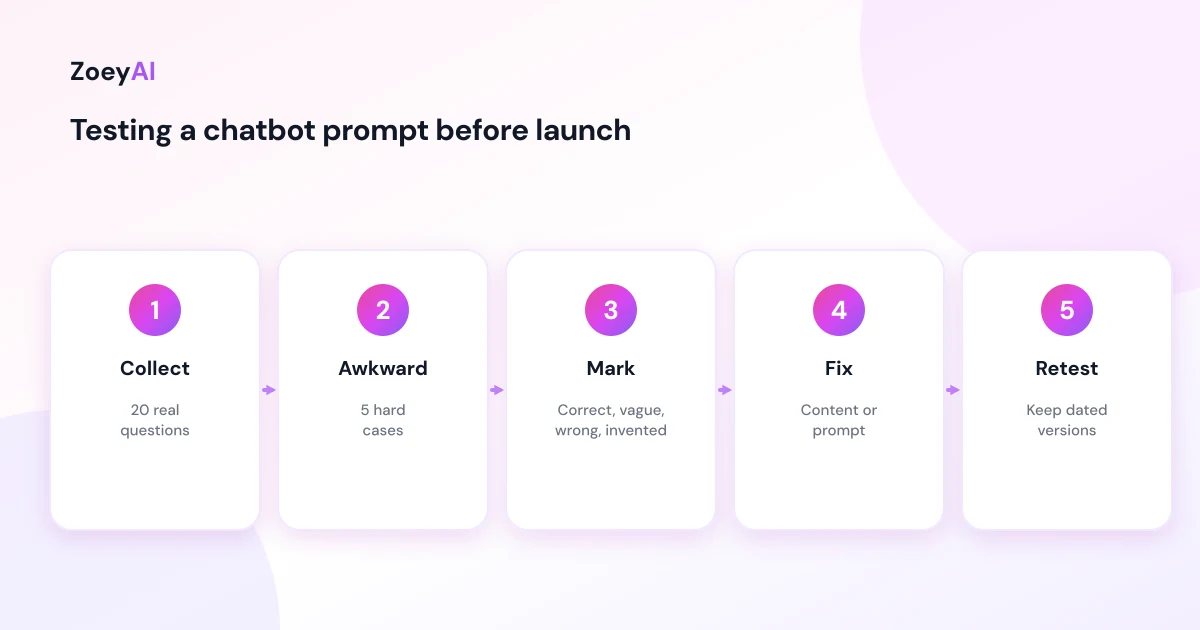
Before you go live, test the prompt the way a customer would:
- Collect 20 real questions from your inbox, phone notes or past chats.
- Add five awkward ones, such as a complaint, a request for a discount, an off-topic question, a request for advice and a question you have no answer for.
- Run them through the chatbot and mark each reply as correct, vague, wrong or invented.
- Fix the cause. If a fact is wrong, fix the content. If the behaviour is wrong, fix the prompt.
- Retest the replies that failed.
Keep a dated copy of each version of your prompt so you can see what changed if answers get worse. The Australian Government's Voluntary AI Safety Standard also encourages testing and human oversight of AI systems, which is a useful reference for your process.
Keep the prompt and the handover aligned
A prompt that says "a team member will reply within the hour" only works if someone actually does. Match the promises in your prompt to how your team really works, and make sure notifications go to someone who checks them. Our human handover best practices cover this in more depth.
What does it cost to put this into practice?
ZoeyAI pricing is in AUD and includes GST. There is a free Starter plan for live chat without AI. AI plans start at $29 a month incl. GST on Basic (100 conversations a month, knowledge base, website scanner, business hours and human takeover) and $79 a month incl. GST on Pro (250 conversations a month, up to 5 team seats, webhooks, CSV export and branding removal). Enterprise pricing is available on request, and every new account starts with a 7-day free trial. See the pricing section for current details.
Frequently asked questions
What is a chatbot prompt?
It is the set of instructions that tells an AI chatbot how to behave: its role, what it helps with, its tone, what it must not do and when to hand over to a person. It is separate from the content the chatbot uses for facts.
How long should a chatbot prompt be?
Long enough to cover role, scope, tone, limits and handover clearly, plus a few scenarios for important situations. A focused prompt of a page or so is usually easier to maintain than a very long list of rules.
Should I put prices and opening hours in the prompt?
It is better to keep them in your website or knowledge base, so you only update them in one place. Use the prompt to tell the chatbot never to guess prices or availability.
How do I stop a chatbot making things up?
Tell it to answer only from your content, give it a clear fallback such as "I'm not sure, I can pass this to our team", and test it with questions it cannot answer.
How often should I update my chatbot prompt?
Review it whenever transcripts show a behaviour problem, and at least every few months. Change one thing at a time and retest, so you know what made the difference.
Do I need technical skills to write chatbot prompts?
No. Clear, plain English works best. If you can explain to a new staff member how to answer customers, you can write a chatbot prompt.
Keep reading
"AI Chatbot for Event Venues: Answer Capacity and Package Questions and Capture Enquiries"
How an AI chatbot for event venues answers questions about spaces, capacity, published packages and policies, captures wedding, corporate and party enquiries with the right details, treats dates as requests rather than bookings and hands every lead to your events team.
"AI Chatbot for Funeral Homes: Calm Answers and a Fast Path to Your Staff"
How an AI chatbot for funeral homes answers practical questions about services, published prices and what to do first, uses a calm and respectful tone, never pressures families, protects privacy and connects people with your staff quickly, including after hours.